Piotr VassevPiotr Vassev

How to Monitor New LinkedIn Job Postings (Step-by-Step Guide)

How to Monitor New LinkedIn Job Postings

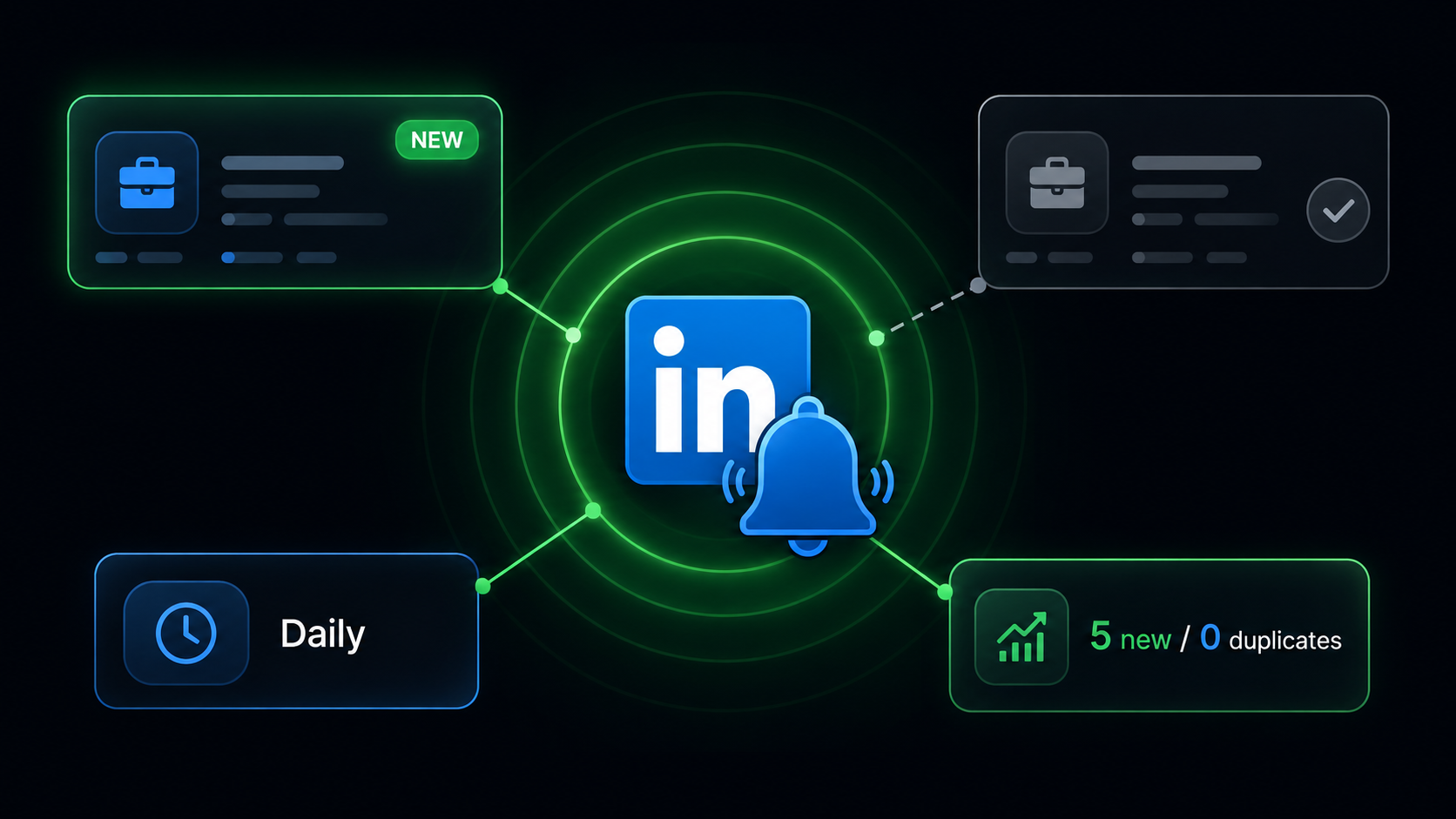
If you want to track new LinkedIn job postings automatically — for recruitment alerts, job hunting, or hiring-signal lead generation — this guide walks you through setting up continuous monitoring that returns only what is genuinely new.

Why Monitoring Beats Repeated Scraping

Almost every job scraper on the market is one-shot. You give it a search, it returns everything matching, and you are done. Run it again tomorrow and it returns everything again — including the several hundred rows you already processed yesterday.

That leaves you doing the hard part yourself: storing every job ID you have already seen, diffing each new run against it, keeping that store from growing unbounded, and handling the case where a run crashes halfway through. Get any of it wrong and you either re-alert on stale jobs or silently miss new ones.

Monitoring inverts the model. The scraper remembers what it has already told you and returns only the difference.

That matters for three reasons:

  • Speed to contact — in recruiting and in job hunting, the first few hours after a posting goes live are the ones that count. Applicant counts climb fast
  • Cost — you pay for new information, not for re-delivering the same rows daily
  • Downstream simplicity — every row that arrives is actionable. No deduplication step, no "have I already emailed this company" check

Who This Is For

Recruiters and Sourcers

Watch the roles you place into and get alerted the moment a competitor opens one. Client companies opening a req you did not know about is a business-development trigger.

Job Seekers

Track your target titles and companies and apply within hours instead of days. applicantCount in the detail depth shows you exactly how contested a role already is.

Sales Teams

Hiring is a buying signal. Monitor role types that imply a need for your product — "the moment any company in my territory posts a RevOps role" is a far better trigger than a quarterly list refresh.

Market Analysts

Build a genuine time series of job creation. A daily monitor gives you dated, first-seen records rather than repeated snapshots you have to reconstruct dates from.

Talent Intelligence Teams

Track competitor expansion continuously rather than in periodic audits, and catch the direction of a hiring shift while it is happening.

How the Monitor Works

  1. You give it keywords and locations — the same cross product as a normal search, so 3 keywords and 2 locations watch 6 searches
  2. On each run it searches LinkedIn within your chosen lookback window
  3. It compares every job ID found against its memory of what it has already reported
  4. It returns only the new ones, and charges only for those
  5. It records them as reported, so the next run will not send them again

The memory lives in a named store inside your own Apify account, so two customers never share a seen-set and nothing persists outside your account.

Design details that matter

  • Jobs are marked as seen only after a successful delivery. A job marked seen but never delivered would be lost forever; a crash between delivery and saving costs you one duplicate. The asymmetry is deliberate — a duplicate is an annoyance, a silently dropped job is a failure
  • The memory is saved on interruption too, not just at the end of a run, so a migration or an abort does not lose the record of what was already sent
  • Retention is 45 days, which comfortably exceeds the 30-day maximum window LinkedIn will search. A job can therefore never be forgotten while it is still reachable by the query that found it — which is the only way pruning could cause a re-report
  • Zero new jobs is a success, not an error. This is the one scraper where an empty result is a legitimate outcome, and it exits cleanly

What Data You Get

Listing fields (every new job)

FieldDescription
jobIdLinkedIn job posting ID
jobUrlCanonical LinkedIn job URL
titleJob title
companyNameHiring company name
companyUrlCompany LinkedIn profile URL
companySlugCompany identifier — stable join key
locationJob location as posted
postedDatePosting date (YYYY-MM-DD)
postedTimeAgoRelative posting age
companyLogoCompany logo image URL
sourceQueryWhich watched search produced this row
scrapedAtISO 8601 timestamp — effectively the first-seen date

Detail fields (optional depth)

Full description, posted salary parsed into min / max / currency / period, seniority level, employment type, job function, industries, applicant count, and apply type.

For a monitor, applicantCount is especially useful: catching a role at 3 applicants rather than 300 is the entire point of monitoring.

Step-by-Step: Setting Up LinkedIn Job Monitoring

Step 1 — Open the Monitor

Go to the LinkedIn Jobs Monitor on Apify.

Step 2 — Define What to Watch

Add your search terms under keywords and your target markets under locations. They combine as a cross product, so a handful of each covers a lot of ground in one monitor.

Leave locations empty to watch worldwide.

Step 3 — Set the Lookback Window

postedWithin controls how far back each run looks. Keep it comfortably wider than your schedule interval. A daily schedule with a 24-hour window has no margin if a run is delayed or fails.

Anything already reported is filtered out regardless, so a wider window costs you a few extra requests — never duplicates.

A good pairing:

ScheduleRecommended window
Every few hoursPast 24 hours
DailyPast 3 days
WeeklyPast month

Step 4 — Set a Monitor ID

Optional but strongly recommended. Without one, the memory is keyed to the exact keywords, locations, and window — so editing any of them starts a fresh monitor and re-sends your whole feed.

Set a monitorId like eng-hiring-us and you can tweak the query later without being re-sent and re-charged for jobs you already have.

Step 5 — Choose Your Depth

Leave it on listing for fast, cheap alerts. Switch to detail when you want salary and applicant count on every alert.

Step 6 — Configure and Run

{
  "keywords": ["revenue operations", "sales operations"],
  "locations": ["United States"],
  "postedWithin": "r259200",
  "enrichment": "listing",
  "maxItems": 100,
  "monitorId": "revops-us"
}

maxItems caps what a single run can cost. Anything beyond it is left unreported and picked up next run, so nothing is lost.

Step 7 — Schedule It

In Apify, open the actor's Schedules tab and set your interval. From there, add a webhook to push new jobs into Slack, email, a CRM, or your own endpoint the moment they arrive.

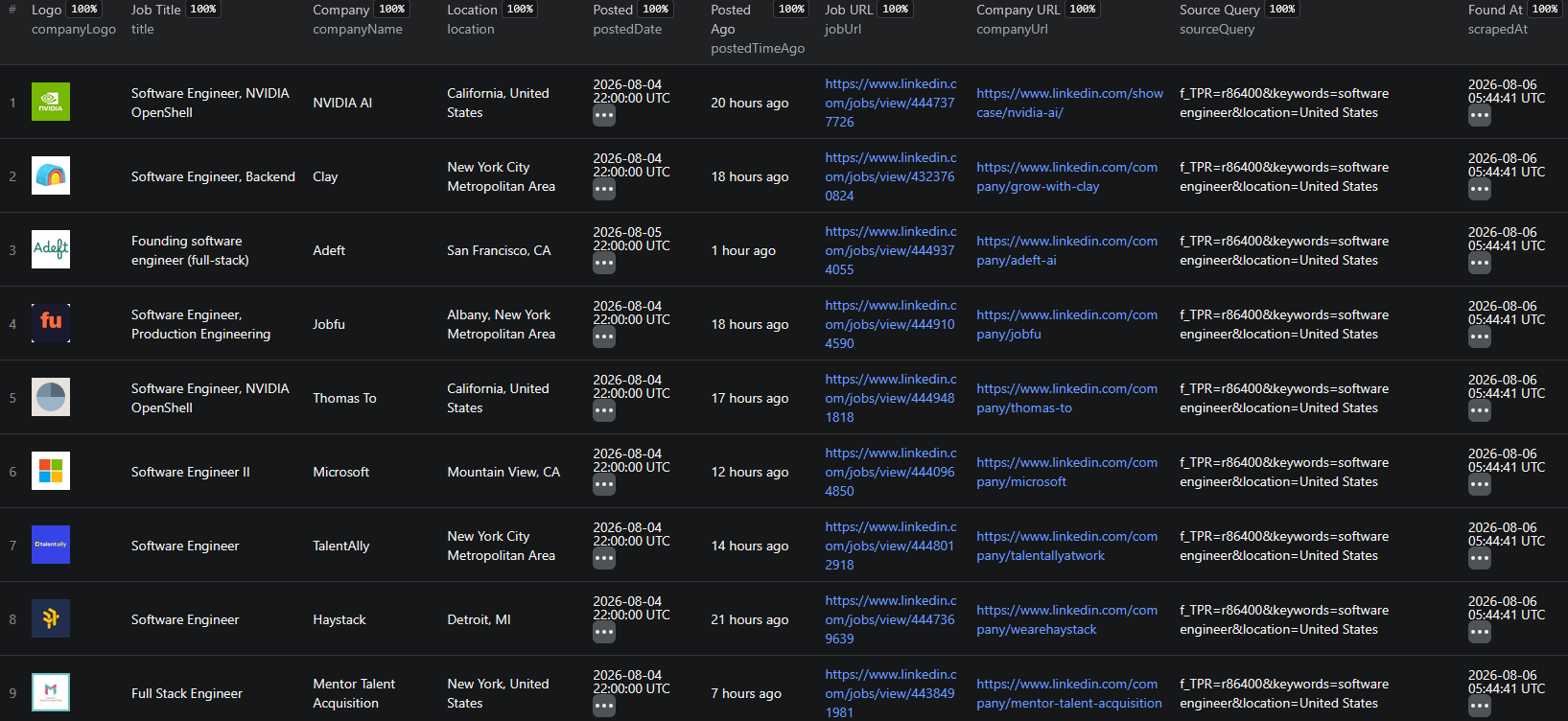
Example Output (Real Data Preview)

LinkedIn Jobs Monitor results

A monitor run returns only what is new since last time:

{
  "jobId": "4441028873",
  "jobUrl": "https://www.linkedin.com/jobs/view/4441028873",
  "title": "Revenue Operations Manager",
  "companyName": "Ramp",
  "companySlug": "ramp",
  "companyUrl": "https://www.linkedin.com/company/ramp",
  "location": "New York, NY",
  "postedDate": "2026-08-06",
  "postedTimeAgo": "2 hours ago",
  "sourceQuery": "keywords=revenue operations&location=United States",
  "scrapedAt": "2026-08-06T09:15:02.441Z"
}

Verified behaviour across two consecutive runs of an identical input:

CheckResult
Run 1 — "software engineer" / US5 jobs reported, 5 remembered
Run 2 — identical input5 different jobs, 0 overlap, 5 correctly skipped
Quiet run — "librarian" / Montana17 first, then 0 — exits successfully
monitorId overrideSeparate memory confirmed

Try the LinkedIn Jobs Monitor now — no coding required.

Pricing — Pay Only for New Jobs

This is where the monitor's economics differ most from the alternatives.

EventWhen it's chargedFree planGold plan
new-jobOnce per genuinely new posting$0.004$0.0015
new-job-detailOnce per new posting when detail depth is on$0.006$0.0025

No per-check fee. The only fixed cost is Apify's nominal $0.00005 platform start event, so a run that finds nothing costs five thousandths of a cent.

That is a deliberate choice. The nearest competing monitor charges $0.06 per monitoring check on top of $0.01 per new job — an honest accounting of the fixed cost of a run, but one that taxes exactly the quiet days you want the monitor watching through. Here essentially the entire price sits on the new job itself, so your spend tracks the value delivered.

Yes, this is roughly 5× the per-row price of a plain jobs search — and that is the point. You are paying for the deduplication guarantee across runs, not for the HTML.

Automating Further

Slack or Email Alerts

Attach an Apify webhook to the run-succeeded event and post new roles into a channel as they land.

CRM Triggers

Push new jobs into your CRM keyed on companySlug to create tasks when a watched account starts hiring.

Node.js Example

For a complete working example showing how to call this scraper from Node.js, see the GitHub repository.

Multiple Monitors

Run several monitors with different monitorId values — one per client, per territory, or per role family — each with its own independent memory.

Building a Time Series

Because scrapedAt is effectively the first-seen date, appending every run's output to one table gives you a dated record of job creation over time that snapshots cannot reconstruct.

Why Not Just Use LinkedIn Job Alerts?

LinkedIn's built-in alerts email you a curated selection, on LinkedIn's schedule, in a format designed for reading rather than processing. They are not exhaustive, not structured, not multi-query, and not exportable.

The monitor gives you every new posting matching every one of your searches, as structured rows, on your schedule, into your systems.

Try the LinkedIn Jobs Monitor

The LinkedIn Jobs Monitor watches LinkedIn searches on a schedule and returns only what is new.

What you get:

  • Multiple keywords × multiple locations watched in one monitor
  • Only genuinely new postings — never the same job twice
  • Persistent memory in your own account, retained 45 days and pruned automatically
  • monitorId so you can edit a query without being re-sent your whole feed
  • Optional full job detail including salary and applicant count
  • Zero rows on a quiet day, exiting successfully — with zero cost
  • No per-check fee — only Apify's nominal $0.00005 platform start event
  • Scheduling and webhooks built into the platform
  • No proxy setup, no LinkedIn account, no cookies

Start monitoring LinkedIn jobs now — your first monitor takes under 5 minutes to set up.

The Rest of the LinkedIn Suite

Legal and Ethical Considerations

  • Public data only — publicly visible job postings, no login or cookies required
  • No personal profiles — this scraper collects job and company data, not personal LinkedIn profiles
  • Respect rate limits — a monitor with a tight window is a very light query by design
  • Compliance — ensure your storage and processing comply with applicable regulations such as GDPR
  • Legitimate use — recruitment alerts, job hunting, and market monitoring are well-established uses of public job data

Frequently Asked Questions

How can I get alerted about new LinkedIn jobs automatically?

Set up the LinkedIn Jobs Monitor with your search keywords and locations, then schedule it to run on any interval. Each run compares what it finds against everything it has reported before and returns only the genuinely new postings. Connect a webhook to push those straight into Slack, email, a CRM, or your own service.

How is this different from a normal LinkedIn jobs scraper?

A normal scraper is one-shot: every run returns the full result set, so on day two you get yesterday's jobs again and have to deduplicate them yourself. The monitor remembers what it has already reported, across runs and indefinitely, and returns only what is new. You are paying for the dedup guarantee rather than for the same rows repeatedly.

What happens on a day when nothing new is posted?

The run returns zero rows and exits successfully. That is the correct outcome, not a failure — and because pricing is per new job with no per-check fee, a quiet day costs you effectively nothing. The only fixed cost is Apify's nominal $0.00005 platform start event. Most competing monitors charge a real fee per monitoring check, which taxes exactly the days when there is nothing to report.

Will I be re-sent everything if I change my search?

By default the memory is tied to the exact keywords, locations, and window, so editing any of them starts a fresh monitor and you would be sent the whole feed again. Set a monitorId to avoid that — runs sharing an ID share one memory, so you can add a keyword later without being re-sent and re-charged for jobs you already have.

How long does the monitor remember jobs it has seen?

45 days, pruned on every run. That deliberately exceeds the widest window LinkedIn will search, which is 30 days, so a job can never be forgotten while still being reachable by the query that found it. The memory lives in a named store in your own Apify account, so it persists indefinitely and is never shared with other users.

How much does the LinkedIn Jobs Monitor cost?

It uses Apify's Pay-Per-Event pricing with volume tiers, and charges only for genuinely new jobs. A new job costs $0.004 on the Free plan and $0.0015 on Gold. A new job with full details costs $0.006 on Free and $0.0025 on Gold. There is no per-check fee, and the only fixed cost is Apify's nominal $0.00005 platform start event, so idle days are effectively free.

About the Author

This guide was written by Piotr, a software engineer with hands-on experience building and maintaining web scrapers at scale. He develops and maintains a suite of data extraction tools on the Apify platform, helping businesses automate their data collection workflows.

Need help with your scraping project?

Book a free discovery call and let's scope your project together.

Book a Call
Piotr Vassev

Piotr Vassev

Founder of FalconScrape. Building production-grade web scraping systems and data automation pipelines for businesses worldwide.

Connect on LinkedIn