How to Scrape Just Eat Restaurant Data and Menus (Step-by-Step Guide)

If you want to scrape Just Eat restaurant data for market research, price tracking, or competitor analysis, this guide walks you through the entire process. You will learn what data you can extract from Just Eat UK, how to automate the collection across any postcode, and how to optionally pull full menus with prices and nutrition for every restaurant.
Why Scrape Just Eat Data?
Just Eat is one of the largest food delivery marketplaces in the UK, listing tens of thousands of restaurants and takeaways across every city and town. For anyone who needs structured data about the food delivery market — restaurant coverage, ratings, delivery economics, and menu pricing — Just Eat is an unmatched source.
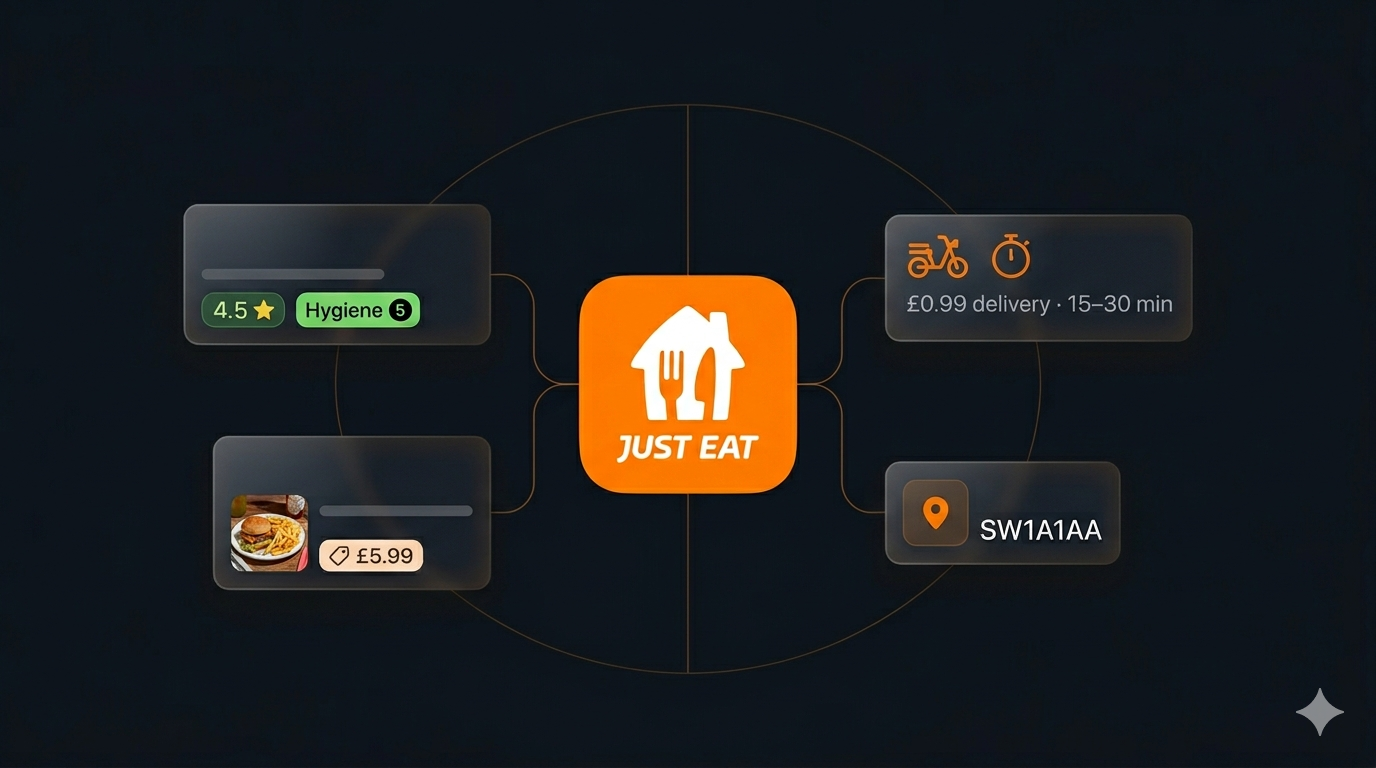
The platform contains rich, structured information: restaurant names, addresses, geolocation, cuisines, ratings, food hygiene ratings, delivery costs, minimum order values, estimated delivery times, offers, and open/closed status. Behind each restaurant sits a complete menu with categorised items, descriptions, prices, images, and nutrition. Compiling this manually for even a single city would take days. Automation makes it possible to collect meaningful datasets in minutes.
Businesses and researchers scrape Just Eat data for several reasons:
- Price tracking — monitor menu prices across restaurants and cuisines to benchmark positioning and spot changes over time
- Competitor analysis — see which restaurants operate in an area, their ratings, delivery costs, minimum orders, and menu pricing
- Market research — understand restaurant density, cuisine mix, and delivery economics across postcodes and cities
- Menu intelligence — analyse item-level data including descriptions, prices, modifiers, and calorie information at scale
- Lead generation — build targeted lists of restaurants and takeaways in specific areas and cuisines
- Coverage mapping — identify which restaurants deliver to a given postcode and where coverage is thin
Manually copying Just Eat listings and menus is impractical for any serious dataset. A single postcode can return dozens of restaurants, each with hundreds of menu items. Automation is the only realistic path to collecting meaningful data at scale.
What Data You Can Extract from Just Eat
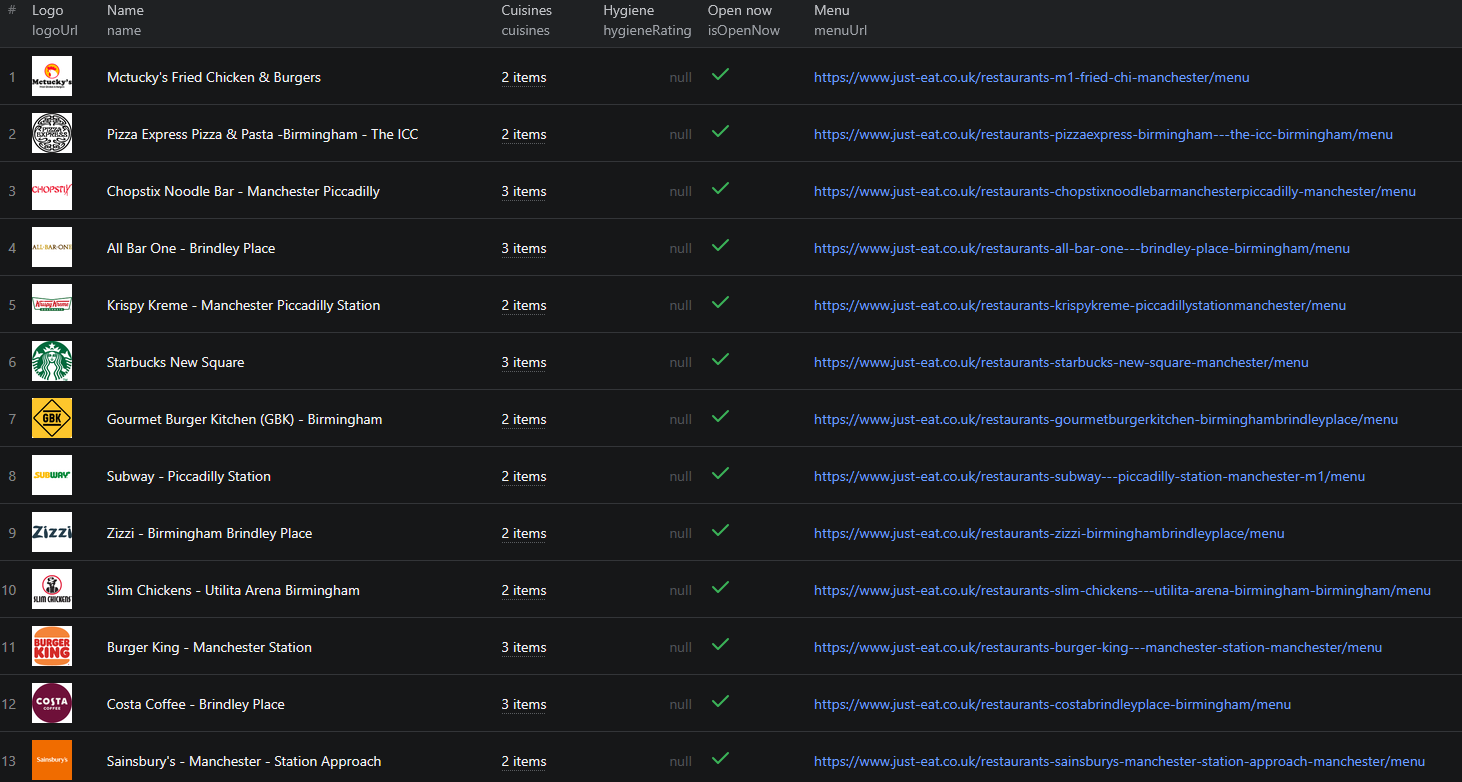
The Just Eat scraper extracts richly structured data at two levels: restaurant listings and, optionally, full menus. Here are the key restaurant-level fields you can collect:
| Field | Description | Example |
|---|---|---|
| Name | Restaurant name as listed on Just Eat | McDonald's® - Victoria |
| Unique name | Just Eat URL slug for the restaurant | mcdonalds-victorialondon |
| URL | Direct link to the Just Eat restaurant page | just-eat.co.uk/restaurants-mcdonalds-victorialondon |
| Address | Street, city, postcode, and geolocation | London, SW1..., 51.49, -0.14 |
| Rating | Average star rating and review count | 4.5 (1,200 reviews) |
| Hygiene rating | UK food hygiene rating (0–5) | 5 |
| Cuisines | Cuisine category tags | Burgers, American |
| Delivery cost | Delivery fee charged by the restaurant | £0.99 |
| Minimum order | Minimum order value for delivery | £10 |
| ETA | Estimated delivery time range in minutes | 15–30 |
| Open now | Whether the restaurant is currently open | true |
| Logo URL | Restaurant logo image URL | .../120913.gif |
| Scraped from postcode | The postcode this restaurant was found under | SW1A1AA |
When you enable full menus, each restaurant record also includes a nested menu object with category and item counts, and a full breakdown of categories, items, descriptions, prices, images, energy/calorie info, and modifier groups (extras, sizes, sauces).
Common Use Cases for Just Eat Data
Price Tracking and Menu Intelligence
Just Eat menus expose item-level pricing for thousands of restaurants. Scraping full menus across a city lets you benchmark prices for comparable items, track how prices change over time, and understand how restaurants position themselves between budget and premium. The modifier data — extras, sizes, and add-ons — reveals how restaurants structure upsells and combos.
Re-running the scraper on a schedule turns a one-off snapshot into an ongoing price-monitoring system across an entire market.
Competitor Mapping and Market Analysis
If you operate a restaurant or delivery brand, scraping your competitive landscape shows exactly what you are up against. Extract every restaurant delivering to a postcode, compare ratings, hygiene scores, delivery costs, and minimum orders, and see how competitors price their menus.
The cuisine tags and ETA fields let you segment the market by category and service speed, while geolocation data lets you map competitor density across neighbourhoods.
Market Research and Coverage Mapping
Before launching in a new area, understanding the delivery landscape is essential. Just Eat data lets you analyse restaurant density and cuisine mix by postcode, assess the quality of existing competitors via ratings and hygiene scores, and identify gaps where demand may be underserved.
Lead Generation for Restaurant Suppliers
Suppliers, delivery platforms, and food-tech vendors can use scraped Just Eat data to build targeted lists of restaurants by cuisine and location. The name, address, and rating fields help qualify and prioritise outreach to active, established operators.
Challenges of Extracting Just Eat Data Manually
Before jumping into the tutorial, it is worth understanding why automation is necessary:
- Volume — a single postcode can return dozens of restaurants, and each restaurant menu can contain hundreds of items across many categories
- Postcode-by-postcode discovery — restaurants are tied to delivery areas, so building city-wide coverage means scanning many postcodes and stitching the results together
- Deduplication — the same restaurant delivers to overlapping postcodes, so naive collection produces heavy duplication
- Menu depth — full menu data, including modifiers and nutrition, lives behind each restaurant page and requires a separate fetch per restaurant
- Data freshness — prices, ratings, offers, and open/closed status change constantly, so any manual collection is stale within days
A maintained scraper handles all of this automatically, letting you focus on analysing the data instead of collecting it.
Step-by-Step: How to Scrape Just Eat Restaurant Data
Here is how to scrape Just Eat data using the Just Eat Listings & Menu Scraper on Apify.
Step 1 — Decide What You Want to Scrape
Just Eat scraping is driven by postcodes. Decide which areas you want to cover:
- A full postcode like
SW1A1AAreturns restaurants delivering to that exact location - An outcode like
M1orB1returns every restaurant delivering across that broader area - Leave the postcode list empty to use a built-in list covering major UK cities
Then decide your depth: fast, cheap listings only, or full menus with prices and nutrition.
Step 2 — Configure the Scraper Input
Head to the Just Eat Listings & Menu Scraper on Apify and configure your run:
- Enter a list of postcodes or outcodes (or leave empty for the built-in UK city list)
- Toggle Scrape full menus on for complete menu data, or off for fast, cheap listings only
- Set Max items to cap the total number of restaurants collected (set to
0for no limit) - (Optional) Enable a proxy only if you hit blocking at scale — Just Eat is scrapeable without one
- Click Start to begin the extraction
Here is an example input configuration:
{
"postcodes": ["SW1A1AA", "M1", "B1"],
"scrapeMenus": true,
"maxItems": 100
}
The scraper handles postcode discovery and deduplication automatically — you do not need to merge or clean overlapping results.
Step 3 — Run the Scraper
Once started, the scraper will:
- Look up every restaurant delivering to each postcode or outcode you provided
- Extract structured listing data for each restaurant — name, address, geolocation, cuisines, ratings, hygiene rating, delivery cost, minimum order, ETA, offers, and open/closed status
- Automatically deduplicate restaurants that appear under multiple overlapping postcodes
- (If enabled) follow each restaurant to fetch its full menu — categories, items, descriptions, prices, images, nutrition, and modifier groups
- Store all results in a clean, structured dataset
The scraper runs without a login, browser, or third-party unblocker, so your runs just work without manual intervention.
Step 4 — Export Your Results
Once the scraper finishes, export your results in your preferred format:
- JSON — ideal for developers building data pipelines, price trackers, or analytics integrations
- CSV — perfect for analysis in Excel or Google Sheets, or importing into a database
- Excel / HTML — ready-to-share formats for reports and quick review
- API — access results programmatically via the Apify API for automated downstream workflows
Ready to try it? Run the Just Eat Listings & Menu Scraper on Apify and get your first dataset in minutes.
Example Output (Real Data Preview)

Here is what the actual output looks like from the Just Eat scraper, with full menus enabled. Each restaurant returns a structured JSON object, with a nested menu when menu scraping is on:
{
"id": "120913",
"uniqueName": "mcdonalds-victorialondon",
"name": "McDonald's® - Victoria",
"url": "https://www.just-eat.co.uk/restaurants-mcdonalds-victorialondon",
"menuUrl": "https://www.just-eat.co.uk/restaurants-mcdonalds-victorialondon/menu",
"address": { "firstLine": "...", "city": "London", "postcode": "SW1...", "latitude": 51.49, "longitude": -0.14 },
"rating": { "average": 4.5, "count": 1200, "stars": 4.5 },
"hygieneRating": 5,
"cuisines": ["Burgers", "American"],
"delivery": {
"cost": 0.99,
"minimumOrderValue": 10,
"isFree": false,
"etaMinutesLower": 15,
"etaMinutesUpper": 30
},
"isOpenNow": true,
"logoUrl": "https://.../120913.gif",
"scrapedFromPostcode": "SW1A1AA",
"menu": {
"itemCount": 282,
"categoryCount": 32,
"categories": [
{
"name": "What's New",
"items": [
{
"name": "Double Sausage & Egg McMuffin®",
"description": "Two pork sausage patties...",
"imageUrl": "https://res.cloudinary.com/.../c_fill,h_400,w_400/...",
"basePrice": 5.99,
"energy": "2174 kJ/520 kcal",
"variations": [
{
"name": "",
"basePrice": 5.99,
"modifierGroups": [
{
"name": "Remove",
"minChoices": 0,
"maxChoices": 5,
"options": [{ "name": "No Cheese Slice", "additionPrice": 0, "removePrice": 0 }]
}
]
}
]
}
]
}
]
}
}
Key things to notice:
- Rating and hygiene rating — together these signal both customer satisfaction and food safety, useful for qualifying and benchmarking restaurants
- Delivery economics —
cost,minimumOrderValue, and the ETA range reveal how each restaurant structures delivery, a key dimension in competitive analysis - Geolocation — latitude and longitude let you map restaurants and analyse density by neighbourhood, not just by postcode
- Menu depth — with menus enabled, every item includes a price, description, image, energy/calorie info, and modifier groups for extras, sizes, and sauces
- Scraped from postcode — shows which delivery area each restaurant was discovered under, even after deduplication
Without menu scraping, every restaurant-level field above is returned, but the nested menu object is omitted — giving you fast, cheap listings.
This structured format is ready to import into any database, analytics tool, or price tracker without additional parsing.
Try the Just Eat scraper now — no coding required.
Pricing
The Just Eat scraper uses a pay-per-result model, so you only pay for the data you collect:
- A low rate per restaurant listing when you scrape listings only
- A higher rate per restaurant when you fetch the full menu, since this requires an extra page fetch and parse per restaurant
Each output record charges exactly one event — a listing or a menu detail. There are no monthly platform fees. Use the Max items parameter to set a hard ceiling on cost for every run, and keep Scrape full menus off when you only need listings to keep costs down.
Automating Just Eat Data Collection
For ongoing price tracking, competitor monitoring, or market research, you do not want to run the scraper manually each time. The Apify platform supports full automation:
Scheduled Runs
Set up recurring scrapes on any schedule — daily, weekly, or monthly. The scraper runs automatically and stores results in a persistent dataset you can access at any time. Daily runs suit fast-changing price and availability tracking, while weekly runs work well for broader market monitoring.
API Integration
Use the Apify API to trigger scraper runs programmatically and retrieve results. This lets you integrate Just Eat data into your existing workflows:
- Feed fresh restaurant and menu data into your price-tracking database automatically
- Trigger alerts when prices, ratings, or delivery costs change in a target area
- Build dashboards that update with restaurant coverage and pricing across multiple cities
- Connect to tools like Zapier, Make, or custom data pipelines
Node.js Example
For a complete working example showing how to call this scraper from Node.js, see the GitHub repository.
Webhooks
Configure webhooks to get notified when a scraper run completes. This is useful for event-driven architectures where you want to process new restaurant and menu data immediately rather than polling on a schedule.
Tips for Getting the Most Out of Just Eat Data
Choosing Postcodes Strategically
Outcodes like M1 or B1 give broad coverage of an area in a single entry, while full postcodes target a precise location. To build a city-wide dataset, scan a spread of outcodes across the city rather than many overlapping full postcodes — the scraper deduplicates, but fewer, broader queries are more efficient.
Scraping Menus Selectively
Full menus cost more per result because the scraper fetches and parses each restaurant page. Enable them when you specifically need item-level pricing or nutrition, and leave them off for pure coverage and market research where listings are enough — this keeps your costs down.
Capping Scope with Max Items
The Max items parameter sets a hard ceiling on how many restaurants are scraped across all postcodes. Use it to control cost and runtime, especially on your first few runs while you dial in the right set of postcodes.
Filtering by Rating and Hygiene
The scraped data includes both customer ratings and UK food hygiene ratings. After export, filter to focus on high-rated restaurants, well-reviewed established operators, or restaurants meeting a minimum hygiene threshold, depending on your use case.
Does Just Eat Offer an API?
Just Eat does not offer a public API for browsing restaurant listings and menus by postcode. The data is available only through its website, which is designed for ordering, not bulk data access.
For most teams that need structured Just Eat data at scale, a web scraper is the practical solution. The Just Eat Listings & Menu Scraper extracts the same information visible to anyone browsing the Just Eat website — without requiring API approval, usage agreements, or custom infrastructure.
Why Use a Pre-Built Just Eat Scraper Instead of Building One
Building a custom Just Eat scraper is more involved than it looks:
- Postcode discovery — restaurants are tied to delivery areas, so collecting complete coverage means orchestrating many postcode queries and merging the results
- Deduplication — overlapping delivery areas mean the same restaurant appears repeatedly, requiring reliable dedup logic
- Menu parsing — full menus involve nested categories, variations, and modifier groups that are non-trivial to parse correctly per restaurant
- Maintenance overhead — Just Eat updates its frontend regularly, and every update can break a custom scraper, requiring immediate fixes to keep your data pipeline running
- Scaling — collecting thousands of restaurants and menus per run requires careful request handling and retry logic that adds up fast to build and maintain
Using a maintained, pre-built solution means you spend time analysing Just Eat data instead of maintaining the infrastructure to collect it.
Try the Just Eat Scraper
The Just Eat Listings & Menu Scraper extracts structured restaurant data from Just Eat UK across any postcode — names, addresses, geolocation, cuisines, ratings, hygiene scores, delivery costs, and optional full menus with prices and nutrition.
What you get:
- Structured JSON, CSV, Excel, or HTML output ready for analysis
- All key restaurant fields including name, address, geolocation, cuisines, ratings, hygiene rating, delivery cost, minimum order, ETA, and open/closed status
- Optional full menus — categories, items, descriptions, prices, images, nutrition, and modifier groups
- Simple postcode-based input — full postcodes or outcodes, or a built-in UK city list
- Automatic deduplication across overlapping postcodes
- Configurable Max items limit to control scope and cost
- No login, browser, or third-party unblocker required
- Pay-per-result pricing with no monthly fees
- Scheduled runs for ongoing price tracking and monitoring
- API access for integration into your workflows
- No coding or scraper maintenance required
Start scraping Just Eat now — your first run takes less than 5 minutes to set up.
Legal and Ethical Considerations
Web scraping occupies a well-established legal space, but responsible practice matters:
- Public data only — the Just Eat scraper extracts publicly visible restaurant listings and menus that anyone can view by browsing Just Eat. No login or authentication is required
- No personal data — the scraper collects only publicly available restaurant and menu data and stores no personal information
- Respect rate limits — the scraper is designed to make requests at a reasonable pace to avoid overloading Just Eat's servers
- Responsible use — use collected data for legitimate business purposes such as price tracking, market research, and competitive analysis, in compliance with Just Eat's terms. Coverage is the UK tenant (just-eat.co.uk) only
Frequently Asked Questions
Is scraping Just Eat restaurant data legal?
Scraping publicly available restaurant listings and menus from Just Eat is generally legal. All of this data is visible to any visitor without logging in. You should use the data responsibly, comply with applicable data privacy laws, and respect Just Eat's terms of service.
Can I scrape full menus including prices and nutrition?
Yes. Enable the Scrape full menus option and the scraper follows each restaurant to collect its complete menu — categories, items, descriptions, prices, item images, calorie/energy info, and modifier groups like extras, sizes, and sauces.
How do I choose which restaurants to scrape?
Provide a list of UK postcodes or outcodes. A full postcode like SW1A1AA or an outcode like M1 returns every restaurant delivering to that area. Leave the list empty to use a built-in list covering major UK cities.
Does Just Eat offer an official API?
Just Eat does not offer a public API for browsing restaurant listings and menus by postcode. For bulk extraction of restaurant and menu data, a scraper is the practical alternative.
Will the same restaurant appear twice across overlapping postcodes?
No. The scraper automatically deduplicates, so a restaurant that delivers to several of the postcodes you scan is returned only once.
What does it cost to scrape Just Eat?
The scraper uses a pay-per-result model. You pay a low rate for each restaurant listing, and a higher rate only for restaurants where you fetch the full menu. There are no monthly platform fees, and you can cap total cost with the Max items parameter.
About the Author
This guide was written by Piotr, a software engineer with hands-on experience building and maintaining web scrapers at scale. He develops and maintains a suite of data extraction tools on the Apify platform, helping businesses automate their data collection workflows.
Need help with your scraping project?
Book a free discovery call and let's scope your project together.
Book a Call