How to Scrape DHgate Product Listings (Step-by-Step Guide)

If you want to scrape DHgate product listings for supplier sourcing, price tracking, or market research, this guide walks you through the entire process. You will learn what data you can extract from DHgate search pages, how to automate the collection, and how to turn raw product listings into actionable sourcing intelligence.
Why Scrape DHgate Data?
DHgate is one of the largest cross-border B2B and B2C marketplaces in the world, connecting millions of buyers with hundreds of thousands of Chinese suppliers. Its search and category pages expose an enormous catalog of products across virtually every consumer category — apparel, footwear, electronics, accessories, beauty, home goods, sporting goods, and more.
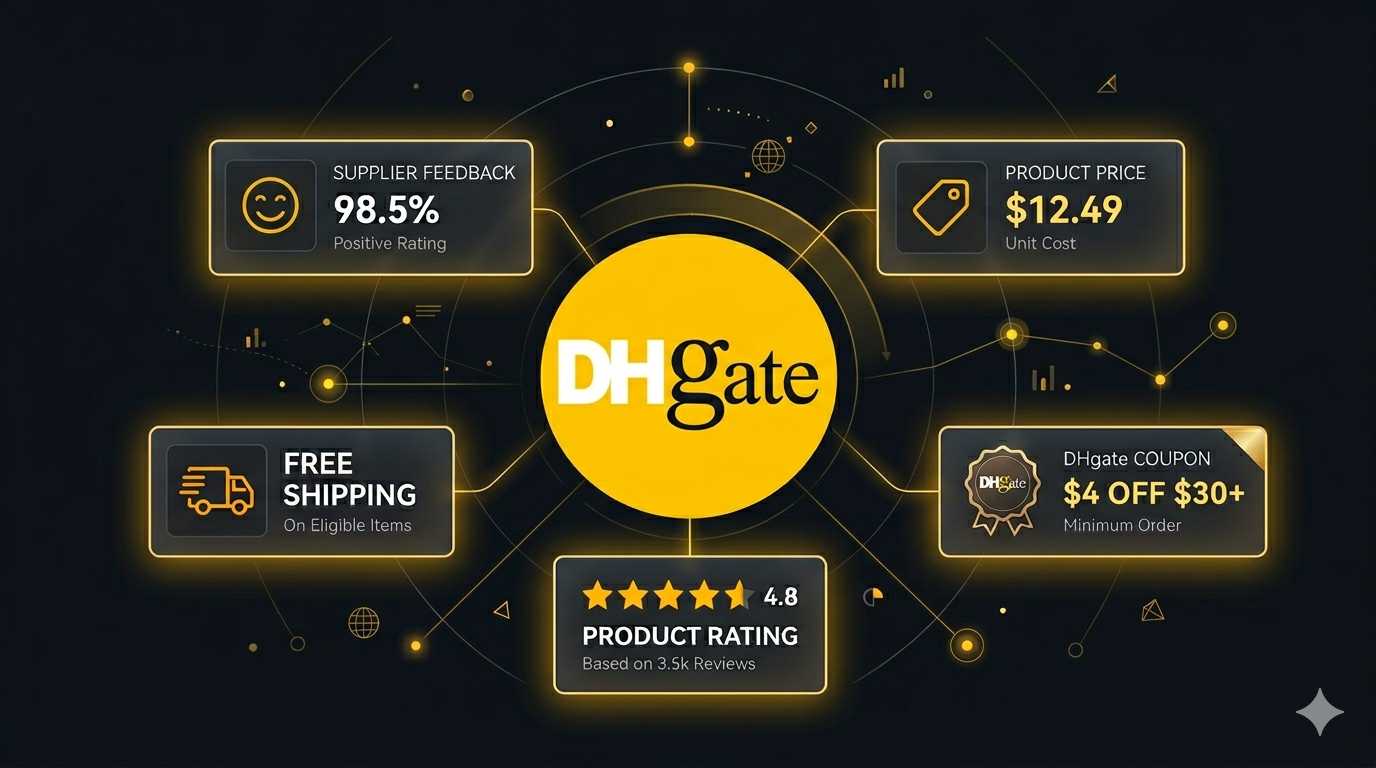
What makes DHgate particularly valuable is the breadth of its supplier base and the depth of pricing and minimum-order data it exposes publicly. Prices, coupons, free-shipping flags, supplier feedback ratings, and review counts are all visible on every search result. For dropshippers, resellers, sourcing agents, and market researchers, DHgate is one of the richest public data sources for cross-border supplier discovery.
Businesses and researchers scrape DHgate data for a range of purposes:
- Supplier sourcing — discover suppliers for a specific product category and benchmark them by price, feedback, and review count
- Price tracking — monitor how supplier prices shift across categories, seasons, and promotional periods
- Dropshipping research — identify high-feedback suppliers with attractive pricing, free shipping, and coupons before listing products on your own store
- Competitor analysis — understand which suppliers your competitors source from and how those suppliers position their listings
- Market research — analyze which product types, price points, and supplier clusters dominate a given category
- Coupon and promotion tracking — monitor active coupons across suppliers to time bulk orders or pass savings to customers
Manually copying product details from DHgate search pages is completely impractical. A single search can return thousands of products across dozens of pages, and supplier listings change continuously. Automation is the only realistic approach.
What Data You Can Extract from DHgate
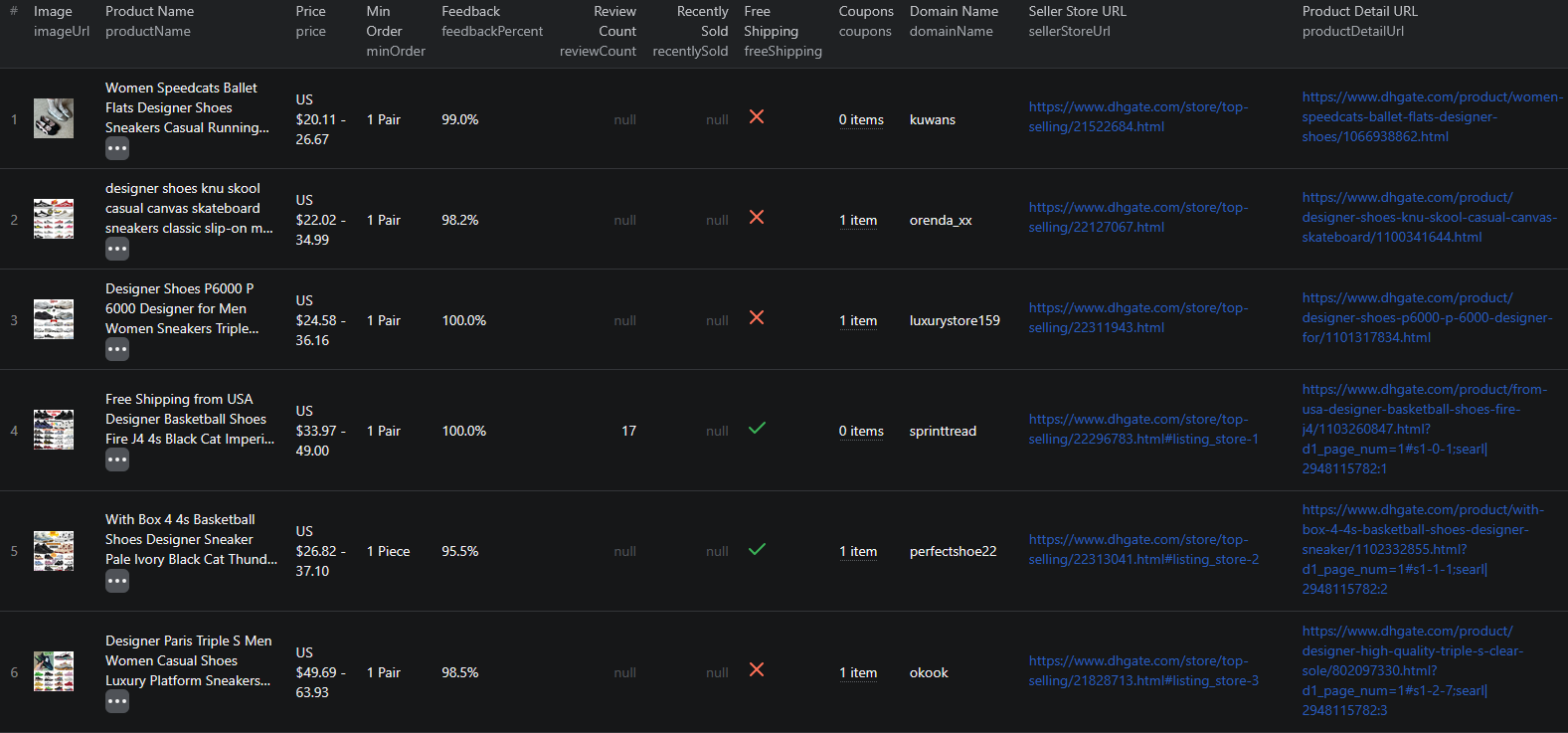
The DHgate Listings Scraper extracts structured product data from any DHgate search result page. Here are the key fields available:
| Field | Description | Example |
|---|---|---|
| Item Code | DHgate's public item code for the listing | 989388595 |
| Product ID | Internal product identifier | 8aaaaeee9006250d019010cf825041a3 |
| Product Name | Full product title | Men Lace-up Shoes Four Season Sports Shoes Fashion Pattern Trainers Sneakers |
| Product Detail URL | Direct link to the product page | dhgate.com/product/... |
| Image URL | Main product image | img4.dhresource.com/webp/... |
| Price | Listed product price | US $14.90 |
| Min Order | Minimum order quantity required | 1 Piece |
| Feedback Percent | Supplier's positive feedback rate | 94.6% |
| Review Count | Total number of customer reviews | 20 |
| Recently Sold | Recently sold count, when displayed | null |
| Seller Store URL | Direct link to the supplier's store | dhgate.com/store/21901295 |
| Free Shipping | Whether the listing includes free shipping | true |
| Coupons | Active coupon offers attached to the listing | ["$4 off $30+"] |
This data gives you everything you need to analyze pricing, supplier reputation, shipping economics, and promotional activity across DHgate's catalog.
Common Use Cases for DHgate Data
Supplier Sourcing and Vetting
DHgate's search results expose two of the most important sourcing signals up front: feedbackPercent and reviewCount. By scraping listings for a product category and joining the data on sellerStoreUrl, you can quickly rank suppliers by reputation, identify the most active sellers in your niche, and build a shortlist for further outreach.
For sourcing teams that work across many product categories, scheduled scrapes turn DHgate into a continuously refreshed supplier database — far more useful than browsing search pages by hand.
Dropshipping Product Research
For dropshippers, the combination of price, minimum order quantity, free shipping flag, and coupons captured by the scraper is exactly the data needed to evaluate whether a product can be resold profitably on Amazon, eBay, Shopify, or TikTok Shop. Scraping a category gives you hundreds of candidates with margin and shipping data ready to feed into a margin calculator or dropshipping research spreadsheet.
Competitive Price Monitoring
Pricing on DHgate moves constantly. Suppliers adjust prices in response to demand, currency shifts, and competitor activity. Scraping product listings on a schedule lets you track these changes across an entire category or supplier catalog and feed pricing data directly into your own analytics dashboard.
Scheduled scrapes — daily or weekly — give you a continuous price history that manual tracking cannot come close to matching.
Catalog and Assortment Research
Before launching a new product or entering a new category, you need to understand the competitive landscape. DHgate's search pages give you a comprehensive view of what is currently being sold, at what price points, and by which suppliers. Scraping that data lets you answer questions like: which suppliers dominate this category, where are the price gaps, and which niches are underserved.
Coupon and Promotion Tracking
The coupons field captures active coupon offers attached to each listing — for example, "$4 off $30+". Aggregating coupons across suppliers reveals how aggressive the discount environment is in a given category, which suppliers are leaning hardest into promotions, and when discount intensity is increasing or decreasing.
Free Shipping Analysis
The freeShipping field lets you quickly filter for suppliers offering shipping-inclusive pricing — usually the right starting point for resellers who want to keep the buying experience simple. Aggregating free-shipping rates across categories can also reveal where free shipping is becoming a competitive baseline versus where suppliers still charge separately.
Challenges of Extracting DHgate Data Manually
Before jumping into the tutorial, it is worth understanding why scraping DHgate at scale is harder than it looks:
- JavaScript-rendered listings — DHgate search and category pages rely heavily on dynamic rendering, so simple HTTP requests will not return usable product data
- Paginated results — search pages span many pages that all need to be navigated and parsed to collect a complete dataset
- Bot detection — DHgate deploys anti-bot measures, which means naive scraping attempts get blocked quickly
- Frequent frontend changes — DHgate updates its UI and HTML structure regularly, and every update can break custom scrapers
- Internationalization quirks — DHgate localizes prices, coupons, and shipping flags by region, so consistent extraction requires careful session and locale handling
- Large result sets — a single category search can return tens of thousands of products, making manual collection completely impractical
Building and maintaining your own DHgate scraper is a significant engineering commitment. For most use cases, a pre-built, maintained solution is the more practical choice.
Step-by-Step: How to Scrape DHgate Product Listings
Here is how to scrape DHgate product data using the DHgate Listings Scraper on Apify.
Step 1 — Find Your DHgate Search URL
Navigate to dhgate.com and search for the products you want to extract. You can use any of the following URL types:
- Search URLs — results for a keyword search, for example
https://www.dhgate.com/wholesale/search.do?searchkey=sneakers - Category URLs — department or category listing pages such as men's clothing, electronics, or beauty
- Filtered URLs — search or category pages with filters applied for price range, free shipping, supplier rating, or shipping options
Once the page shows the products you want, copy the full URL from your browser. That URL is your scraper input.
Step 2 — Configure the Scraper Input
Head to the DHgate Listings Scraper on Apify and configure your run:
- Paste your DHgate search URL into the input field
- You can add multiple URLs to collect products from multiple searches or categories in a single run
- Set the maximum number of products per URL if you want to limit the dataset size
- Click Start to begin the extraction
The scraper handles browser rendering, pagination, and data parsing automatically — no additional configuration required.
Step 3 — Run the Scraper
Once started, the scraper will:
- Load each search page and extract product data
- Navigate through all available pages automatically
- Parse structured product data including names, prices, suppliers, feedback percentages, free shipping flags, and coupons
- Store results in a clean, structured dataset
Processing time depends on the number of products and pages. Most runs complete within a few minutes.
Step 4 — Export Your Results
Once the scraper finishes, you can export the results in multiple formats:
- JSON — ideal for developers building data pipelines or integrations
- CSV — perfect for spreadsheet analysis in Excel or Google Sheets
- API — access results programmatically via the Apify API for automated workflows
Each record includes the full set of structured fields: item code, product ID, product name, image URL, price, minimum order, feedback percent, review count, recently sold, seller store URL, free shipping flag, coupons, and direct product URL.
Ready to try it? Run the DHgate Listings Scraper on Apify and get your first dataset in minutes.
Example Output (Real Data Preview)

Here is what the actual output looks like from the DHgate Listings Scraper. Each product returns a structured JSON object:
{
"itemCode": "989388595",
"productId": "8aaaaeee9006250d019010cf825041a3",
"productName": "Men Lace-up Shoes Four Season Sports Shoes Fashion Pattern Trainers Sneakers",
"alt": "Men Lace-up Shoes Four Season Sports Shoes Fashion Pattern Trainers Sneakers",
"productDetailUrl": "https://www.dhgate.com/product/men-lace-up-shoes-four-season-sports-shoes/989388595.html",
"imageUrl": "//img4.dhresource.com/webp/m/260x260/f3/albu/jc/y/13/74ff1a1b-f13c-455d-a62d-0fe210727235.jpg",
"price": "US $14.90 ",
"minOrder": "1 Piece",
"feedbackPercent": "94.6%",
"reviewCount": 20,
"recentlySold": null,
"sellerStoreUrl": "https://www.dhgate.com/store/21901295",
"freeShipping": true,
"coupons": ["$4 off $30+"]
}
Key things to notice:
- Stable product identifiers —
itemCodeandproductIdgive you reliable keys for joining DHgate data across runs and tracking the same listing over time - Supplier reputation signals —
feedbackPercentandreviewCounttogether let you rank suppliers by reputation rather than relying on price alone - Minimum order quantity —
minOrderis essential for any reseller or sourcing buyer evaluating whether a listing fits their order volume - Shipping economics — the
freeShippingboolean and thecouponsarray let you compare landed cost across suppliers, not just sticker price - Direct supplier links —
sellerStoreUrlopens up the full storefront, so promising listings can be expanded into full supplier evaluations with no extra scraping
This structured format imports cleanly into any spreadsheet, database, or analytics platform.
Try the DHgate Listings Scraper now — no coding required.
Automating DHgate Data Collection
For ongoing supplier monitoring, price tracking, or catalog research, you do not want to run the scraper manually every time. The Apify platform supports full automation:
Scheduled Runs
Set up recurring scrapes on any schedule — daily, weekly, or monthly. The scraper runs automatically and stores results in a dataset you can access anytime. Daily runs work well for active price monitoring and supplier discovery in fast-moving categories. Weekly runs are usually sufficient for broader sourcing research and catalog tracking.
API Integration
Use the Apify API to trigger scraper runs programmatically and retrieve results. This lets you integrate DHgate data into your existing workflows:
- Feed price and supplier data into sourcing dashboards or pricing pipelines
- Trigger alerts when a tracked product or supplier drops below a price threshold or changes coupon offers
- Build supplier intelligence dashboards that refresh on a schedule
- Connect to tools like Zapier, Make, or custom data pipelines
Sourcing and Pricing Pipelines
Combine scheduled scraping with downstream processing to build fully automated sourcing pipelines. Store historical prices, feedback rates, and review counts to compute supplier trend lines and reputation changes over time. Join DHgate data with data from other marketplaces to build cross-channel sourcing dashboards.
Node.js Example
For a complete working example showing how to call this scraper from Node.js, see the GitHub repository.
Webhooks
Configure webhooks to get notified when a scraper run completes. This is useful for event-driven workflows where you want to process new data as soon as the scraper finishes — for example, to immediately update a database or push alerts to a Slack channel when a target supplier changes prices or launches a new coupon.
Using DHgate Data for Sourcing and E-commerce Intelligence
DHgate data powers a range of sourcing, dropshipping, and e-commerce analytics use cases.
Supplier Shortlisting
Aggregate DHgate listings by sellerStoreUrl to surface the most active suppliers in a category. Combine with feedbackPercent and reviewCount to rank them by reputation and engagement. The result is a sourcing shortlist that is faster, broader, and more objective than any manual browsing session.
Margin and Landed-Cost Modeling
Feed scraped prices, minimum order quantities, free shipping flags, and coupons into a landed-cost model to evaluate which products are realistically resellable on Amazon, eBay, Shopify, or TikTok Shop. The richer the input data, the sharper the margin analysis.
Coupon and Promotional Intelligence
Track DHgate coupons across categories and suppliers to identify when promotional intensity is rising or falling. This is useful both for buyers timing bulk orders and for category researchers studying competitive dynamics in cross-border e-commerce.
Category Trend Analysis
Aggregate DHgate data over time by category, supplier, or price band to reveal longer-term trends. Which categories are seeing the most new listings? Where are prices drifting up or down? Which suppliers are gaining or losing market share inside a category? Scraped data, stored systematically, answers these questions precisely.
Cross-Marketplace Comparison
Combine DHgate data with listings from other marketplaces — AliExpress, Alibaba, Amazon — to build a cross-marketplace view of pricing, supplier overlap, and assortment. This is especially valuable for resellers and brand owners trying to understand the full upstream picture.
Does DHgate Provide an API?
DHgate does not offer a public catalog API suitable for general-purpose extraction:
- No public catalog API — there is no general-purpose API for pulling all products from a category or search page
- Affiliate program — DHgate runs an affiliate program, but it is designed for affiliate marketers and does not provide bulk catalog access
- Limited partner integrations — some integrations exist for approved partners, but they are scoped narrowly and not available for typical sourcing or research use cases
Your practical options for comprehensive product data extraction are:
- Custom scraper — requires development time, ongoing maintenance, and infrastructure for dynamic content, pagination, and anti-bot handling
- Pre-built scraper — a maintained solution like the DHgate Listings Scraper that handles all technical complexity out of the box
For most teams running at any meaningful scale, the pre-built scraper delivers more data with less overhead than trying to build around DHgate's limited official integrations.
Why Use a DHgate Scraper Instead of Building One
Building a custom DHgate scraper sounds straightforward until you encounter the real challenges:
- Dynamic content — DHgate renders listings using JavaScript. Simple HTTP requests will not return product data, so you need full browser automation
- Anti-bot protection — DHgate actively monitors and blocks scraping traffic, so reliable extraction requires proxy rotation, request throttling, and fingerprint management
- Pagination handling — search results span many pages that require automated navigation. Pagination patterns change with frontend updates
- Coupon and shipping parsing — coupons and free-shipping flags are rendered inconsistently across listings, and extracting them reliably requires careful parsing logic
- Maintenance burden — DHgate updates its frontend regularly. Every update is a potential breakage that requires immediate intervention to keep your pipeline running
- Scaling infrastructure — scraping tens of thousands of products requires distributed infrastructure, queue management, and monitoring that adds operational complexity fast
- Opportunity cost — every hour spent building and maintaining a scraper is an hour not spent analyzing data, sourcing products, or growing your business
Unless you have highly specific requirements that no existing tool can meet, a pre-built, maintained scraper lets you focus on using the data rather than collecting it.
Try the DHgate Listings Scraper
The DHgate Listings Scraper extracts structured product data from DHgate search result pages — item codes, product IDs, names, prices, minimum order quantities, feedback percentages, review counts, seller store URLs, free shipping flags, coupons, images, and direct product URLs.
What you get:
- Structured JSON or CSV output ready for analysis
- Any DHgate search URL as input — filter by keyword, category, price range, or shipping options
- Supplier reputation signals (feedback percent, review count) for sourcing and shortlisting
- Minimum order quantity, free shipping flag, and coupons for landed-cost and margin modeling
- Direct supplier store URLs for deeper supplier evaluation
- Automatic pagination to collect all products in your search
- Scheduled runs for ongoing supplier monitoring and price tracking
- API access for integration into your data workflows
- No coding or scraper maintenance required
Start scraping DHgate now — your first run takes less than 5 minutes to set up.
If you are building a broader cross-border sourcing pipeline, combine DHgate data with listings from other marketplaces like the AliExpress Product Listings Scraper or the Alibaba Product Listings Scraper for a unified view of pricing, suppliers, and assortment.
Legal and Ethical Considerations
Web scraping occupies a well-established legal space, but responsible practice matters:
- Public data only — the DHgate scraper extracts publicly visible product information that anyone can see by visiting DHgate without logging in
- Respect rate limits — the scraper is designed to make requests at a reasonable pace to avoid overloading DHgate's servers
- Responsible use — use collected data for legitimate business purposes like sourcing, price monitoring, market research, and competitive analysis
- Privacy compliance — if you operate in the EU or California, ensure your data handling complies with GDPR or CCPA. This applies to how you store and process data, not to the collection of publicly visible product information
Frequently Asked Questions
Is scraping DHgate legal?
Scraping publicly available data from DHgate is generally legal. Product listings are visible to anyone who visits the site without logging in. You should always use the data responsibly, comply with applicable privacy regulations, and avoid overloading DHgate's servers with excessive requests.
Does DHgate have an API?
DHgate does not offer a public catalog API for general use. They have an affiliate program and limited partner integrations, but neither is suitable for bulk extraction of search results or comprehensive product data across categories.
What data can be extracted from DHgate?
You can extract product titles, item codes, product IDs, image URLs, prices, minimum order quantities, feedback percentages, review counts, recently sold counts, seller store URLs, free shipping status, available coupons, and direct product URLs. Each product is returned as a structured JSON object.
How do I use the DHgate Scraper?
Copy any DHgate search result page URL and paste it as input. The scraper handles pagination, rendering, and data parsing automatically, and returns all matching products as structured JSON.
Can I scrape DHgate by category or search keyword?
Yes. Any DHgate search result page URL works as input, including URLs filtered by category, price range, shipping options, or keyword. The scraper processes the result pages and returns the matching product listings.
Can I export DHgate product data to CSV or JSON?
Yes. The DHgate Listings Scraper exports data in both JSON and CSV formats. You can also access results via the Apify API for automated workflows and data pipeline integrations.
About the Author
This guide was written by Piotr, a software engineer with hands-on experience building and maintaining web scrapers at scale. He develops and maintains a suite of data extraction tools on the Apify platform, helping businesses automate their data collection workflows.
Need help with your scraping project?
Book a free discovery call and let's scope your project together.
Book a Call