How to Scrape LinkedIn Job Listings and Hiring Companies (Step-by-Step Guide)

If you want to scrape LinkedIn job listings for sales prospecting, recruitment intelligence, or market research, this guide walks you through the entire process. You will learn what data you can extract from LinkedIn job postings, how to automate the collection, and how to turn hiring activity into actionable business intelligence.
Why Scrape LinkedIn Job Data?
LinkedIn is the world's largest professional network, with millions of job postings published every month. That makes it one of the most valuable data sources for anyone tracking the job market, identifying growing companies, or building sales pipelines.
Businesses scrape LinkedIn job data for several reasons:
- Sales prospecting — companies that are hiring are companies that are spending. Active job postings are one of the strongest buying signals in B2B sales
- Recruitment intelligence — track which companies are hiring for specific roles, at what seniority levels, and in which locations
- Market research — analyze demand for specific skills, salary trends, and industry growth patterns
- Lead enrichment — add hiring activity data to your CRM to prioritize outreach to fast-growing companies
Manually browsing LinkedIn job pages and copying data into spreadsheets is painfully slow. A single search can return thousands of results across hundreds of pages. Automation is the only realistic approach at scale.
What Data You Can Extract from LinkedIn Jobs
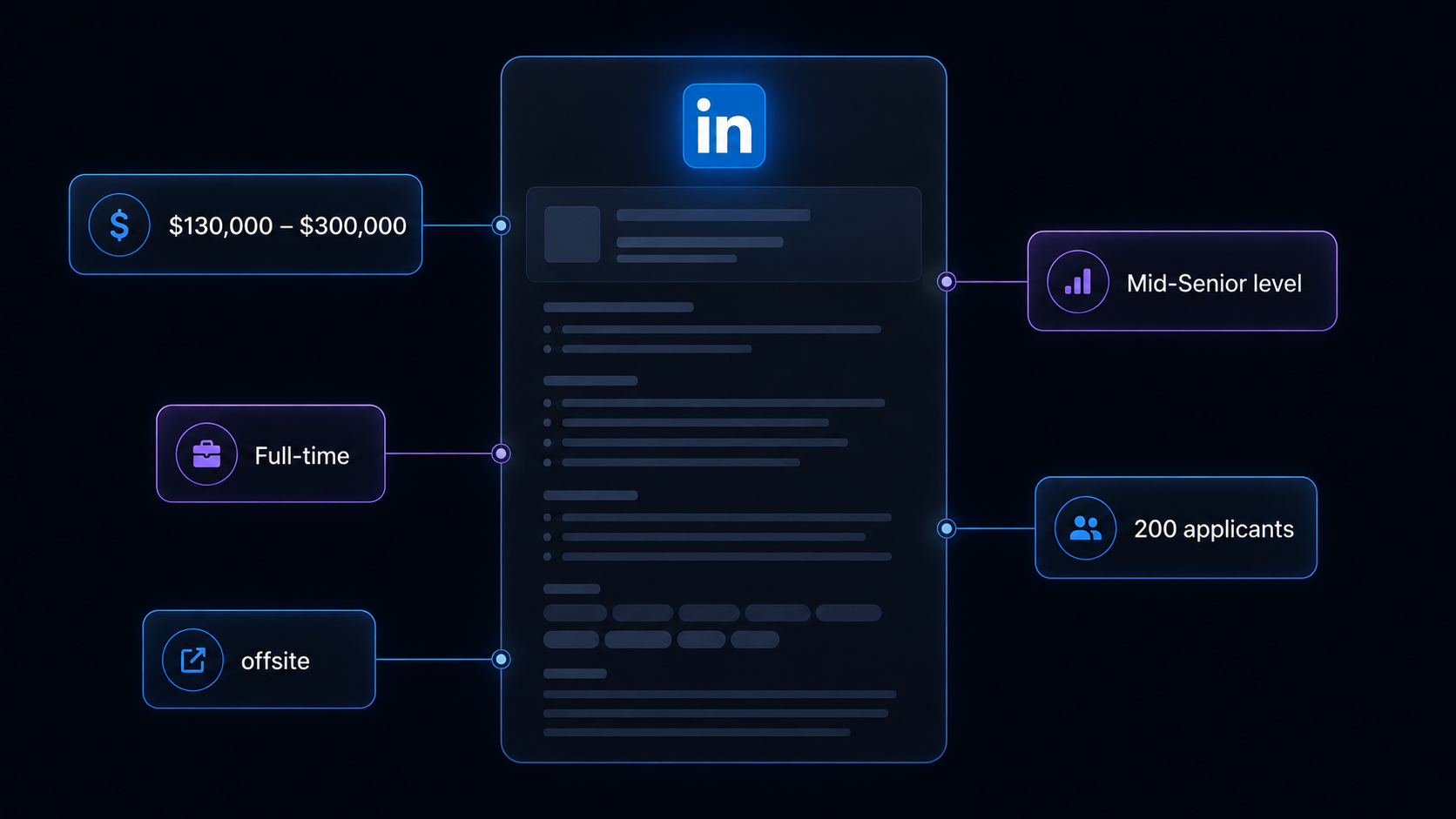
A LinkedIn job scraper can pull structured data from individual job posting pages. Here are the key fields you can collect:
| Field | Description | Example |
|---|---|---|
| Job title | The title of the position | Full Stack Engineer - TypeScript |
| Company name | The hiring organization | MoonPay |
| Job location | Where the role is based | Cracow, Małopolskie, Poland |
| Posting date | When the job was published | 6 days ago |
| Number of applicants | How many people have applied | 33 applicants |
| Job description | Full text of the job posting | About the role, responsibilities, requirements... |
| Seniority level | Experience level required | Mid-Senior level |
| Employment type | Full-time, part-time, contract | Full-time |
| Job function | Functional area of the role | Engineering and Information Technology |
| Industry | The company's industry sector | Software Development |
| Company logo | URL to the company's logo image | media.licdn.com/... |
| Similar jobs | Related positions at other companies | List of similar job postings |
This is the kind of data that would take hours to compile manually for even a handful of job searches. With a scraper, you can extract thousands of structured records in minutes.
Common Use Cases for LinkedIn Job Data
Sales Prospecting
LinkedIn job data is a goldmine for B2B sales teams. A company posting multiple engineering roles is likely growing fast and investing in new products. A company hiring its first marketing manager is probably ready to spend on marketing tools. Hiring activity is one of the most reliable signals of budget and intent.
Use LinkedIn job data to:
- Build targeted prospect lists of companies that are actively hiring
- Identify decision-makers by understanding which departments are expanding
- Time your outreach to coincide with growth phases
- Prioritize accounts that show the strongest buying signals
Recruitment Intelligence
Recruitment agencies and in-house talent teams use LinkedIn job data to stay ahead of the market. Track which companies are competing for the same talent, what skills are in demand, and how job requirements are shifting over time.
Monitor competitor hiring to anticipate market moves. If a competitor suddenly posts ten machine learning roles, that tells you something about their product roadmap.
Market Research
Analysts and investors use job posting data to gauge industry health and company growth. The volume and type of job postings across a sector reveal demand trends, emerging skill requirements, and geographic shifts that financial reports miss.
Track hiring patterns across industries to identify:
- Which sectors are expanding or contracting
- What skills and technologies are gaining demand
- Where companies are opening new offices or going remote
- How compensation expectations are shifting
Lead Enrichment
Add hiring signals to your existing CRM data. When you know a prospect company just posted five new sales roles, your outreach becomes far more relevant. Combine LinkedIn job data with company data from sources like Clutch.co or BBB to build comprehensive prospect profiles.
Challenges of Extracting LinkedIn Job Data Manually
Before jumping into the tutorial, it is worth understanding why scraping LinkedIn is harder than it looks:
- Login barriers — LinkedIn gates much of its content behind authentication, and logged-in scraping risks account restrictions
- Dynamic content loading — job listings are rendered with JavaScript and require browser-level rendering to capture
- Pagination complexity — search results span many pages with variable loading patterns
- Rate limiting — LinkedIn aggressively limits request frequency and blocks suspicious traffic patterns
- Large data volumes — popular job searches return thousands of results that are impractical to process manually
- Maintenance complexity — LinkedIn updates its frontend regularly, which means custom scrapers break and need constant fixing
Building and maintaining your own LinkedIn scraper is a significant engineering investment. For most use cases, using a pre-built, maintained solution is far more practical.
Step-by-Step: How to Scrape LinkedIn Job Listings
Here is how to scrape LinkedIn job data using the LinkedIn Job Details Scraper on Apify.
Step 1 — Find LinkedIn Job URLs
Start by deciding what kind of job postings you want to extract. Go to LinkedIn and browse job listings to get the URLs for specific job detail pages. For example:
- Software Engineer roles — search for "software engineer" and open individual job postings
- Marketing Manager in London — filter by location and role to find relevant listings
- AI Engineer in Europe — use LinkedIn's search filters to narrow results by region and job title
Copy the URLs of the job detail pages you want to scrape. Each URL should point to a specific job listing on LinkedIn.
Step 2 — Configure the Scraper
Head to the LinkedIn Job Details Scraper on Apify and configure your run:
- Paste your LinkedIn job detail page URLs into the input field
- You can add multiple URLs to scrape different job postings in a single run
- Review the input configuration to ensure everything looks correct
The scraper accepts an array of LinkedIn job detail page URLs and extracts all available structured data from each one.
Step 3 — Run the Scraper
Click Start to begin the extraction. The scraper handles all the technical complexity — browser rendering, data parsing, and structured output formatting.
Processing time depends on the number of URLs you provide. A typical run with 10-50 job URLs completes in a few minutes.
Step 4 — Export Structured Results
Once the scraper finishes, you can export the results in multiple formats:
- JSON — ideal for developers building data pipelines or integrations
- CSV — perfect for spreadsheet analysis in Excel or Google Sheets
- API — access results programmatically via the Apify API for automated workflows
Each record includes the full set of structured fields: job title, company name, location, description, applicant count, criteria, similar jobs, and direct URLs.
Ready to try it? Run the LinkedIn Job Details Scraper on Apify and get your first dataset in minutes.
Example Output (Real Data Preview)

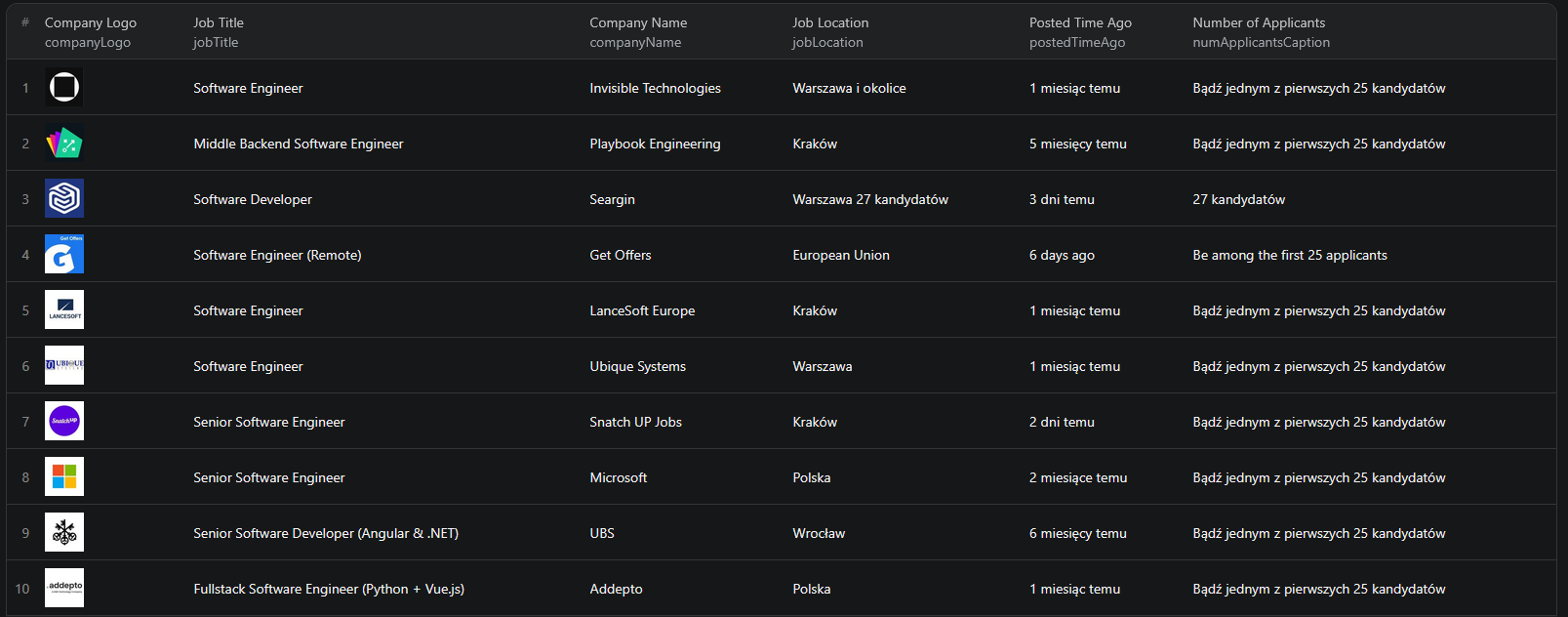
Here is what the actual output looks like from the LinkedIn Job Details Scraper. Each job listing returns a structured JSON object:
{
"jobTitle": "Full Stack Engineer - TypeScript",
"companyName": "MoonPay",
"companyLogo": "https://media.licdn.com/dms/image/...",
"jobLocation": "Cracow, Małopolskie, Poland",
"postedTimeAgo": "6 days ago",
"numApplicantsCaption": "33 applicants",
"description": "About MoonPay — Hi, we're MoonPay. We're here to onboard the world to Web3...",
"criteria": [
{ "name": "Seniority level", "value": "Not Applicable" },
{ "name": "Employment type", "value": "Full-time" },
{ "name": "Job function", "value": "Engineering and Information Technology" },
{ "name": "Industries", "value": "Software Development" }
],
"similarJobs": [
{
"jobName": "Full stack Engineer",
"companyName": "TST Group",
"jobLocation": "Cracow, Małopolskie, Poland",
"postedTimeAgo": "1 week ago"
}
]
}
Key things to notice:
- Company details — company name, logo, and industry make it easy to identify and research hiring organizations
- Job criteria — seniority level, employment type, and job function let you filter and segment results
- Applicant count — see how competitive each role is, which signals urgency and demand
- Similar jobs — discover related positions and additional companies hiring for similar roles
- Full descriptions — complete job posting text for keyword analysis, skill extraction, and market research
This structured format makes it straightforward to import into any database, CRM, or analytics tool.
Try the LinkedIn Job Details Scraper now — no coding required.
Using Hiring Data for Sales and Lead Generation
LinkedIn job data is uniquely powerful for sales teams because hiring activity is one of the clearest indicators of company growth and budget availability.
Identifying Fast-Growing Companies
Companies posting multiple roles across departments are in growth mode. They are spending money, building teams, and likely evaluating new tools and vendors. Filter your scraped data by company name to find organizations with the most open positions.
Targeting Active Buyers
A company hiring a "Head of DevOps" is probably about to invest in infrastructure tooling. A company looking for a "Marketing Operations Manager" likely needs marketing automation software. The job titles themselves reveal what a company is about to buy.
Building Sales Pipelines
Combine LinkedIn job data with your existing prospect lists to:
- Prioritize outreach to companies showing growth signals
- Personalize messaging based on the roles they are hiring for
- Track hiring trends at target accounts over time
- Score leads based on hiring velocity and department expansion
Growth Signals That Convert
The most actionable hiring signals for sales teams include:
- New leadership hires — a new VP or Director often brings budget and a mandate to buy
- Department buildouts — multiple hires in the same function signal investment
- First-time roles — a company's first data engineer or first product manager indicates a new strategic direction
- Rapid posting velocity — many new jobs in a short period suggests funding or a major growth phase
Automating Hiring Signal Monitoring
For ongoing sales intelligence or recruitment monitoring, you do not want to run the scraper manually every time. The Apify platform supports full automation:
Scheduled Runs
Set up recurring scrapes on any schedule — daily, weekly, or monthly. The scraper runs automatically and stores results in a dataset you can access anytime. Daily runs are ideal for time-sensitive use cases like recruitment, while weekly runs work well for sales pipeline enrichment.
API Integration
Use the Apify API to trigger scraper runs programmatically and retrieve results. This lets you integrate LinkedIn job data into your existing workflows:
- Feed results into a CRM automatically
- Trigger alerts when target companies post new roles
- Build dashboards that update with fresh hiring data
- Connect to tools like Zapier, Make, or custom pipelines
Node.js Example
For a complete working example showing how to call this scraper from Node.js, see the GitHub repository.
Webhooks and CRM Pipelines
Configure webhooks to get notified when a scraper run completes. Push new hiring signals directly into your CRM, Slack channel, or data warehouse. This turns LinkedIn job data from a manual research task into an automated intelligence feed.
For a deeper dive into B2B data extraction, check out our guide on how to scrape Clutch companies and agencies or explore our lead generation scraping toolkit.
Does LinkedIn Provide a Jobs API?
LinkedIn's official API is not openly available for job data extraction. Here is what you need to know:
LinkedIn API Limitations
LinkedIn restricts its API access to approved partners, and the Jobs API is not available to most developers. Even approved partners face strict rate limits and data usage agreements. For the vast majority of businesses, the API is not a viable option for extracting job listing data.
Manual Export Options
You can manually browse LinkedIn and copy job details into a spreadsheet. This works for a handful of listings but becomes impractical beyond 10-20 jobs. It is also impossible to maintain over time for monitoring purposes.
Third-Party Data Services
Some data vendors sell LinkedIn job data, but the cost is typically high and the data may not be as fresh or granular as what you can collect yourself. A scraper gives you direct control over what data you extract, how often, and in what format.
The LinkedIn Job Details Scraper gives you a practical alternative — structured job data on demand, without API approval or manual data entry.
Why Use a LinkedIn Jobs Scraper Instead of Building Your Own
Building a custom LinkedIn scraper sounds straightforward until you start dealing with the reality:
- Infrastructure complexity — LinkedIn requires browser-level rendering, proxy rotation, and sophisticated request management. Setting this up from scratch is a significant engineering project.
- Reliability — LinkedIn actively detects and blocks scraping attempts. A production-quality scraper needs retry logic, error handling, and anti-detection measures that take months to fine-tune.
- Maintenance cost — LinkedIn updates its frontend regularly. Every update can break your scraper, requiring immediate fixes to keep your data pipeline running.
- Scaling challenges — scraping hundreds or thousands of job pages requires distributed infrastructure, queue management, and monitoring. The operational overhead adds up fast.
Unless you have very specific requirements that no existing tool can meet, using a maintained scraper is the practical choice. It lets you focus on what to do with the data instead of how to collect it.
Try the LinkedIn Job Details Scraper
The LinkedIn Job Details Scraper extracts structured data from LinkedIn job posting pages — job titles, company names, locations, descriptions, applicant counts, criteria, similar jobs, and direct URLs.
What you get:
- Structured JSON or CSV output ready for analysis
- All key job and company data fields in a single export
- Scheduled runs for ongoing hiring signal monitoring
- API access for integration into your workflows
- No coding or scraper maintenance required
Start scraping LinkedIn jobs now — your first run takes less than 5 minutes to set up.
If you need help setting up automated scraping pipelines or want a custom solution for your specific use case, check out our web scraping guide or explore our full lead generation scraping toolkit.
Frequently Asked Questions
Is scraping LinkedIn legal?
Scraping publicly available LinkedIn job listings is generally legal. The US Supreme Court's hiQ v. LinkedIn decision established that accessing public data does not violate the Computer Fraud and Abuse Act. However, you should always use the data responsibly, comply with local privacy regulations like GDPR, and avoid accessing data behind login walls.
Does LinkedIn have a jobs API?
LinkedIn's official API is restricted to approved partners and does not provide open access to job listing data. Most companies cannot get the level of detail available on public job pages through the API. A scraper is the practical alternative for extracting structured job data at scale.
What data can I extract from LinkedIn job listings?
You can extract job titles, company names, job locations, posting dates, full job descriptions, number of applicants, seniority level, employment type, job function, industry, company logos, similar job recommendations, and direct job URLs.
How often can LinkedIn job data be updated?
You can schedule scraper runs as often as you need — daily, weekly, or on a custom schedule. For most sales and recruitment use cases, weekly runs provide a good balance of freshness and efficiency. Daily runs are useful if you want to catch new postings as they appear.
How can I find companies that are hiring?
Run the LinkedIn Job Details Scraper with job title keywords relevant to your target market. The results include company names and profile URLs for every posting, giving you a list of companies actively hiring. This is one of the strongest buying signals available for B2B sales.
Can I export LinkedIn job data to CSV?
Yes. The LinkedIn Job Details Scraper supports exporting results as JSON, CSV, or via API. CSV exports can be opened directly in Excel or Google Sheets for analysis and outreach.
About the Author
This guide was written by Piotr, a software engineer with hands-on experience building and maintaining web scrapers at scale. He develops and maintains a suite of data extraction tools on the Apify platform, helping businesses automate their data collection workflows.
Need help with your scraping project?
Book a free discovery call and let's scope your project together.
Book a Call