
How to Compare Booking.com Hotel Rates Across Dates
A hotel price only makes sense with its check-in date, length of stay, guest count, currency, and booking terms. Change one of those and the comparison may no longer answer the same question.
Our Booking.com Rates Scraper exports rate rows for a selected hotel across dates, lengths of stay, and occupancies. An optional competitor mode adds nearby properties priced for the same stay. The Actor also records sold-out dates instead of dropping them. You can run it from the Apify Input form and export the dataset without code.
This guide compares two one-night stays at The Savoy in London and checks nearby prices without mistaking every nearby hotel for a fair competitor.

Price two check-in dates
- Open the Actor on Apify.
- Enter
The Savoy, Londonunder Properties. - Set First check-in date to
2026-10-01and Last check-in date to2026-10-02. - Select 1 night, 2 adults, and GBP. Turn on Include competitor rates.
- Set Maximum rate rows to
2, click Start, then open the run's Dataset.
Paste this into the JSON editor for the same run:
{
  "hotels": ["The Savoy, London"],
  "checkinFrom": "2026-10-01",
  "checkinTo": "2026-10-02",
  "losNights": ["1"],
  "occupancy": ["2"],
  "currency": "GBP",
  "includeCompetitors": true,
  "maxItems": 2,
  "proxyConfiguration": { "useApifyProxy": true }
}
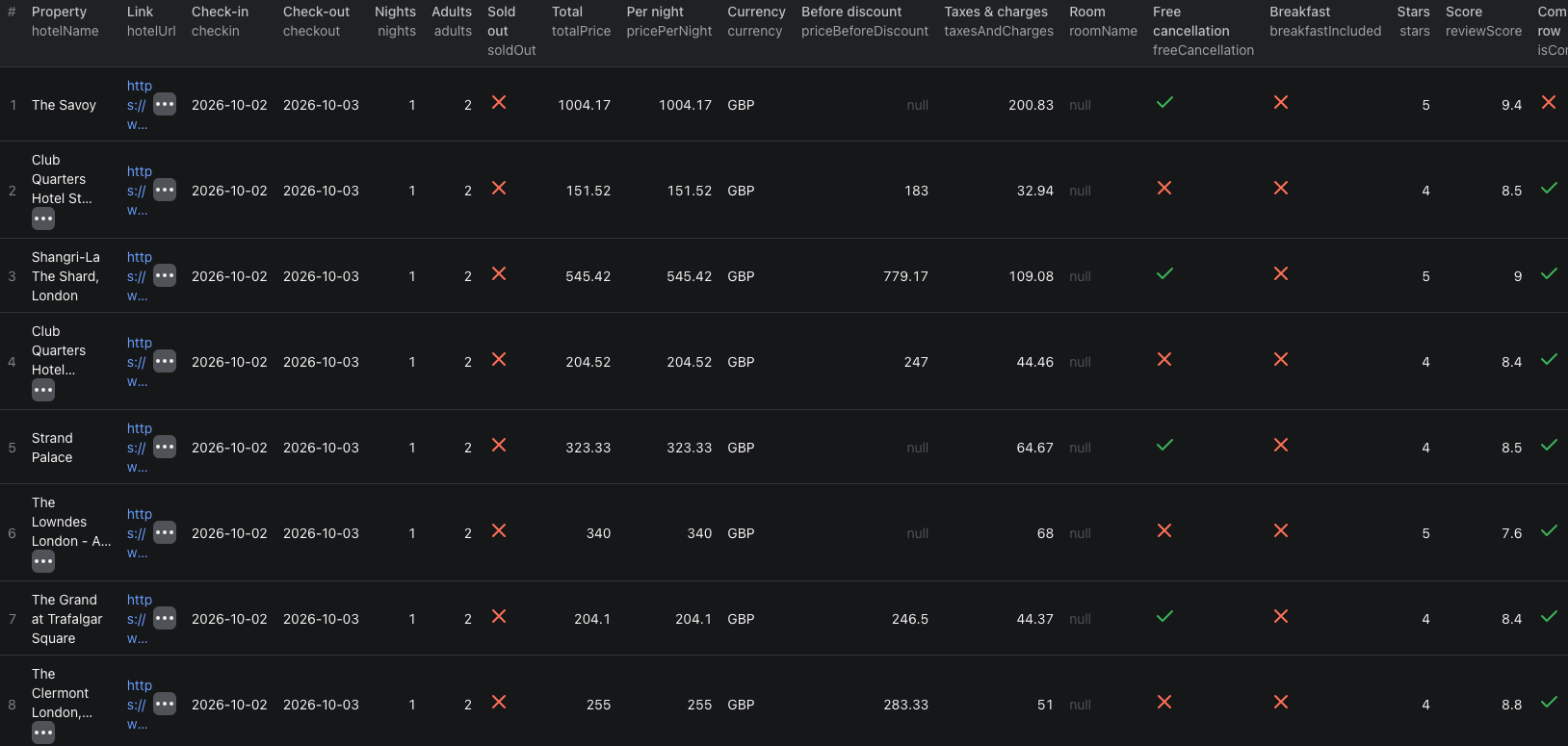
The Actor returned two Savoy rate rows and 201 nearby-property rows in our example. maxItems limits the selected property's rate rows; competitor rows are additional. With more hotels, dates, stay lengths, or occupancies, the number of rate cells grows as those choices multiply.
These are the two selected-property rows from our run, reduced to the fields needed for this comparison:
| Check-in | Stay | Displayed totalPrice | Free cancellation |
|---|---|---|---|
| Oct 1, 2026 | 1 night, 2 adults | £1,029.17 | No |
| Oct 2, 2026 | 1 night, 2 adults | £1,004.17 | Yes |
Rates can change after collection. Keep scrapedAt, checkin, checkout, nights, adults, and currency with each row. The output also gives taxesAndCharges separately; do not silently combine it with totalPrice or assume every property's tax display is identical.
The Booking.com rates Node.js example runs this two-date check and retrieves its dataset.
Build a useful comparison set
First separate rows using isCompetitor. A competitor row points back to its selected property through comparedToHotelId and comparedToHotelName. Compare rows only when checkin, checkout, nights, adults, and currency match.
Then narrow the nearby-property set. Our example included hotels with different star classes, locations, cancellation terms, and room offerings. A low nearby price is not automatically a comparable rate for The Savoy. Filter by the hotel attributes relevant to your decision, and keep roomName, breakfastIncluded, freeCancellation, and separately reported taxes visible where supplied.
If you only need your own calendar, leave Include competitor rates off. If you need a daily market view, run the same input on a schedule and use scrapedAt to distinguish observation times. A soldOut: true row is meaningful availability data, not a zero-pound price or a failed fetch.
Pricing
Pricing as of September 23, 2026 is $0.0015 per selected-property rate row and, when enabled, an additional $0.0001 per competitor row. The Actor start event is $0.00005 per GB of allocated memory, with a minimum of one event. Our run charged one start event, two rate rows, and 201 competitor rows: $0.00005 + (2 × $0.0015) + (201 × $0.0001) = $0.02315 in Actor event charges. Apify platform or proxy usage may be billed separately according to your plan. Check live pricing before expanding the date range.
If the comparison is misleading
- The rate count is much larger than expected. Competitor rows are extra. The selected-property limit does not cap them.
- A cheap nearby hotel appears. Match the stay first, then assess star class, location, room, and cancellation terms.
- A date has no available room. Keep
soldOut: truedistinct from a missing result and do not substitute zero for price. - A hotel name resolves ambiguously. Use its Booking.com property URL or ID instead of a broad name.
- Taxes look inconsistent. Keep
taxesAndChargesseparate and review the source terms before calculating an all-in comparison.
Frequently asked questions
Does maxItems include competitor rows?
No. maxItems limits rate rows for your selected properties. When competitor rates are enabled, nearby-property rows are extra and charged separately.
Does a sold-out row mean the scraper failed?
No. A row with soldOut: true records unavailable inventory for that stay. Keep it separate from a failed or missing result.
Are all nearby hotels fair competitors?
No. The Actor returns nearby properties for the same stay, but you still need to filter by location, star class, room type, and booking terms before comparing prices.
