How to Scrape AliExpress Product Details, Variants, and Seller Data
A search result tells you a product exists and roughly what it costs. Before you list it in your own store, you need the rest: which variants are in stock for your country, what each one actually costs, how long shipping takes, and whether the seller has a track record.
The AliExpress Product Details Scraper takes a list of product URLs and returns one record per product with every variant, its price and stock, the shipping options for a chosen country, the full specification table, and the store's rating and sales history. I maintain the Actor. Everything below comes from its current build and runs made on September 12, 2026.
Two limits to know up front. Input must be full product URLs, and in my test the ship-to country changed the currency but not the shipping options. Both are covered below.
Is this the right tool?
Use it when you already have product URLs and want the full record for each. Typical sources are a saved search from the AliExpress listings guide, a supplier shortlist, or the products already in your store that need a stock and price refresh.
It is the wrong tool if you need:
- Keyword search. Use the listings scraper first, then feed its URLs here.
- Customer reviews. The separate AliExpress Reviews Scraper handles those.
- Guaranteed shipping data for non-US destinations. See the section on ship-to country before relying on it.
No code is required. You paste URLs into a form in the Apify Console, start the run, and export a file.
What one product record holds
Each product is a single row with nested lists inside it. This is the September 12 record for the QCY earbuds from the Actor's default input, cut down to the fields that drive decisions. Prices were current that day.
{
  "productId": "1005006959700436",
  "status": "ok",
  "title": "QCY MeloBuds Pro ANC Bluetooth 5.3 Earphones",
  "currency": "USD",
  "price": { "min": 26.47, "max": 91.10 },
  "originalPrice": { "min": 82.43, "max": 98.10 },
  "discountPercent": 68,
  "rating": 4.8,
  "reviewCount": 5939,
  "sold": "10,000+ sold",
  "totalStock": 2194,
  "skus": [
    {
      "attributes": { "Color": "BLACK", "Ships From": "United States" },
      "price": 75.43,
      "stock": 91,
      "maxBuyCount": 1,
      "available": true
    }
  ],
  "shipping": [
    {
      "method": "Aliexpress Selection Standard",
      "fee": 0,
      "deliveryDaysMin": 9,
      "deliveryDaysMax": 15,
      "tracking": true
    }
  ],
  "store": {
    "name": "QCY Official Store",
    "rating": 4.9,
    "positiveRate": "97.8%",
    "soldLast180Days": "80,000+",
    "openedAt": "2014-09-23"
  }
}
| Group | What it contains |
|---|---|
price, originalPrice, discountPercent | Min and max across variants. The original price is AliExpress's reference price, not a past selling price. |
skus | One entry per variant: attributes, price, stock, purchase limit, and available. |
shipping | Carrier, fee, ship-from country, delivery window in days, tracking. |
store | Store name and URL, rating, positive feedback rate, items sold in 180 days, opening date. |
attributes, images, video, documents | Specification table, gallery, product video, and PDF manuals where present. |
status | ok, unavailable_in_region, or not_found. Only ok rows carry product data. |
Run it on three products
- Open the Actor page and click Try for free. A free Apify account is enough.
- The Input tab is prefilled with three product URLs. Keep them for a first run, or replace them with your own full product page links.
- Leave Ship-to country on
USand Currency onUSD. Set Max products to3. - Click Start. The test run finished in about 15 seconds.
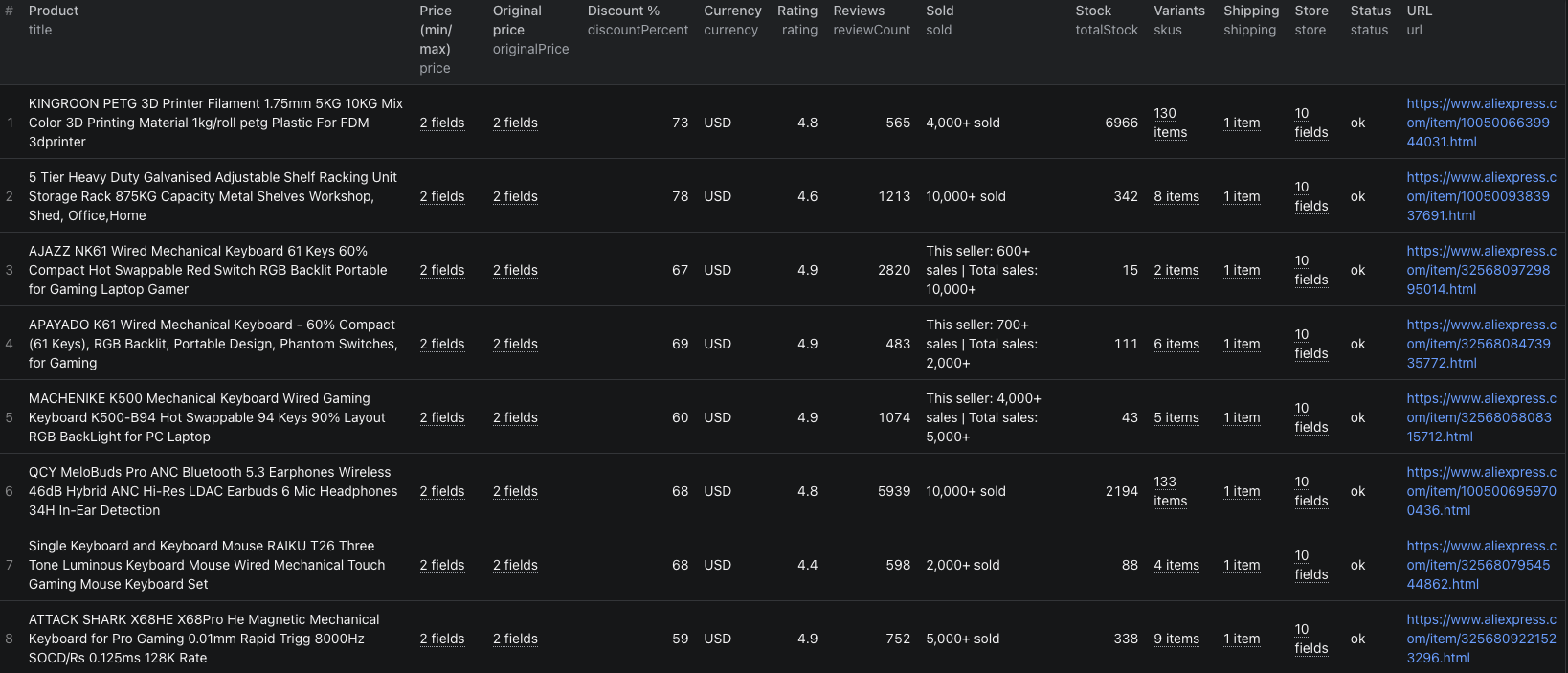
- When the status is Succeeded, open Output for the table view or Storage to export JSON or CSV.
The same input in JSON form, if you switch the editor:
{
  "productUrls": [
    { "url": "https://www.aliexpress.com/item/1005006959700436.html" },
    { "url": "https://www.aliexpress.com/item/1005006639944031.html" },
    { "url": "https://www.aliexpress.com/item/1005009383937691.html" }
  ],
  "shipTo": "US",
  "currency": "USD",
  "maxItems": 3
}
Use full URLs. The README mentions bare product IDs, but the Console's input validation rejects them with "do not contain valid URLs". I hit that error in testing. Any AliExpress country domain works as long as the path contains the item ID.
maxItems is a total for the run. Duplicate URLs are collapsed first, then the first N unique products are scraped. The default is 50.
Find the variants you can actually sell
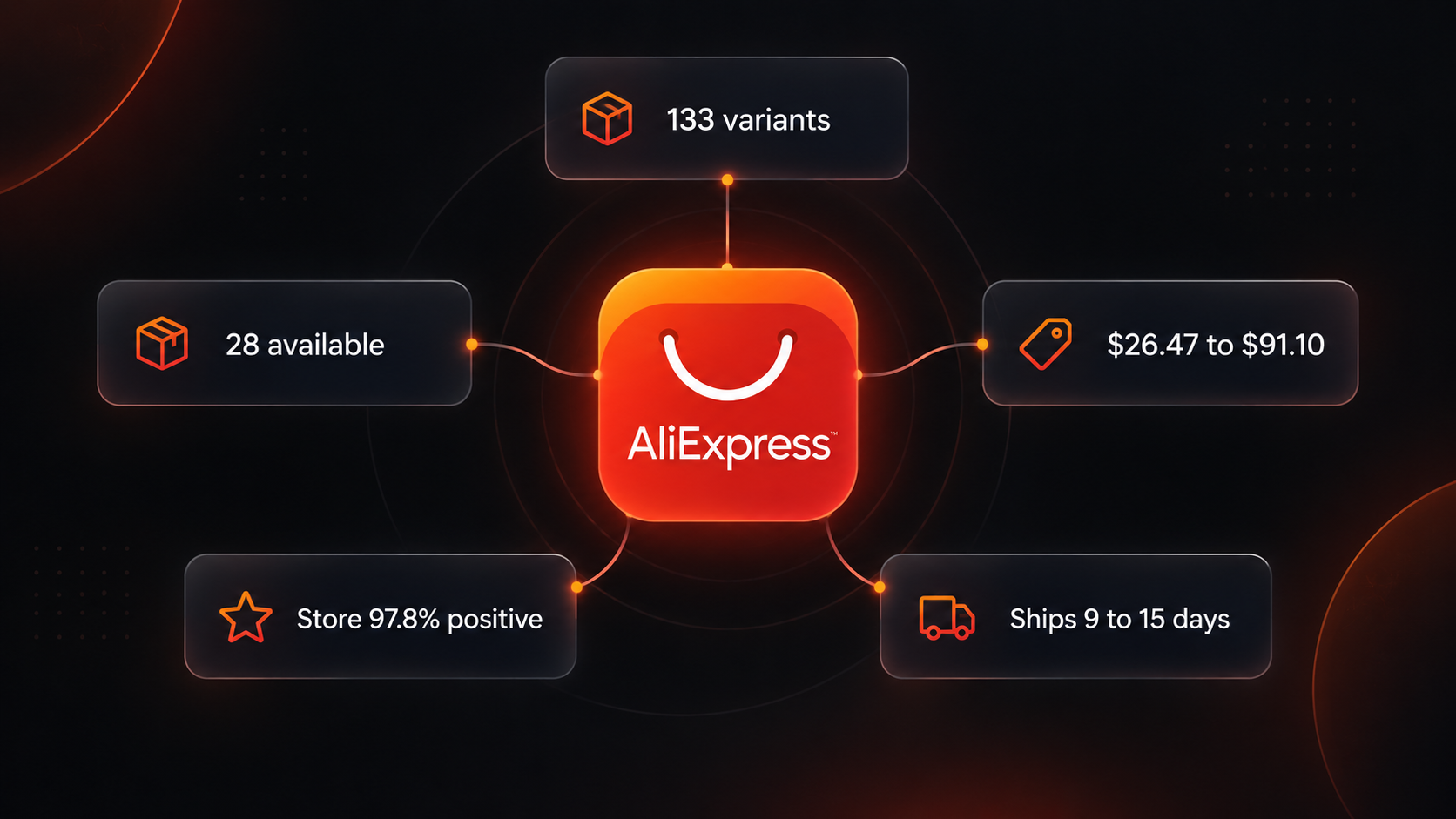
The variant list is the reason to use this Actor, and also the first trap. In the test run the earbuds returned 133 variants, the filament 130, and the shelving unit 8. Only 28 of the earbud variants were available for the US.
That is because AliExpress creates a variant for every colour and warehouse pair. The earbuds had 19 colour options across seven warehouses, from Brazil to Poland. A variant that is sold out, or that cannot be sold to your destination, still appears with its price, but available is false and stock is zero.
Export to JSON and flatten skus, or use the table view and expand the column. Then:
- Keep rows with
available: true. Everything else is a variant you cannot order for that destination today. - Read price together with
Ships From. The cheapest available earbud variant was $26.47 from a Brazil warehouse, while the US warehouse variants were $75.43. The record'sprice.minalone hides that spread. - Check
maxBuyCount. A value of 1 means a per-order limit, which matters for bulk sourcing. Every available earbud variant carried that limit. - Group by
Ships From. A local warehouse usually means a shorter delivery window than the China default, at a higher price.
Repeat the run weekly with the same URLs, and a variant that flips from available to unavailable is your out-of-stock signal. To do that from code, the AliExpress product details Node.js example calls the Actor with the same three URLs and prints each record.
Vet the seller from the same record
The store block saves a visit to the store page. Three fields do most of the work:
positiveRatebelow the mid-nineties is worth a closer look. The three test sellers ranged from 94.2% to 97.8%.soldLast180Daysshows recent volume as a band such as "80,000+". Two of the three test stores were at that band.openedAtseparates a store opened in 2014 from one opened nine months ago. The shelving unit seller opened in December 2024 and already showed 80,000+ sales, which is a pattern to check rather than a red flag on its own.
Add a column for each to your product sheet so a low price on an unproven store stands out.
Ship-to country and currency
Set Ship-to country and Currency for your market. A run with DE and EUR on the earbuds returned prices in euros, from 23.75 to 81.47.
The shipping block did not change. It came back with the same US route and the same 9 to 15 day window as the US run, and the same 28 variants were marked available. The shipping country in the output comes from AliExpress's response, so AliExpress served US shipping for that request. Treat shipping and availability for non-US destinations as unverified until you compare a run against the product page opened from that country.
A product that AliExpress will not sell to your chosen country comes back with status: "unavailable_in_region" and no product data. Those rows are not charged.
Pricing
As of September 12, 2026 the Actor charges $0.005 per product with status: "ok", whatever the number of variants. A start event of $0.00005 per GB of memory is also billed, at least one per run. Unavailable and not-found products are free.
| Products | Product events |
|---|---|
| 3 | $0.015 |
| 50 (default) | $0.25 |
| 500 | $2.50 |
The README also lists platform usage as billed separately, so check the live pricing page and your Console charges before scheduling large lists.
When something looks off
- The run takes much longer than expected. The Actor searches for a proxy IP that passes AliExpress's access check and reuses it. My three-product run took 15 seconds; a later one-product run took 61 seconds while it hunted. Long is not the same as broken.
- The run failed with "access check triggered". No clean IP was found after 40 attempts. In the 30 days before this post, about a third of public runs ended failed or timed out, so this is the Actor's main weakness. Retry, and keep lists short until a run succeeds.
- A product is missing from the dataset. The run's status message names how many products failed after retries. Re-run those URLs; it usually collects the rest.
statusisnot_found. The listing was removed or the ID is wrong. Open the URL in a browser to confirm.- The discount looks enormous.
discountPercentcompares the deal price against AliExpress's reference price. An 80 percent discount on the shelving unit came from a reference price of $68 against a deal price of $13.74. Judge the deal price on its own.
Frequently asked questions
Can I paste bare product IDs instead of URLs?
Not through the Console or API. Input validation rejects an item that is not a URL, so use the full product page link such as https://www.aliexpress.com/item/1005006959700436.html.
Why does a product show 133 variants but only 28 available?
AliExpress lists a variant for every colour and warehouse combination. Variants that are sold out or cannot be sold to your chosen country come back with available set to false. Filter on that field.
Is maxItems a total or a per-URL setting?
A total for the run. Duplicate URLs are collapsed to one product first, then the first maxItems unique products are scraped.