How to Scrape Avito Listings, Prices, and Seller Details
An Avito category page is useful for seeing asking prices, but a dependable comparison also needs the city, item condition, specifications, and an honest record of which detail pages were available.
Our Avito Listings Scraper accepts Avito category and search-results URLs. Listing mode returns titles, numeric and displayed prices, short specifications, locations, seller ratings, photos, and canonical URLs. Detail mode adds the full description, seller name and type, address, complete category-specific parameters, and all listing photos.
The Actor does not collect seller phone numbers. Avito categories also use different specifications, so fields that make sense for phones will not exist for clothing, cars, property, or services.
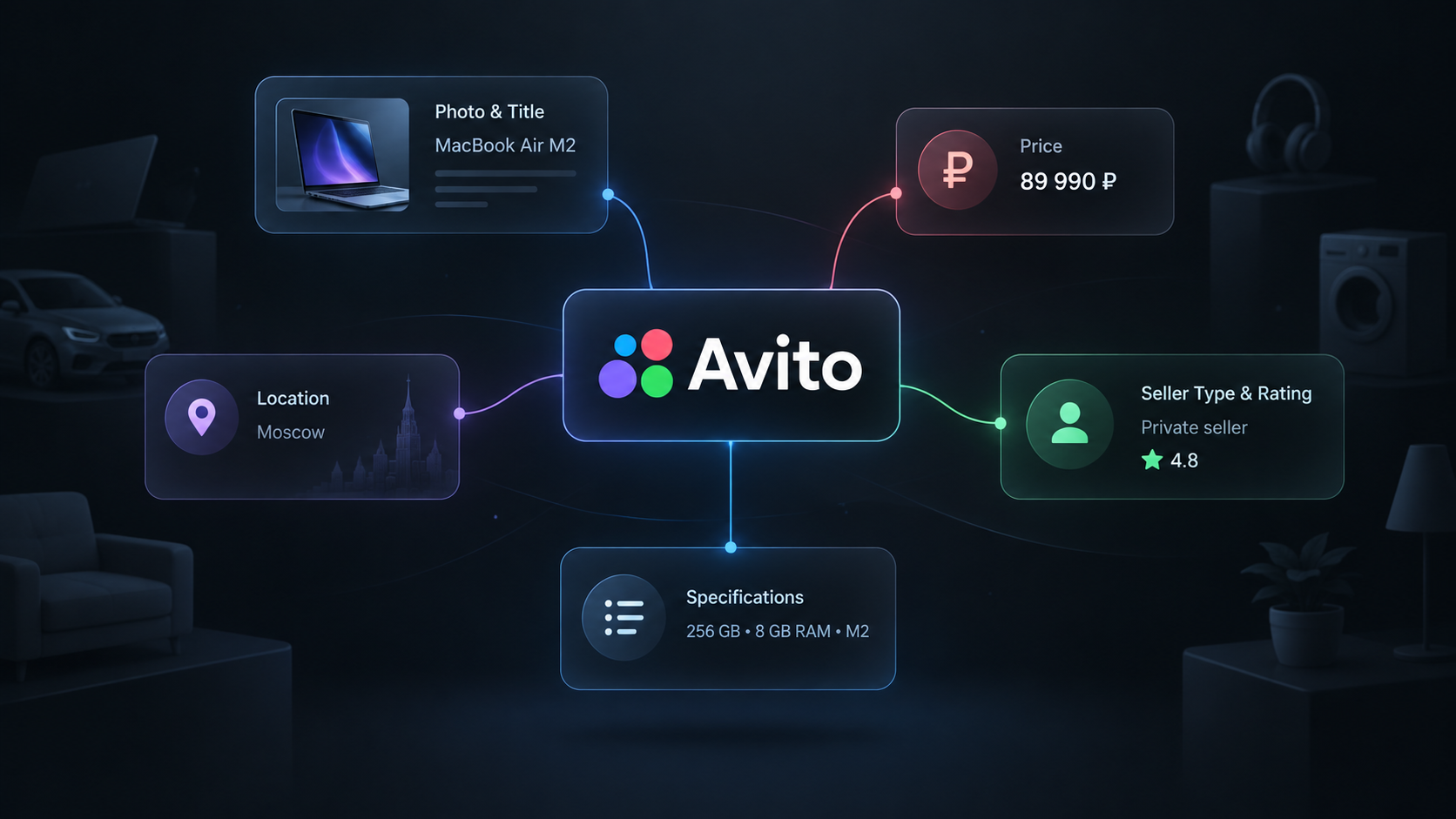
Choose listing mode or detail mode
Use listing mode for a fast price and inventory snapshot. It is the better first step when you still need to check whether a category URL contains the right products.
Use detail mode when your outcome needs descriptions, seller type, addresses, complete specifications, or all images. It visits each listing page, so it is slower and some individual pages can fail even when the category page succeeds.
Collect thirty enriched listings
- Open the Actor on Apify and click Try for free.
- Add an Avito category or filtered search URL under Start URLs.
- Set Max items to
30. - Turn on Scrape listing details.
- Keep the default proxy configuration and click Start.
maxItems applies across all start URLs. A value of 0 removes the Actor's item limit, but Avito still exposes roughly 5,000 results for one search slice. Keep a finite limit while checking a new category.
We used this input for the example:
{
  "startUrls": [
    { "url": "https://www.avito.ru/novosibirsk/detskaya_odezhda_i_obuv" }
  ],
  "maxItems": 30,
  "scrapeDetails": true,
  "proxyConfiguration": {
    "useApifyProxy": true
  }
}
Our example run returned 30 rows in about 56 seconds. Twenty-five detail pages were enriched successfully. Five rows remained useful listing records but had detailsAvailable: false because their detail-page requests failed.
One abbreviated enriched row was:
{
  "id": "8374995389",
  "title": "Детские утепленные комбенизоны р-р 68 и 74",
  "price": 3700,
  "priceText": "3 700 ₽",
  "location": "Площадь Маркса, до 5 мин.",
  "city": "novosibirsk",
  "category": "detskaya_odezhda_i_obuv",
  "sellerName": "Пользователь",
  "sellerType": "Частное лицо",
  "address": "Площадь Маркса, до 5 мин.",
  "params": {
    "Вид одежды": "Утеплённые комбинезоны",
    "Состояние": "Б/у",
    "Сезон": "Зима, Демисезон",
    "Бренд": "Babygo",
    "Цвет": "Белый"
  },
  "images": [
    "https://40.img.avito.st/image/1/...",
    "https://50.img.avito.st/image/1/..."
  ]
}
| Field group | How to use it |
|---|---|
id, url | Deduplicate listings and reopen the source before contacting a seller or acting on a price. |
price, priceText | Use the numeric ruble amount for calculations and retain the displayed source text for context. |
city, location, address | Keep geography attached to the offer. Address detail varies by listing. |
specs, params, paramsText | Compare category-specific attributes such as condition, size, brand, memory, mileage, or property area. |
sellerName, sellerType, sellerRating | Public seller context returned in detail mode when available. Missing values should remain missing. |
detailsAvailable | When false, the row contains listing-card data but the full detail page was not collected. |
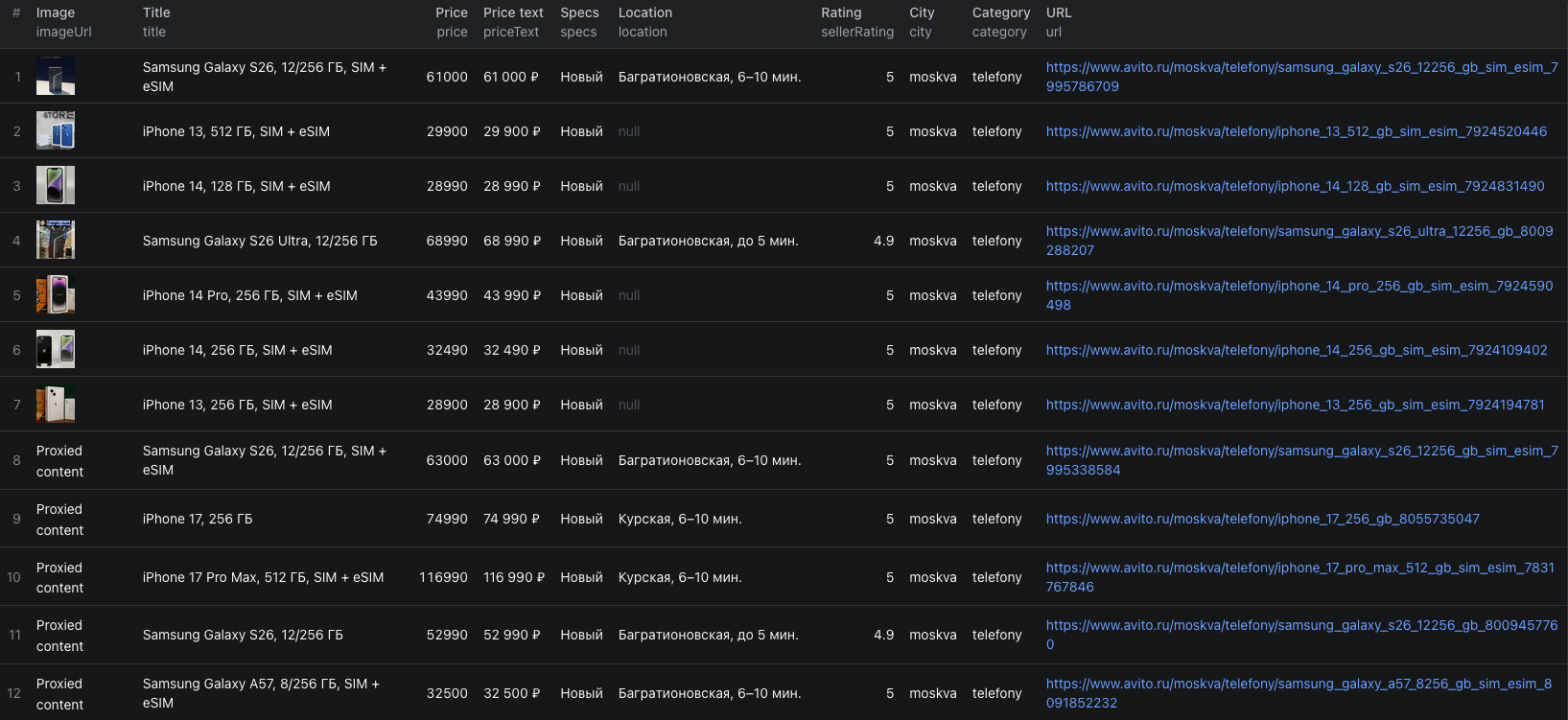
The Avito listings Node.js example runs the same 30-item detail export with apify-client and retrieves the resulting dataset.
Build a category comparison without mixing unlike items
Avito is a general classifieds marketplace. A single category can include private sellers, businesses, new products, used items, bundles, and accessories.
For a useful comparison:
- Filter by
cityand the relevant condition or category-specific parameter. - Remove bundles and adjacent product types that do not match the target.
- Keep
priceTextand the source URL beside the numeric price. - Separate private sellers from business sellers when
sellerTypeis available. - Keep
detailsAvailable: falserows out of analyses that require descriptions or full parameters.
Do not translate a missing seller rating, address, or parameter into zero. It means the source did not provide the field or the detail page was unavailable.
Split broad searches before increasing the limit
One Avito search can expose roughly 5,000 results. If the market is larger, create narrower start URLs using city, category, price, brand, condition, or other visible filters.
Record the source URL for each slice and deduplicate by listing ID after export. This is more reliable than collecting one very broad result set and assuming it represents the whole market.
For repeated monitoring, store id, price, priceText, url, and the collection time outside the dataset. A listing missing from a later limited run is not proof that it sold. Open its canonical URL before changing its status.
Pricing
Pricing as of September 21, 2026 is:
| Returned row | Price |
|---|---|
| Listing | $0.004 |
| Listing with full details | $0.007 |
| Actor start | $0.00005 per GB of allocated memory, minimum one event |
Our example produced 25 successfully enriched rows and five uncharged listing fallbacks, so its Actor event charges were (25 × $0.007) + $0.00005 = $0.17505 at the 1 GB memory setting. A 30-row listing-only run would be $0.12005. Apify platform usage can be billed separately according to your plan. Check the run cost and live pricing before collecting a large category.
Check these failure and data cases
- The run succeeds but some details are missing. Check
detailsAvailable. A detail request can fail while the listing-card row remains in the dataset. - A field exists in one category but not another. Avito specifications are category-specific. Build separate schemas or mapping rules for cars, property, electronics, clothing, and other domains.
- The price is missing or nonstandard. Keep the displayed text and exclude the row from numeric calculations rather than guessing.
- A broad search stops around 5,000 listings. Divide the target into narrower filtered URLs and deduplicate the combined export by
id. - Seller information is incomplete. Detail mode returns only what the public page exposes. The Actor does not collect phone numbers.
- You plan to contact sellers. Use public seller data responsibly, respect marketplace rules and applicable privacy law, and keep outreach relevant to the listing.
Frequently asked questions
What Avito URLs can the scraper use?
Use Avito category or search-results URLs, including URLs with city and marketplace filters. The Actor paginates each URL and applies maxItems across the whole run.
What happens when an Avito detail page cannot be collected?
The listing can still remain in the dataset with detailsAvailable set to false and its search-card fields intact. Treat it as a listing-only row rather than a fully enriched record.
Does the Avito Listings Scraper collect seller phone numbers?
No. Detail mode can return the public seller name, seller type, rating, address, description, specifications, and photos, but it does not collect phone numbers.