
How to Export Football Odds from BetExplorer
To compare football odds, you need the match, market, bookmaker, outcome, and price in the same record. An average 1X2 price alone cannot tell you which bookmaker offered it.
Our BetExplorer Scraper exports fixtures and results with average odds. Turn on Scrape every bookmaker's odds when you need the prices behind the average. The Actor runs on Apify, so you can use its Input form and export the dataset without writing code. Bookmaker quotes depend on what BetExplorer has for each match; check the odds array before relying on them.
Export one match with its odds
- Open the BetExplorer Actor on Apify.
- Under League URLs, enter
https://www.betexplorer.com/football/england/premier-league/. - Set Max matches to
1and turn on Scrape every bookmaker's odds. - Start the run. Open its Dataset tab and export JSON to retain the nested markets and bookmaker prices.
The JSON editor accepts:
{
  "startUrls": [
    { "url": "https://www.betexplorer.com/football/england/premier-league/" }
  ],
  "maxItems": 1,
  "scrapeOdds": true
}
maxItems is a limit for the whole run, not one match per URL. A league page changes as games are played, so repeating this input later may return a different match.
Our September 24 example returned Bournemouth versus Liverpool. This is an abbreviated part of that result:
{
  "homeTeam": "Bournemouth",
  "awayTeam": "Liverpool",
  "score": "0:1",
  "status": "FINISHED",
  "averageOdds": { "1": 3.09, "X": 3.65, "2": 2.19 },
  "odds": [
    {
      "market": "1X2",
      "prices": [
        {
          "bookmaker": "1xBet",
          "outcomes": [
            { "label": "1", "odd": 3.34, "updatedAt": "2026-09-20T11:54:00.000Z" },
            { "label": "X", "odd": 3.65, "updatedAt": "2026-09-20T11:48:00.000Z" },
            { "label": "2", "odd": 2.14, "updatedAt": "2026-09-20T11:54:00.000Z" }
          ]
        }
      ]
    }
  ]
}
The actual result contained more bookmakers and markets. To compare prices, take the 1X2 market, then line up each bookmaker's 1, X, and 2 outcomes. Keep updatedAt beside each quote. An update time is not, by itself, proof that the quote was available immediately before kickoff.
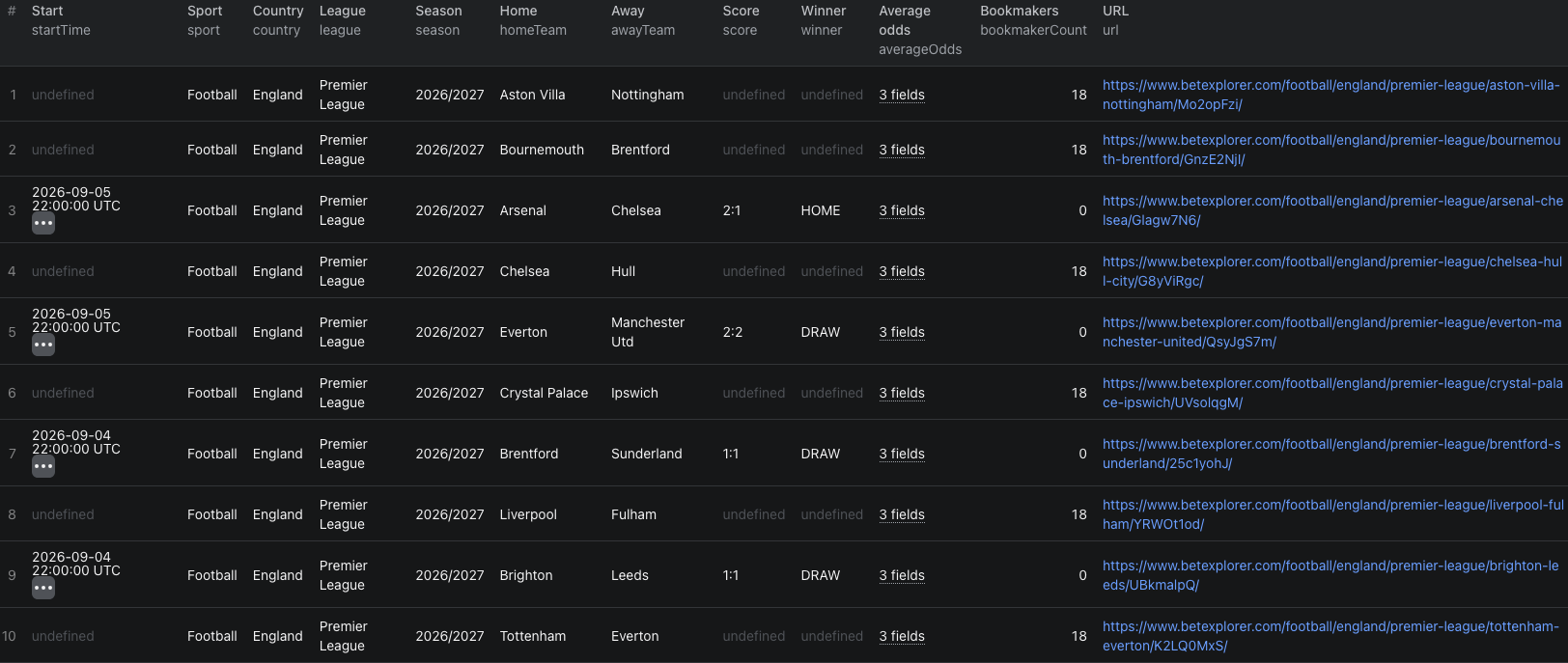
This separate, larger league run shows both finished matches and upcoming fixtures. Treat empty score or winner fields as missing results, not draws or losses.
The BetExplorer Node.js example runs the same one-match input and reads its dataset.
When you need a historical season
Use a season URL such as https://www.betexplorer.com/football/england/premier-league-2025-2026/results/ and raise the match limit. For a compact results dataset, leave Scrape every bookmaker's odds off. You will still get scores and average 1X2 odds when the source supplies them.
Our three-match test of that season returned scores and average odds, but no bookmaker-level quotes even with full odds enabled. Do not treat a successful run as evidence that every row has a complete odds book. Check odds per match, and test a small sample before paying for a large full-odds export.
Pricing
Pricing as of September 24, 2026 is $0.003 per basic match or $0.008 per match with the full-odds option. These are alternative per-match events, not charges to add together. The Actor start event is $0.00005 per GB of allocated memory, with a minimum of one event. Our one-match full-odds input therefore has an Actor event estimate of $0.00805 at the minimum start charge. Apify platform and proxy usage may be billed separately according to your plan. Check live pricing before a larger run.
Frequently asked questions
Does every match include bookmaker-level odds?
No. Enable the full-odds option and inspect the odds array in each result. Some matches, especially in older seasons, may have average odds but no individual bookmaker quotes.
Are the returned odds closing odds?
Do not assume so. Each bookmaker outcome can include an updatedAt timestamp. Check it against the match time and your own definition of a closing line.
Does maxItems apply to each league URL?
No. It caps the number of match rows returned across all supplied league URLs.
