How to Scrape Judge.me Reviews from Shopify Stores
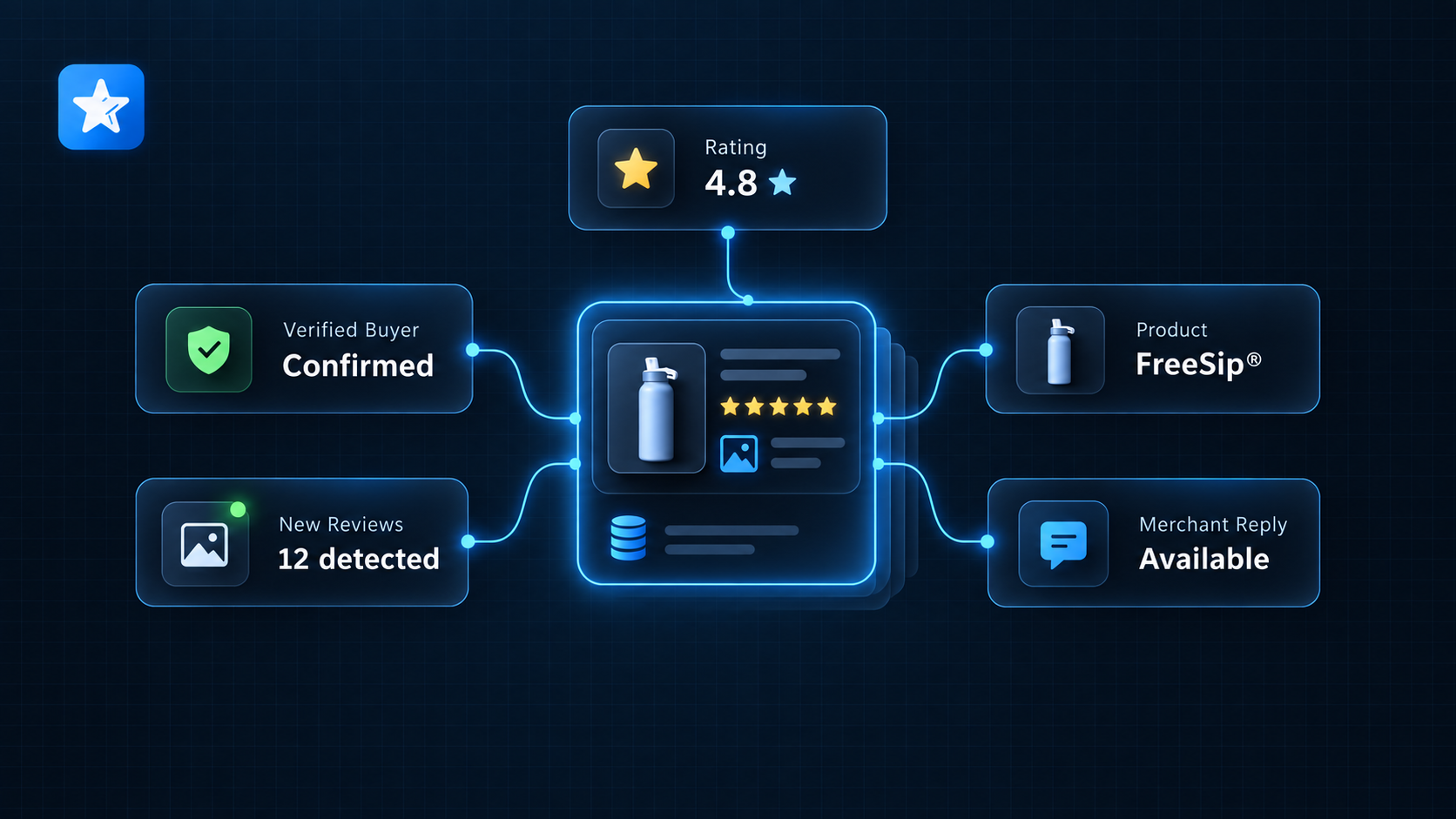
Customer reviews are easier to use when each row keeps the rating, date, product, verification flag, photos, and merchant response together. Copying visible review cards from a storefront loses that structure and makes repeat monitoring difficult.
Our Judge.me Reviews Scraper accepts Shopify store or product URLs that use Judge.me. It can export public product reviews or track reviews that have not been delivered by an earlier run. The result includes review text, rating, publication time, product context, photos, merchant replies, helpful votes, and source transparency badges when available.
The review limit applies to the whole run, not separately to every URL. A displayed review total also does not guarantee that the entire history is retrievable from the source feed.
Start with a review export
Use Review export when you need a current sample or a historical pull. You can sort by newest, lowest rated, highest rated, or most helpful, then filter by star rating, verified-buyer status, or publication date.
Use New-review tracking for a scheduled watch. It remembers delivered review IDs under a tracker name and scans a recent publication window. Tracking requires newest-first ordering.
Public reviewer names are off by default. Leave them off unless names are necessary for your stated analysis.
Export 50 recent product reviews
- Open the Actor on Apify and click Try for free.
- Add one compatible Shopify product URL under Store or product URLs.
- Keep Collection mode on Review export.
- Set Maximum reviews to
50and Review order to Newest first. - Leave the rating filters empty and reviewer names off.
- Click Start. Open Reviews for the rows and Coverage summary to see what was scanned.
We used this input for the launch example:
{
  "startUrls": [
    { "url": "https://owalalife.com/products/freesip" }
  ],
  "maxItems": 50,
  "mode": "snapshot",
  "sortBy": "newest",
  "ratings": [],
  "verifiedOnly": false,
  "includeReviewerNames": false
}
Our example run returned 50 rows after scanning two pages. Judge.me reported 33,859 reviews for the source, so the coverage summary correctly marked this 50-row result as partial.
One abbreviated row was:
{
  "reviewId": "069768f3-e5f1-410c-84b4-0f17fe63d81d",
  "shopDomain": "owala.myshopify.com",
  "rating": 4,
  "title": "Cleaning the spout.",
  "publishedAt": "2026-09-19T15:46:56.000Z",
  "verifiedBuyer": false,
  "productTitle": "FreeSip®",
  "photos": [],
  "merchantReply": null,
  "scope": "product",
  "requestedProductId": "5541111988383",
  "requestedUrl": "https://owalalife.com/products/freesip"
}
| Field group | Why it matters |
|---|---|
reviewId, shopDomain | Use the pair as the downstream upsert key when runs overlap or retry. |
rating, title, body, publishedAt | The review content and time needed for filtering or trend analysis. |
verifiedBuyer, transparencyBadges | Source-provided review context. These fields do not independently prove the review's accuracy. |
productTitle, productUrl | The original product context supplied by the review feed. |
requestedProductId, requestedUrl | The target you asked the Actor to inspect, which can differ from grouped review product context. |
photos, merchantReply | Review media and the store's published response when present. |
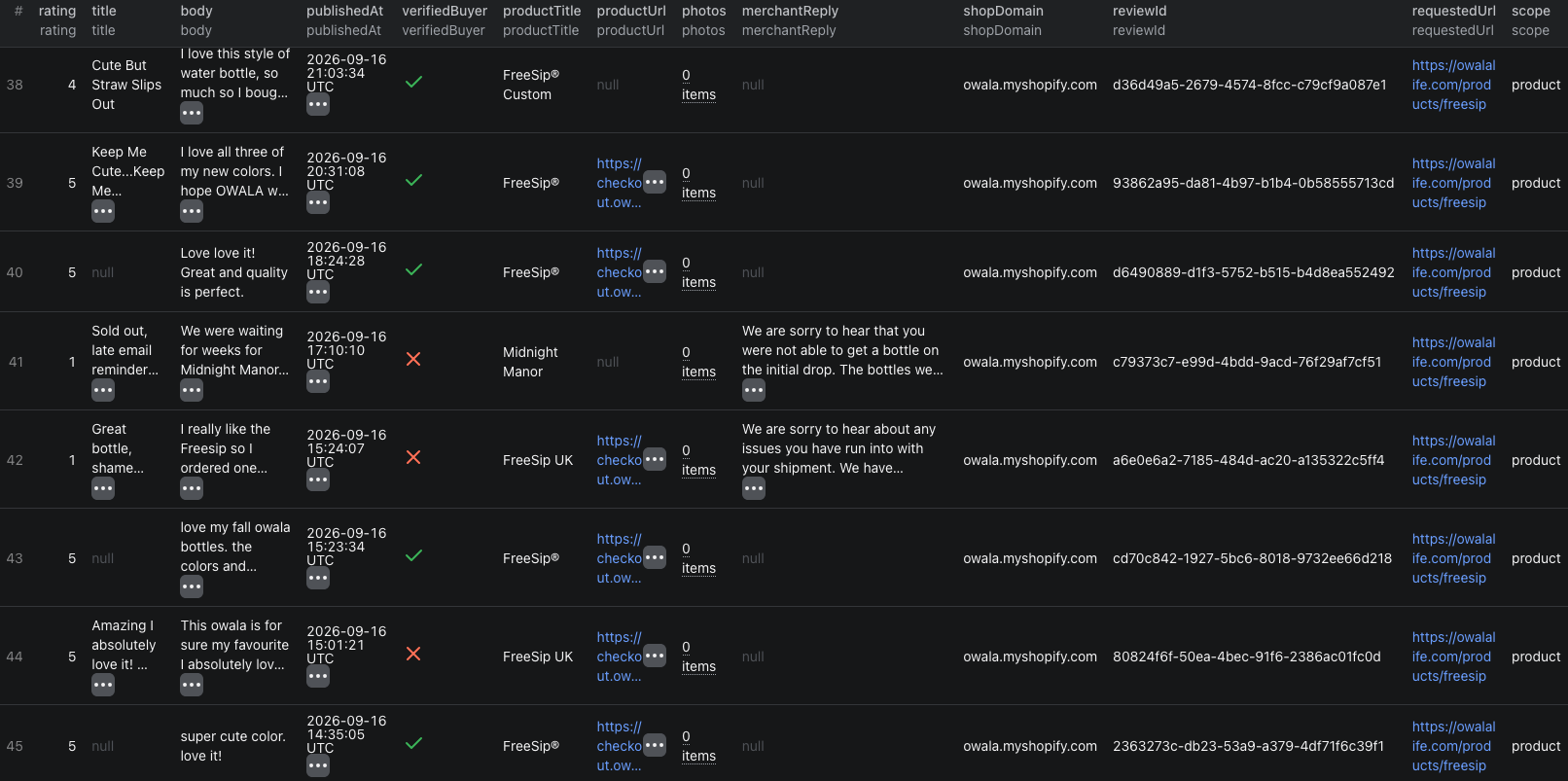
The Judge.me reviews Node.js example uses the same 50-review input and prints each structured review row.
Find complaints without reading everything
For a focused quality review, ask for low ratings before collecting a large sample:
{
  "startUrls": [{ "url": "https://finicc.com" }],
  "maxItems": 100,
  "mode": "snapshot",
  "sortBy": "lowestRating",
  "ratings": ["1", "2"],
  "verifiedOnly": true,
  "includeReviewerNames": false
}
Group the returned rows by product, then review repeated subjects in title and body. Keep the publication date, verification flag, photos, and merchant reply beside each complaint. A filtered sample can reveal recurring issues, but it is not a sentiment score for the entire customer base.
Track newly published reviews
New-review mode uses a named tracker:
{
  "startUrls": [
    { "url": "https://lakoanutrition.com/products/whey-protein-isolate" },
    { "url": "https://finicc.com" }
  ],
  "mode": "newReviews",
  "stateKey": "competitor-reviews",
  "lookbackDays": 30,
  "sortBy": "newest",
  "maxItems": 100
}
The first run returns existing reviews within the 30-day window and saves their IDs. Later runs with the same tracker and filter scope return IDs not previously delivered within that window. If a run hits maxItems, later runs can continue returning existing undelivered reviews.
Changing filters, the date boundary, lookback window, or reviewer-name setting creates a different tracking scope and can surface previously delivered reviews again. Use a new stateKey when you intentionally want a separate watch.
Tracking does not report deleted reviews or edits to IDs already delivered. Schedule a separate snapshot when you need periodic reconciliation.
Pricing
Pricing as of September 20, 2026 is simple:
| Event | Price |
|---|---|
| Actor start | $0.01 per valid run |
| Review returned | $0.0012 per row |
Our 50-review example cost $0.01 + (50 × $0.0012) = $0.07 in Actor event charges. A valid tracking check with no new rows still costs the $0.01 start event. Filtered-out and previously delivered reviews do not create review events. Check live pricing before a large historical export.
Check the coverage summary
- The result stopped at
maxItems. This is a capped sample, not a complete export. - The displayed total is larger than the retrievable feed. Use the summary's source counts and gaps instead of assuming every historical review was available.
- A product URL returns another product title. Judge.me can group products or regional versions. Preserve both requested and returned product fields.
- A date filter removes undated reviews. The summary reports reviews excluded because the source date was unavailable.
- Tracking returns no rows. The selected window may be fully scanned with no undelivered IDs. This is different from an unsupported target.
- A storefront is unsupported. If every target fails, the Actor fails rather than presenting an empty export as success.
Frequently asked questions
Can the Judge.me Reviews Scraper collect every kind of store review?
It supports public Judge.me product reviews on compatible Shopify storefronts. Service-only store reviews, videos, and Q&A are outside this version's guarantees.
Does new-review tracking return the entire history on every run?
No. The first run returns existing reviews within the selected window. Later runs return review IDs not previously delivered by that tracker within the same window and filter scope.
Why can a product URL return reviews for another product title?
Judge.me feeds can contain grouped products, related products, or regional versions. Keep requestedProductId and requestedUrl beside the original productTitle and productUrl returned with each review.