Piotr VassevPiotr Vassev

How to Scrape LinkedIn Company Data (Step-by-Step Guide)

How to Scrape LinkedIn Company Data

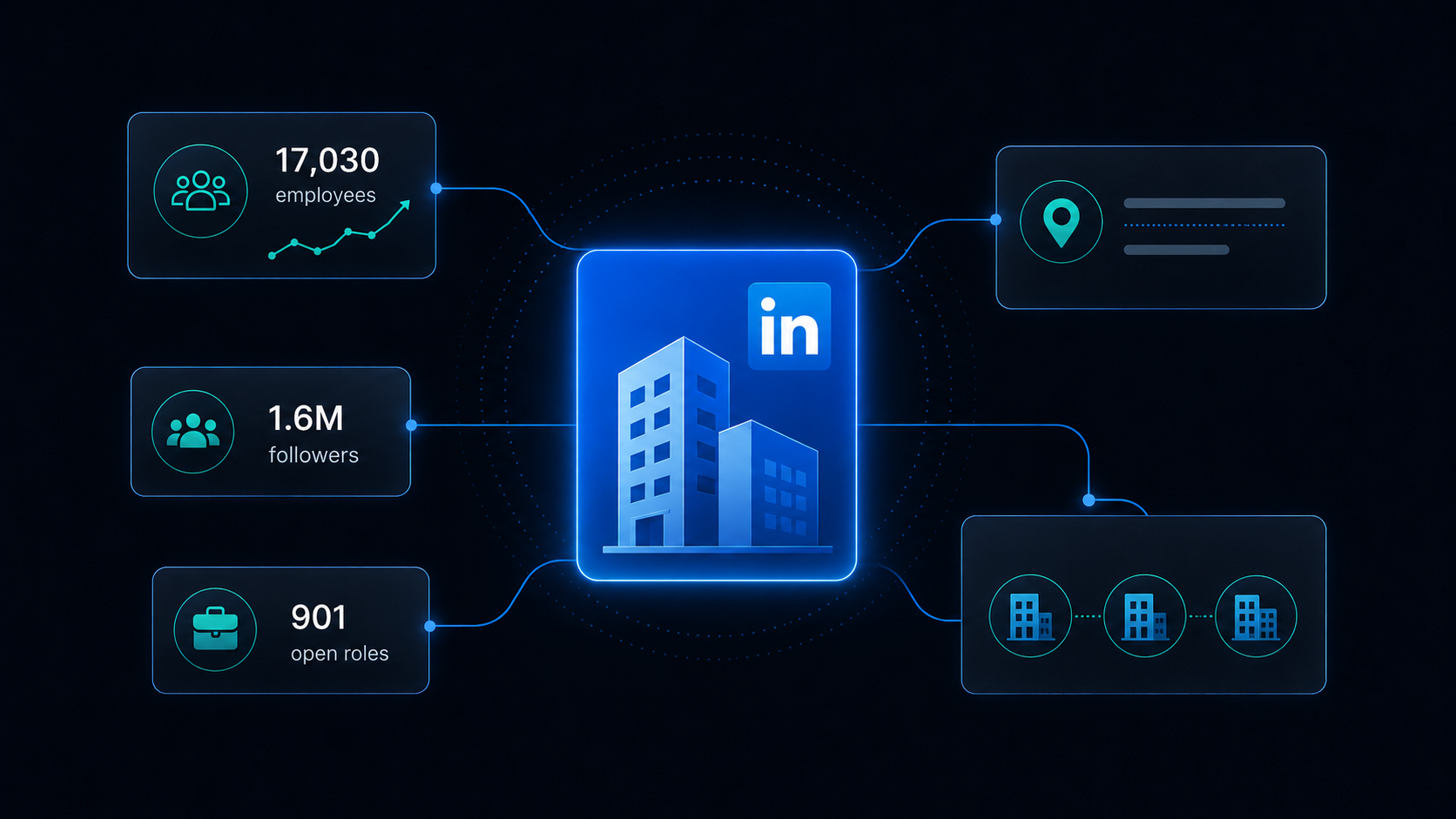
If you want to scrape LinkedIn company data — for lead enrichment, CRM hygiene, market mapping, or account research — this guide walks you through the entire process. You will learn exactly what a public LinkedIn company page exposes, which fields actually matter for scoring accounts, and how to turn a list of company names into a complete firmographic dataset.

Why Scrape LinkedIn Company Profiles?

LinkedIn is the most complete and most current company database in existence, because companies maintain it themselves. Industry, size, headquarters, website, founding year, and specialties are all published on public profiles that require no login to view.

Businesses build firmographic datasets from it for:

  • Lead enrichment — turn a list of company names or domains into scored, segmented records with industry, size, and location
  • CRM hygiene — refresh stale account data that was accurate when someone typed it in three years ago
  • ICP definition and market mapping — size a market by counting companies matching your ideal profile in a given industry and region
  • Territory planning — segment accounts by headcount and headquarters before assigning reps
  • Competitive landscape research — build a picture of who else operates in a category, and how big they actually are
  • Investment screening — headcount growth and hiring velocity are two of the earliest observable growth signals

The Field Everyone Misses

Almost every LinkedIn company scraper returns the same thirteen fields off the About block. One of them, companySize, is a band — "501-1,000 employees" — and that is what most tools give you as headcount.

But the page also publishes the exact number.

The "View all N employees" control on every company page carries how many people currently list that company as their employer. It is a completely different number from the band, and it is the one that actually moves:

CompanySelf-reported bandActual employees on LinkedIn
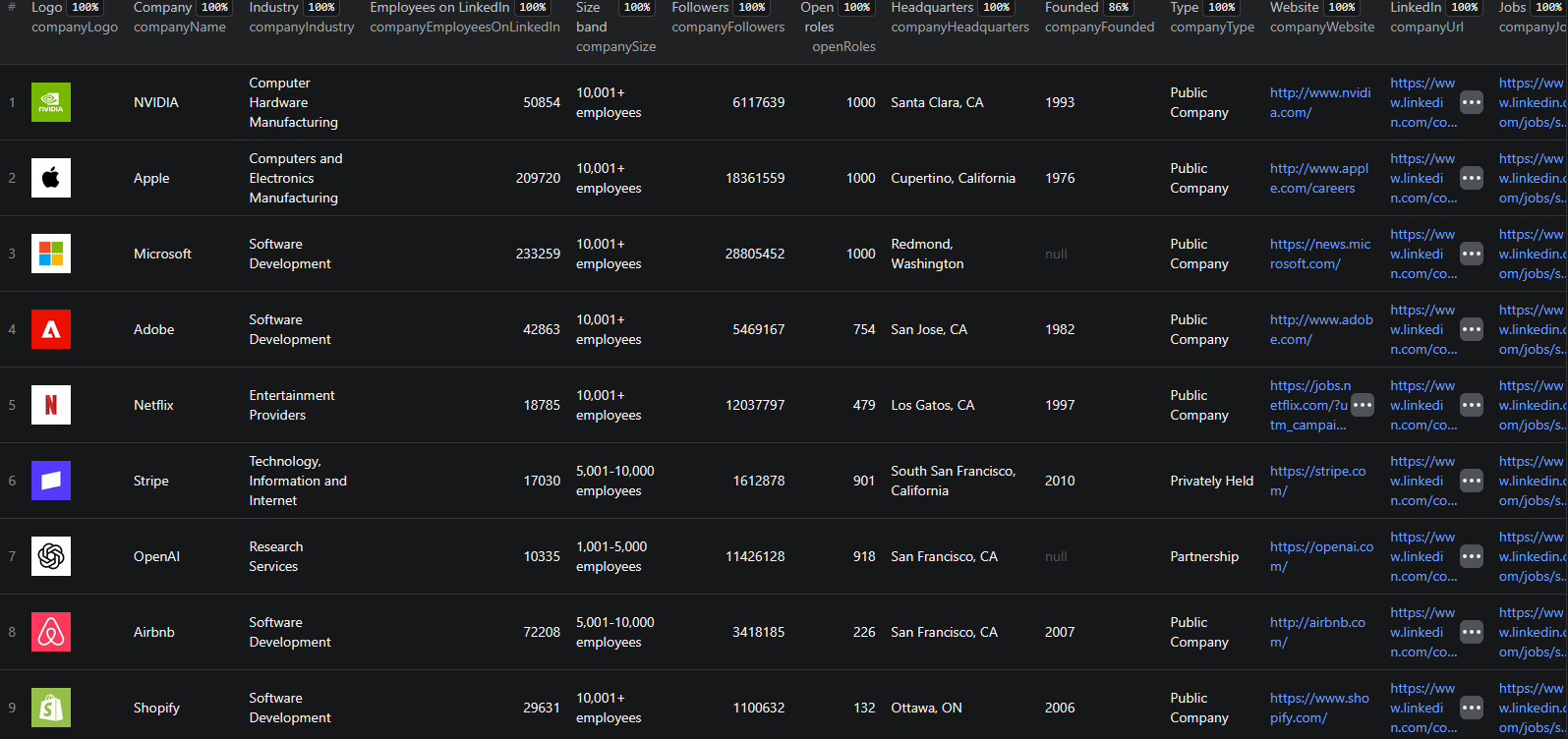
Stripe5,001–10,00017,030
Vercel501–1,0001,012
Microsoft10,001+233,262
Notion1,001–5,0007,454

The band is what someone typed in once. The count is what LinkedIn observes today. For growth scoring, segmentation, or anything where the difference between 5,000 and 17,000 matters, they are not interchangeable.

This scraper returns both — the band for filtering and bucketing, the exact figure for scoring.

Two More Things You Get That Others Don't

Live open-role counts

Every row carries openRoles: how many jobs that company has advertised on LinkedIn worldwide at the moment you scraped it. Stripe returns 901, Vercel 113, and a genuine 0 when a company is not hiring.

"Is this account growing" is usually the entire reason you are enriching in the first place, and this answers it directly rather than by proxy.

The count is searched worldwide on purpose. Without that, LinkedIn silently scopes it to the country the request comes from — Stripe would report 567 instead of 901.

Similar and affiliated pages

Every LinkedIn company page carries a "Similar pages" block — companies LinkedIn itself considers comparable — and often an "Affiliated pages" block covering subsidiaries and showcase pages.

Both come back as structured arrays with name, profile URL, slug, industry, and location. That means one run over your known accounts becomes a lookalike prospecting list. Microsoft returns 47 affiliated pages; Stripe returns 2; every company measured returned 10 similar pages.

What Data You Can Extract

Identity

FieldDescription
companyNameCompany name as shown on LinkedIn
companySlugIdentifier in the profile URL — stable join key across runs
companyIdNumeric LinkedIn organization ID
companyUrlCanonical profile URL, normalised across locale subdomains
companyLogoLogo image URL, or null when the company has none
companyTaglineOne-line tagline under the company name

Firmographics

FieldDescription
companyEmployeesOnLinkedInExact employees LinkedIn counts today
companySizeSelf-reported band, e.g. "5,001-10,000 employees"
companyEmployeeCountUpper bound of that band, as a number, for sorting
companyFollowersLinkedIn follower count
companyIndustryIndustry, e.g. "Software Development"
companyTypePublic Company, Privately Held, Nonprofit, ...
companyFoundedYear founded
companyHeadquartersHeadquarters location
companyWebsiteThe company's own website, unwrapped from LinkedIn's redirector
companySpecialtiesSpecialties the company lists
companyDescriptionFull About text

Hiring signal

FieldDescription
openRolesRoles open on LinkedIn right now, worldwide. 0 means genuinely not hiring
openRolesIsLowerBoundtrue when LinkedIn reported "1,000+", so the value is a floor
companyJobsUrlDirect link to those roles

Related companies

FieldDescription
similarPagesCompanies LinkedIn lists as similar — name, URL, slug, industry, location
affiliatedPagesShowcase pages and subsidiaries, in the same shape

Plus scrapedAt on every row. Fields with no data are null, never invented.

A Note on Honest Nulls

Two details worth knowing, because they are exactly the kind of thing that quietly corrupts an enrichment dataset:

  • A company with no logo does not get a null from LinkedIn — it gets a grey placeholder image. That placeholder is served in every slot on the page, so a naive scraper hands every logo-less company the identical URL and makes "has a logo" a false positive across all of them. This scraper returns null instead
  • A company with nothing open renders no job count at all, only a no-results state. Reading that as "unknown" rather than "zero" turns a definite answer into a missing one. Here it is parsed as a measured 0, and null is reserved for the genuinely rare case where the count could not be read

Neither is visible unless you test against a company that actually lacks the thing.

Common Use Cases

Lead Enrichment at Scale

Feed a list of company slugs from your CRM and get back a complete firmographic record for each — industry, size, exact headcount, location, website — ready to score and segment.

Growth Scoring

Combine companyEmployeesOnLinkedIn with openRoles. A company with 200 employees and 40 open roles is behaving very differently from one with 200 employees and 2.

Lookalike Prospecting

Run your best-fit customers through the scraper and harvest similarPages. LinkedIn's own comparability signal is a strong starting point for a target list, and it comes free with every row.

Corporate Structure Mapping

affiliatedPages surfaces subsidiaries and showcase pages, which is how you discover that the account you are working is one of 47 entities under a parent.

CRM Refresh

Re-run quarterly and diff. Headcount changes, HQ moves, and industry reclassifications all become visible.

Market Sizing

Enrich every company in a category and aggregate by size band, geography, and type to size an addressable market with real numbers.

Step-by-Step: How to Scrape LinkedIn Company Data

Step 1 — Open the Scraper

Go to the LinkedIn Company Scraper on Apify.

Step 2 — Add Your Companies

Enter companies under companies. Every one of these formats works, and you can mix them freely in one run:

  • Slug: stripe
  • Full URL: https://www.linkedin.com/company/stripe
  • Locale subdomain: https://fr.linkedin.com/company/stripe/about/
  • Showcase page: https://www.linkedin.com/showcase/microsoft-azure

The slug is the part of the profile URL after /company/. The same company supplied twice in different formats is recognised as one company and charged once.

Step 3 — Set a Cap

maxItems stops the run after that many companies. Anything past it is reported in the log rather than silently dropped.

Step 4 — Run It

{
  "companies": ["stripe", "notionhq", "vercel"],
  "maxItems": 100
}

That is the entire configuration. There is no depth flag and no filter, because everything on the page comes back on every row — a knob you have to find in order to get the record you already paid for is not a feature.

Step 5 — Export Your Results

JSON, CSV, Excel, HTML, or the Apify API. Join on companySlug to merge with your CRM or with job data from the rest of the suite.

Example Output (Real Data Preview)

LinkedIn Company Scraper results

{
  "companyName": "Vercel",
  "companySlug": "vercel",
  "companyId": "16181286",
  "companyUrl": "https://www.linkedin.com/company/vercel",
  "companyTagline": "Agentic Infrastructure for every app and agent.",
  "companyIndustry": "Software Development",
  "companyWebsite": "https://vercel.com",
  "companyHeadquarters": "San Francisco, California",
  "companySize": "501-1,000 employees",
  "companyEmployeeCount": 1000,
  "companyEmployeesOnLinkedIn": 1012,
  "companyFollowers": 250192,
  "companyFounded": "2015",
  "companySpecialties": "Next.js, Developer Velocity, Open Source, React, Web Development",
  "companyType": "Privately Held",
  "openRoles": 113,
  "openRolesIsLowerBound": false,
  "companyJobsUrl": "https://www.linkedin.com/jobs/search?f_C=16181286&geoId=92000000",
  "similarPages": [
    {
      "name": "Supabase",
      "companyUrl": "https://www.linkedin.com/company/supabase",
      "companySlug": "supabase",
      "industry": "IT Services and IT Consulting",
      "location": null
    }
  ],
  "affiliatedPages": [
    {
      "name": "v0 by Vercel",
      "companyUrl": "https://www.linkedin.com/company/v0dev",
      "companySlug": "v0dev",
      "industry": "Software Development",
      "location": null
    }
  ],
  "scrapedAt": "2026-08-06T06:42:36.164Z"
}

Key things to notice:

  • companyEmployeesOnLinkedIn 1,012 vs a band of 501–1,000 — the band would have put Vercel in the wrong bucket
  • openRoles: 113 — a live hiring signal, worldwide, in the same row as the firmographics
  • similarPages — a ready-made lookalike list, at no extra charge
  • companySlug — joins cleanly against the jobs scrapers in the suite and against your CRM

Try the LinkedIn Company Scraper now — no coding required.

Automating Company Data Collection

Scheduled Runs

Re-enrich your account list monthly or quarterly and diff the snapshots to catch headcount and hiring changes.

API Integration

Use the Apify API to enrich companies on demand — for example, whenever a new account is created in your CRM.

Node.js Example

For a complete working example showing how to call this scraper from Node.js, see the GitHub repository.

Webhooks

Push completed enrichment runs straight into your data warehouse or reverse-ETL pipeline.

Pairing with the jobs scrapers

companySlug and companyId are shared across the whole LinkedIn suite, so company profiles join directly onto job data from the Company Jobs Scraper without any key mapping.

Does LinkedIn Provide a Company API?

LinkedIn's official APIs are restricted to approved partners with a commercial agreement, and the company endpoints are scoped to pages you administer — not to arbitrary companies you want to research. There is no general-purpose public API for looking up firmographics on any company by name.

Reading the public company page is the practical route, and it exposes fields — the exact employee count, similar pages, live open-role counts — that no general API surfaces anyway.

Pricing — Pay Only for Results

EventWhen it's chargedFree planGold plan
company-profileOnce per company successfully scraped — every field included$0.004$0.002

Enriching 1,000 companies costs $4.00 on Free and $2.00 on Gold. Nothing is charged for a company that could not be scraped, and there are no held-back tiers — the exact headcount, open-role count, similar pages, and affiliated pages are all in the one event.

Try the LinkedIn Company Scraper

The LinkedIn Company Scraper turns a list of company names into complete firmographic records.

What you get:

  • Exact employees-on-LinkedIn count, not just the self-reported band
  • Live worldwide open-role count on every row
  • Similar and affiliated pages as structured data — a lookalike list for free
  • Full firmographics: industry, size, type, founding year, HQ, website, specialties, About text
  • Slugs, profile URLs, locale variants, and showcase pages all accepted and mixed freely
  • Duplicates recognised and charged once
  • Honest nulls — no placeholder logos, no unknown-vs-zero confusion
  • Misspelled companies named explicitly, never silently dropped
  • JSON, CSV, Excel, or API output
  • No proxy setup, no LinkedIn account, no cookies

Start scraping LinkedIn company data now — your first run takes under 5 minutes to set up.

The Rest of the LinkedIn Suite

Legal and Ethical Considerations

  • Public data only — publicly visible company pages, no login, no cookies, no authentication
  • No personal profiles — this scraper collects organisation-level data. It does not touch personal LinkedIn profiles or people search
  • Respect rate limits — requests are paced to avoid loading LinkedIn's infrastructure
  • Compliance — company firmographics are business data rather than personal data, but ensure your storage and processing comply with applicable regulations such as GDPR
  • Legitimate use — lead enrichment, market research, and competitive analysis are well-established uses of public company data

Frequently Asked Questions

What company data can I extract from LinkedIn?

From a public LinkedIn company page you can extract the company name, logo, tagline, full About description, industry, self-reported size band, exact employees-on-LinkedIn count, follower count, founding year, organization type, headquarters, website, and specialties. This scraper additionally returns how many roles the company has open worldwide right now, plus the similar and affiliated pages LinkedIn links to.

What is the difference between company size and employees on LinkedIn?

companySize is the band someone at the company typed into their profile, sometimes years ago — for example "5,001-10,000 employees". companyEmployeesOnLinkedIn is how many people list that company as their current employer today. The two often disagree sharply: Stripe publishes a band of 5,001–10,000 and counts 17,030 employees on LinkedIn. The second number is the one that actually moves, which makes it far more useful for growth scoring.

Can I get a company's employee count without logging in?

Yes. The exact employees-on-LinkedIn figure is published on the public company page and requires no account, no cookies, and no login. This scraper reads it directly, which is why it can return an exact number rather than only the self-reported band that most tools parse.

How do I find similar companies on LinkedIn?

Every LinkedIn company page carries a "Similar pages" block listing companies LinkedIn itself considers comparable, with each one's industry and location. The scraper returns that block as structured data on every row, so one run over your known accounts becomes a lookalike prospecting list. Affiliated pages are returned the same way, surfacing subsidiaries and showcase pages — Microsoft alone lists 47.

Does the scraper work with showcase pages?

Yes. A showcase page URL such as linkedin.com/showcase/microsoft-azure is accepted exactly like a company page. You can pass slugs, full profile URLs, locale subdomains, and trailing paths interchangeably, and the same company supplied twice in different formats is charged once.

How much does the LinkedIn Company Scraper cost?

It uses Apify's Pay-Per-Event pricing with volume tiers. One complete company profile costs $0.004 on the Free plan and $0.002 on Gold, with every field included — there are no held-back tiers. Enriching 1,000 companies costs about $4.00 on Free and $2.00 on Gold. Nothing is charged for a company that could not be scraped.

About the Author

This guide was written by Piotr, a software engineer with hands-on experience building and maintaining web scrapers at scale. He develops and maintains a suite of data extraction tools on the Apify platform, helping businesses automate their data collection workflows.

Need help with your scraping project?

Book a free discovery call and let's scope your project together.

Book a Call
Piotr Vassev

Piotr Vassev

Founder of FalconScrape. Building production-grade web scraping systems and data automation pipelines for businesses worldwide.

Connect on LinkedIn