
How to Scrape Mercado Libre Products for a Local Price Comparison
A price from Mercado Libre Argentina and a price from Mercado Livre Brazil are not directly comparable numbers. You need the market, currency, product specification, and collection time attached to each offer before the export becomes useful.
The Mercado Libre Listings Scraper accepts keywords, category URLs, storefronts, and product URLs. I maintain the Actor. This walkthrough starts with one Argentine search and a small limit, then shows which extra fields require a detail fetch.
Start in one market
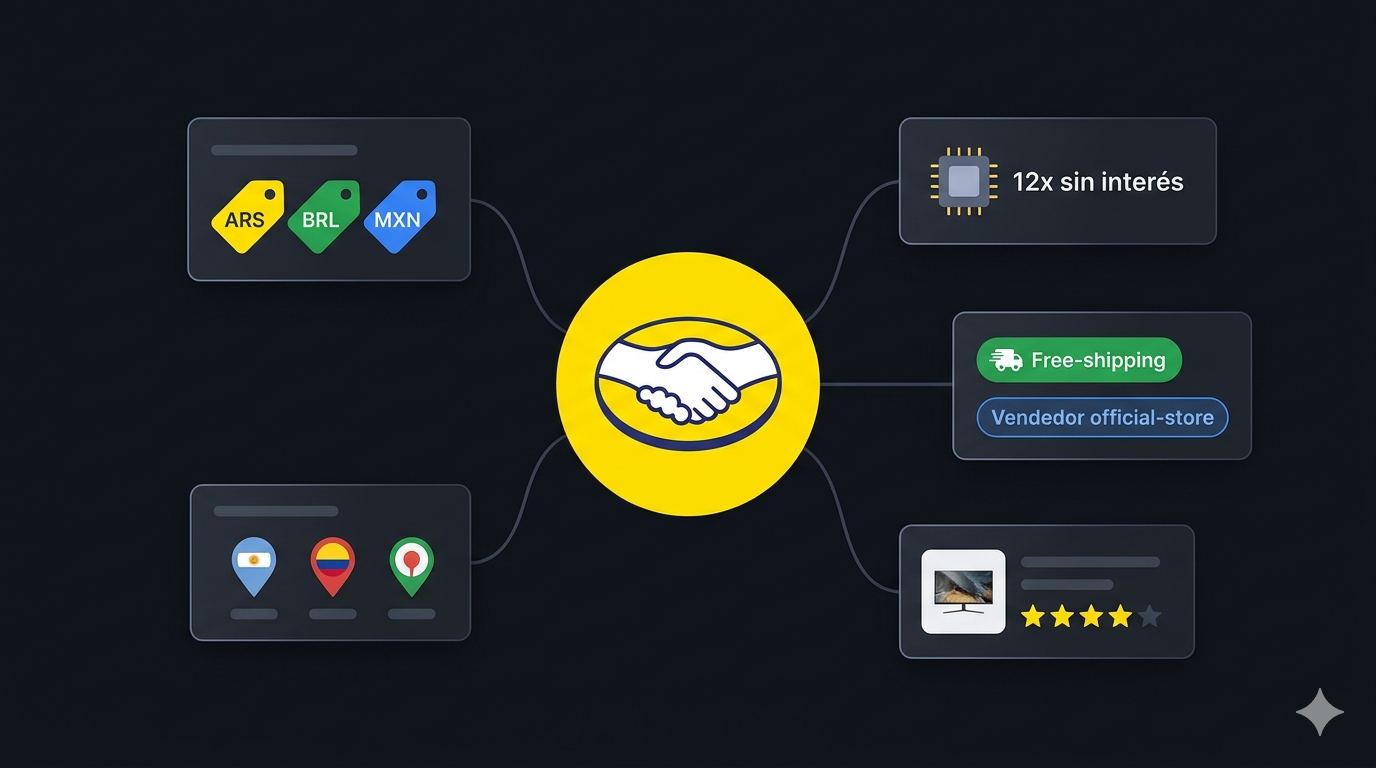
The siteId selector contains 18 configured marketplaces. Common examples are MLA for Argentina, MLB for Brazil, and MLM for Mexico. Choose the site first, then use search terms and URLs from that market.
The prices remain in the source currency. The Actor does not convert ARS, BRL, and MXN into a common reporting currency. Price filters also use the selected site's local currency, so copying an Argentine price ceiling into a Mexican search changes what the filter means.
The current build handles regional access internally and has no proxyConfiguration input. You do not need the manual residential-proxy block shown in the older version of this guide.
Collect a small search sample
Open the Actor in Apify and switch the Input editor to JSON:
{
  "siteId": "MLA",
  "searchQueries": ["iphone 15"],
  "condition": "new",
  "sort": "relevance",
  "includeProductDetail": false,
  "maxItems": 20,
  "maxPagesPerQuery": 1
}
maxItems caps records saved across the run. maxPagesPerQuery limits listing pages for each query. These are separate controls: a large page allowance does not override the total item cap, and a large item cap cannot make one page contain more products.
Click Start and inspect the output. Check the market, currency, product titles, and links. An “iPhone 15” search can include several models and accessories, so review relevance before expanding it.
The current documentation describes a source browsing ceiling of about 2,000 items per query, roughly 42 pages of 48. Setting maxItems to zero removes the Actor's item cap; it does not remove that source limit or prove complete coverage.
Choose fields based on the mode
The current README distinguishes listing rows from enriched item rows:
| Mode | Fields to expect in the documented output |
|---|---|
| Listing | Item ID, title, link, price, currency, thumbnail, location, seller object, shipping flags, promotion flags, and collection time. |
| Detail | The listing information plus description, attributes, gallery images, sold quantity, review score and count, and catalog product ID where available. |
The documentation explicitly says availableQuantity, condition, installments, shippingMode, and variations are retained for compatibility but are not currently populated. Do not build a stock tracker or installment comparison around those fields. A condition filter in the input does not guarantee a populated condition value in every output row.
This abbreviated historical record keeps only fields relevant to the first comparison:
{
  "id": "MLA1424728826",
  "siteId": "MLA",
  "title": "Apple iPhone 15 Pro 256 Gb Titanio Natural - Distribuidor Autorizado",
  "price": 2499999,
  "currency": "ARS",
  "originalPrice": 2799999,
  "freeShipping": true,
  "scrapedAt": "2026-05-10T12:00:00.000Z"
}
It describes a Pro model with 256 GB storage, which should not be grouped with a base-model iPhone 15 simply because the search term was broader. The numbers are historical, not a current Argentine price quote.
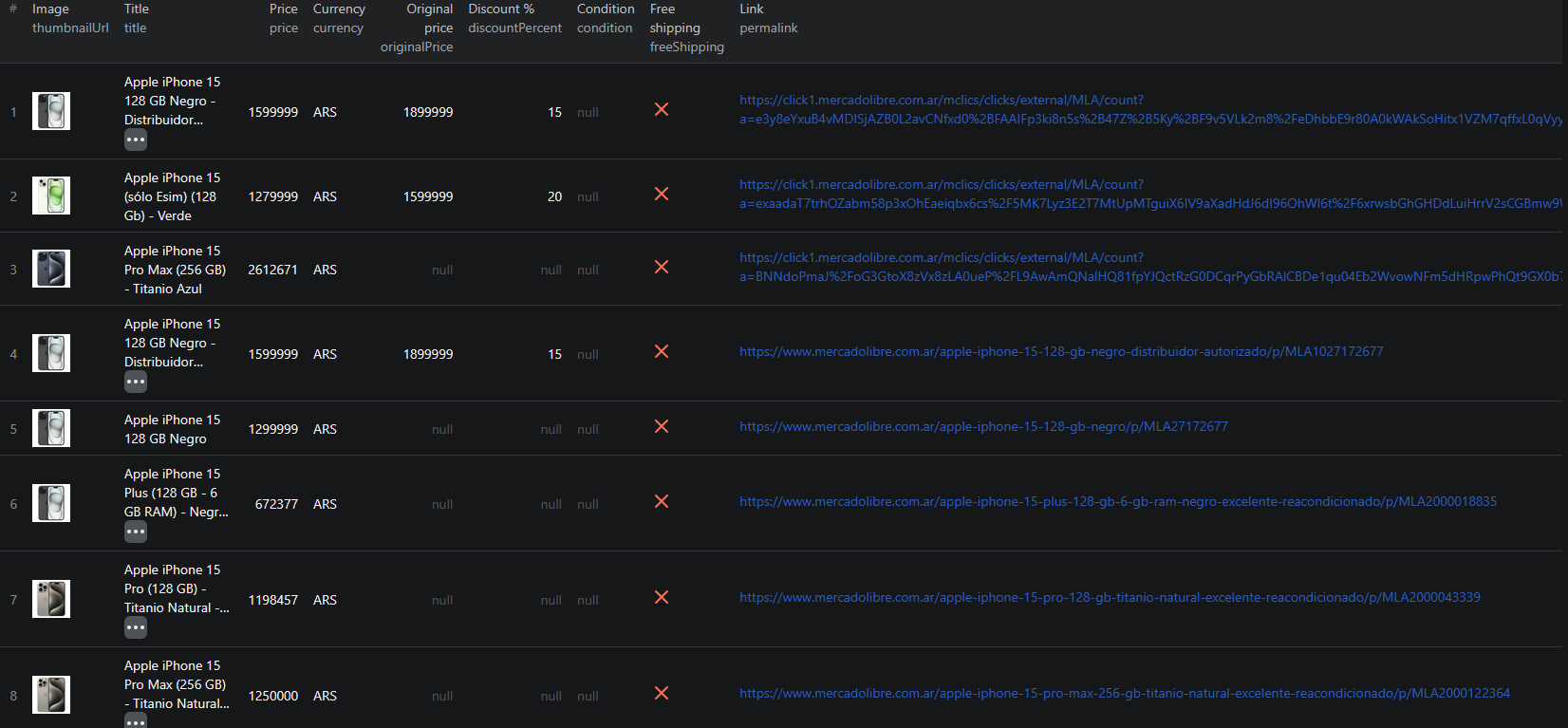
The screenshot is also from an earlier run and can show fields that have changed since then:
Add detail mode when specifications matter
Set includeProductDetail to true when you need attributes or descriptions to identify the exact model. Keep the first enriched run small. Direct product URLs supplied in startUrls are routed to detail mode automatically, even when you did not enable enrichment for listing searches.
Pricing as of September 6, 2026: the configured listing event is $0.002 and the detail event is $0.025. The Actor-start event is $0.00005 per GB of allocated memory, with at least one event. Twenty listing-mode results represent $0.04 in listing event fees; twenty detail events represent $0.50 in detail event fees, before start charges and any other events in the run breakdown.
Use the current pricing page rather than the older README's listing rate. Check the events in a small run before estimating a mixed-input crawl.
Make a useful export
Download CSV for the basic price sheet. Keep id, siteId, title, permalink, price, currency, and scrapedAt, along with shipping and promotion flags. Use JSON for nested seller data and attributes.
Deduplicate by site and item ID, then add columns for model, capacity, condition checked, and match notes. Use detail attributes and the linked page to separate comparable products. Missing fields should remain unknown rather than becoming zero stock, zero reviews, or a free-shipping assumption.
Compare prices within the same currency and specification first. If you later compare markets, keep the original values and add separate conversion columns with the rate and date. Shipping, taxes, and import arrangements still need their own comparison.
Keep isPromoted visible when interpreting ranking. A paid placement is not evidence that the product is the best-priced offer. Review counts and sold quantities, when returned by detail mode, do not establish sales during your own collection interval.
A seller search has different filters
For a competitor's storefront, clear unwanted search inputs and supply the actual storefront URL in startUrls. The current documentation supports official-store, seller-storefront, and seller-profile URL patterns. Keep the URL and siteId aligned.
The README states that priceMin, priceMax, and sort do not apply to seller URLs. Filter that export afterward instead of assuming your search filters constrained the seller's results. Retain the item and page caps, and do not call a limited run the seller's complete catalog.
If results are empty, check the source URL, site selection, and run log. If requests hit rate limits, the Actor exposes maxConcurrency; lowering it is a documented option to try. Increasing page limits will not resolve a wrong market or an unavailable page.
The Mercado Libre Node.js example is available for integration. Use the current schema and field availability when adapting its examples.
Frequently asked questions
Do I need to configure a proxy?
The current Actor handles regional access internally and does not expose a proxyConfiguration input.
Can I monitor stock from availableQuantity?
The current documentation says availableQuantity is retained for compatibility but is not populated. This guide does not establish a working stock-monitoring workflow.
Do price filters apply to seller storefront URLs?
The current README says priceMin, priceMax, and sort do not apply to seller URLs. Filter the collected seller results afterward.
