How to Scrape Depop Shops and Sold Listings
A search page can show which products are available. It cannot tell you how a seller's full inventory is structured, how established the shop is, or which older listings Depop now marks as sold.
Our Depop Shop Scraper accepts seller usernames or public shop URLs. It returns the shop profile, active listings, and optional sold-history rows. The profile includes follower and sold-item counts, rating, reviews, verification, and last-seen time. Listing rows include brand, category, condition, size, price breakdown, location, images, and dates.
Sold history needs careful interpretation. Keep each row's status: purchased and marked_as_sold are not the same. The returned price belongs to the source listing record and is not independent confirmation of the amount paid.
Export one shop with a small sold-history sample
- Open the Actor on Apify and click Try for free.
- Add a seller username or shop URL under Depop shops.
- Turn on Include sold items.
- Set Max listings per shop and Max sold items per shop to
25. - Click Start, then open the dataset when the run finishes.
Both limits apply separately to each shop. Three shops with both caps set to 25 can return up to 75 active listings and 75 sold rows, plus three shop-profile rows.
We used this input:
{
  "shops": ["aviancurated"],
  "includeSold": true,
  "maxListingsPerShop": 25,
  "maxSoldPerShop": 25
}
Our example run returned one shop profile, 25 active listings, and 25 sold-history rows in about 10 seconds.
The profile row was:
{
  "type": "shop",
  "username": "aviancurated",
  "name": "avian",
  "verified": true,
  "followers": 1115,
  "following": 8,
  "itemsSold": 3467,
  "reviewsTotal": 637,
  "rating": 4.8,
  "activeListings": 133,
  "lastSeen": "2026-09-21T02:24:09.972408Z",
  "url": "https://www.depop.com/aviancurated/"
}
An abbreviated sold-history row was:
{
  "type": "sold",
  "shop": "aviancurated",
  "id": "908010545",
  "status": "purchased",
  "description": "brand new with tag Levi's 517 bootcut jeans",
  "brand": "Levi's",
  "category": "Jeans",
  "condition": "brand_new",
  "sizes": ["38\""],
  "price": 30,
  "shipping": 3.99,
  "currency": "USD",
  "soldAt": "2026-09-20T02:32:30.008987Z",
  "url": "https://www.depop.com/products/..."
}
| Field group | How to use it |
|---|---|
type, shop, username | Separate profile, active-listing, and sold-history rows while retaining their shop relationship. |
followers, itemsSold, rating, reviewsTotal | Describe the public seller profile at collection time. These values do not independently establish reliability. |
brand, category, condition, sizes | Create comparable groups instead of averaging unrelated products. |
price, shipping, totalPrice, currency | Keep the listing price components and currency together. Taxes and buyer fees can vary by context. |
status, soldAt | Distinguish purchased records from items a seller marked as sold, and retain the source-provided timing. |
createdAt, updatedAt, scrapedAt | Separate listing history from the moment your export was collected. |
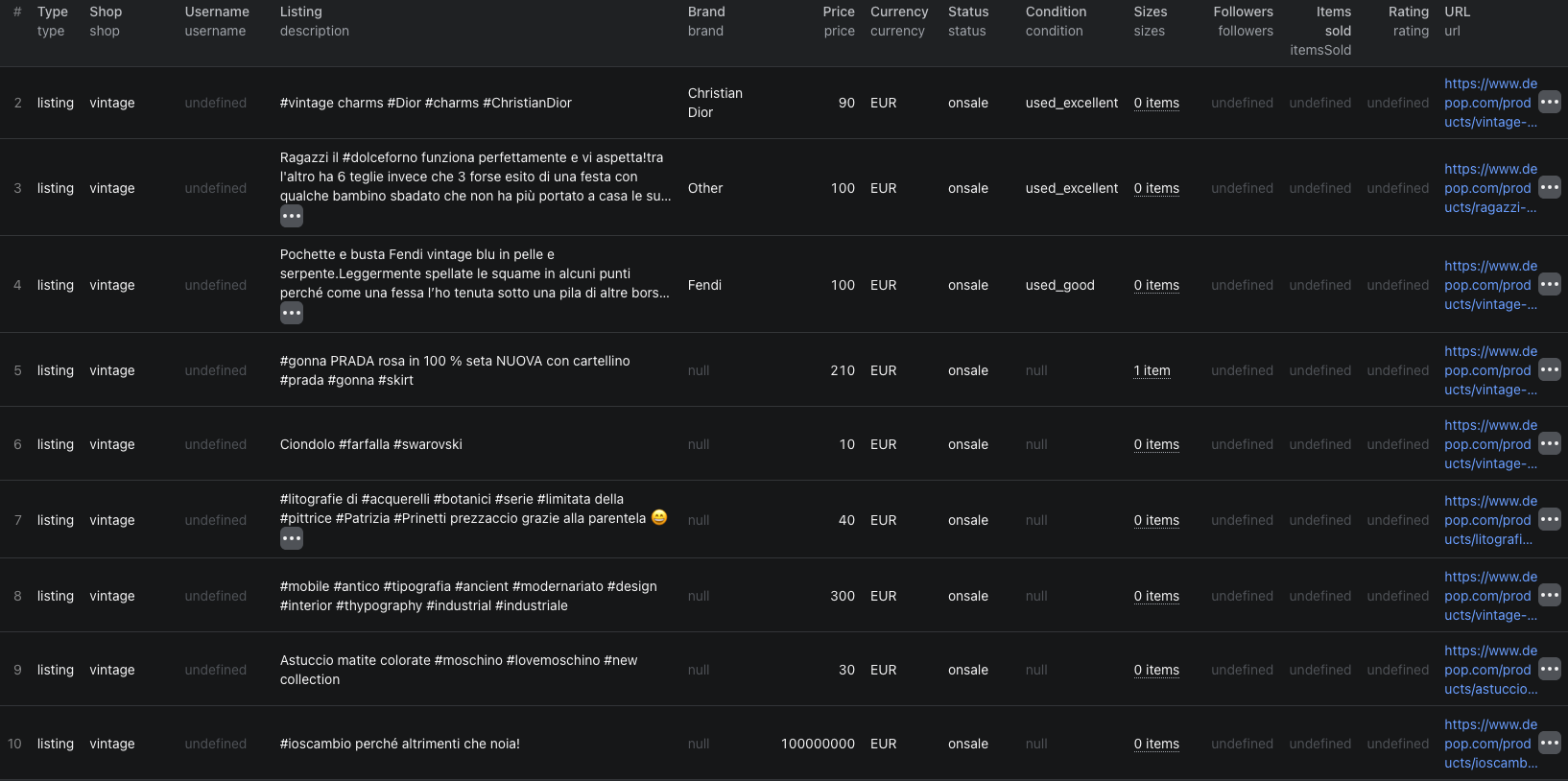
The Depop shops Node.js example runs the same 25-active and 25-sold sample with apify-client.
Compare a shop's active inventory with its sold history
Keep active and sold rows separate until the products are normalized. Then:
- Group by
brand,category,condition, and a comparable size range. - Calculate active and sold-history counts for each group.
- Compare the listing prices within one currency.
- Review
statusbefore treating a row as a marketplace purchase. - Open source URLs for important records before making a sourcing or pricing decision.
This can reveal that a shop lists many products in one category while its recent sold-history sample is concentrated elsewhere. It does not calculate sell-through automatically. The caps can exclude older inventory, the sold feed is a source view rather than your complete transaction ledger, and active listings have different exposure periods.
Use soldAt to define a clear time window, then state how many rows remained after filtering. Do not compare 25 recent sold rows with all 133 active listings and call the ratio a shop-wide conversion rate.
Start with active listings when sold history is unnecessary
Leave includeSold off when the outcome is seller vetting, inventory mapping, or a current brand and price comparison. This avoids sold-listing events and keeps the dataset smaller.
Use the Depop listings guide when you need to discover sellers from a search or category. Then pass selected usernames to the Shop Scraper. That two-step workflow is more controlled than collecting every shop discovered in a broad search.
The profile's itemsSold is a cumulative public counter. The returned sold-history rows are a capped sample. They should not be expected to equal each other.
Pricing
Pricing as of September 21, 2026 is additive:
| Event | Price |
|---|---|
| Actor start | $0.00005 per GB of allocated memory, minimum one event |
| Shop profile | $0.005 per shop found |
| Active listing | $0.001 per returned listing |
| Sold listing | $0.001 per returned sold-history row when enabled |
Our example used 1 GB of memory and returned one profile, 25 active listings, and 25 sold rows. Its Actor event charges were $0.00005 + $0.005 + (25 × $0.001) + (25 × $0.001) = $0.05505. Unknown shops are not charged for a profile. Apify platform usage can be billed separately according to your plan. Check the run cost and live pricing before adding many large shops.
Check these cases before using the data
- A sold row says
marked_as_sold. Do not present it as a confirmed marketplace purchase. Preserve the status in every aggregate. - The profile says thousands of items sold but the run returns 25. The public counter is cumulative;
maxSoldPerShopcaps this export. - A price looks incomplete. Keep
price, shipping, fees,totalPrice, and currency separate. Buyer-specific checkout charges can differ. - The active-listing count differs from returned rows. The profile can report more inventory than your chosen cap. State the cap with the analysis.
- A field is missing. Brand, condition, size, colors, and website depend on what Depop supplies. Leave missing values blank instead of guessing.
- The same shop is entered twice. Duplicate usernames are normalized and collected once within the run.
Frequently asked questions
Can I enter a Depop username instead of a shop URL?
Yes. The Actor accepts plain usernames, usernames beginning with @, and public Depop shop URLs. Duplicate shops are collected once per run.
Do the listing limits apply to each Depop shop?
Yes. maxListingsPerShop and maxSoldPerShop are separate per-shop caps. Sold rows are collected only when includeSold is enabled.
Does every sold-history row prove a completed purchase at that price?
No. Keep the source status with each row. purchased and marked_as_sold are different states, and the returned price is the listing price attached to that record rather than independent payment confirmation.