How to Scrape Jobs From Any Company Career Page (Step-by-Step Guide)

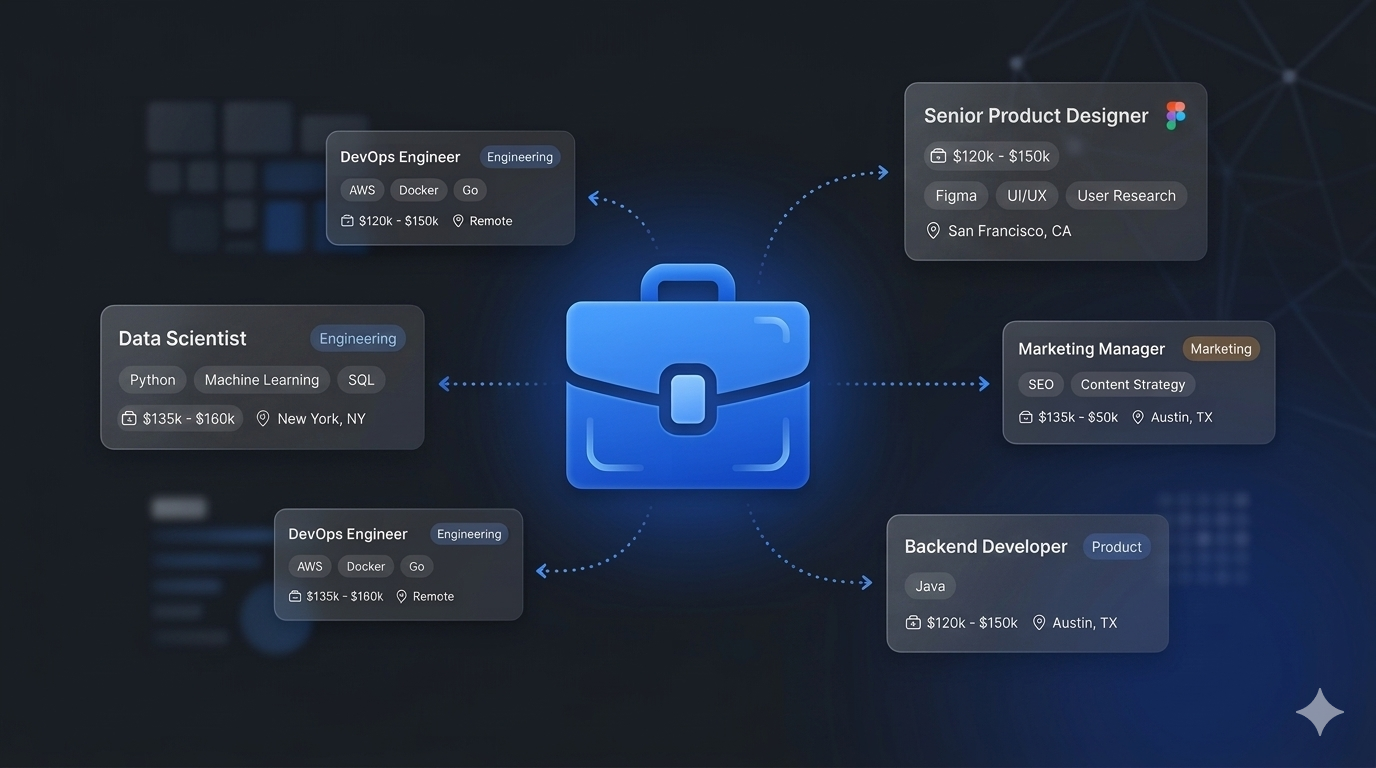
If you want to scrape jobs from company career pages for recruitment intelligence, sales prospecting, or job market research, this guide walks you through the entire process. You will learn how to automatically discover career pages, extract structured job data across different ATS platforms, and use AI to enrich every listing with skills, requirements, and salary information.
Why Scrape Company Career Pages?
Most companies publish their open positions on their own career pages — not just on job boards. This makes company career pages one of the most comprehensive and up-to-date sources of hiring data available. Many roles are posted on a company's careers site days or weeks before they appear on aggregators like LinkedIn or Indeed, if they appear there at all.
That makes career page data extremely valuable for anyone tracking the job market:
- Recruiting intelligence — monitor competitor hiring activity to understand their growth strategy and anticipate market moves
- Sales prospecting — companies that are hiring are companies that are spending. Active job postings signal budget, growth, and buying intent
- Job market research — analyze demand for specific skills, technologies, and roles across industries
- HR tech platforms — aggregate job listings from thousands of companies into a single structured feed
- Investment research — track hiring velocity as a leading indicator of company growth and health
The problem is that scraping career pages is much harder than scraping a single job board.
Why Scraping Company Career Pages Is Hard
Unlike centralized job boards, every company runs its career page on a different platform. The most common applicant tracking systems (ATS) include:
- Greenhouse — used by companies like Stripe, Figma, and Airbnb
- Ashby — popular with fast-growing startups like Notion and Ramp
- Lever — used by mid-market tech companies like Netflix and Navan
- Workday — enterprise standard for companies like Amazon, Walmart, and Visa
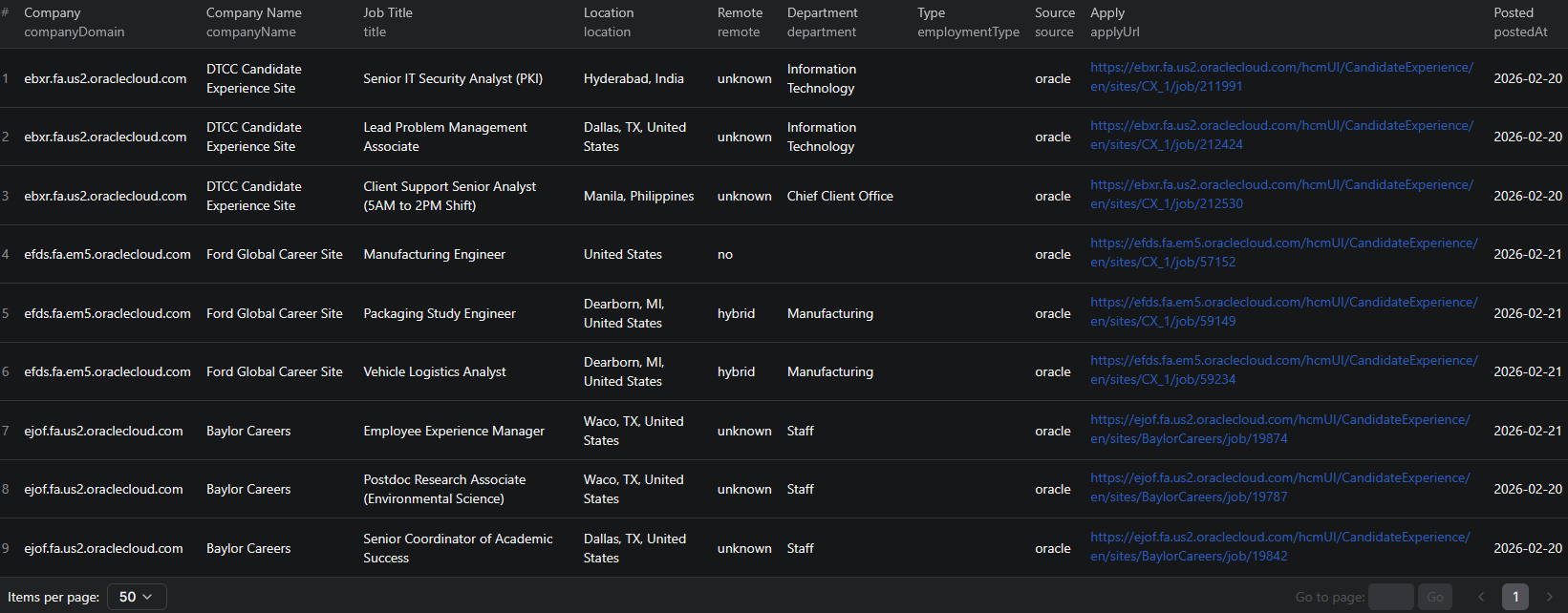
- Oracle HCM — used by large enterprises like Ford, Nokia, and DTCC
Each ATS has a completely different page structure, different APIs, and different job data formats. A scraper built for Greenhouse will not work on Lever. One built for Lever will not work on Workday. Building individual scrapers for each platform and keeping them all maintained is a massive engineering effort.
On top of that, you first need to figure out which ATS a company uses — and many companies do not make that obvious. The career page might be at /careers, /jobs, /open-positions, or hosted on a completely different subdomain.
This is the core problem that an automated career page scraper solves.
What Data You Can Extract From Career Pages
The Company Career Page Scraper returns 25+ normalized fields per job listing. Here are the key fields:
| Field | Description | Example |
|---|---|---|
| Company name | The hiring organization | Notion |
| Job title | The position title | Senior Stock Plan Administrator |
| Department | The team or division | Legal |
| Location | Where the role is based | San Francisco, California |
| Remote status | Remote, hybrid, or on-site | unknown |
| Employment type | Full-time, part-time, contract | Full-time |
| Seniority | Detected seniority level | Senior |
| Salary | Compensation if mentioned | $200,000 - $240,000 per year |
| Skills | AI-extracted technical and soft skills | Equity compensation administration, CEP designation, Project management |
| Requirements | AI-extracted qualifications | 8+ years of experience, Current or prior CEP designation |
| Responsibilities | AI-extracted key duties | Administer equity compensation programs, Ensure compliance with SEC regulations |
| Benefits | AI-extracted perks | Health insurance, 401k, Remote work |
| ATS source | Which platform the job was extracted from | ashby |
| Apply URL | Direct application link | jobs.ashbyhq.com/notion/.../application |
| Posted date | When the job was published | 2026-02-05T22:23:45.355Z |
Every field is normalized to a consistent format regardless of which ATS platform the job came from. A Greenhouse job and a Workday job return the same structured output.
Common Use Cases for Career Page Data
Recruiting Intelligence
Monitor what your competitors are hiring for. If a competitor suddenly posts ten machine learning roles, that tells you something about their product roadmap. Track hiring patterns across companies in your space to anticipate market moves and adjust your own talent strategy.
Recruiting firms use this data to identify new business opportunities — when a company starts scaling a department, they may need recruitment help.
Sales Prospecting
Career page data is one of the most powerful signals for B2B sales. A company hiring its first "Head of DevOps" is about to invest in infrastructure tooling. A company posting for "Marketing Operations Manager" likely needs marketing automation software. The job titles themselves reveal what a company is about to buy.
Use career page data to:
- Build prospect lists of companies actively hiring for roles relevant to your product
- Time your outreach to coincide with hiring and growth phases
- Personalize messaging based on the specific roles they are filling
- Prioritize accounts that show the strongest growth signals
Job Market Research
Analyze skill demand, salary trends, and hiring patterns across industries. Track how demand for specific technologies — React, Kubernetes, Python, generative AI — shifts over time. Identify which cities and regions are gaining tech jobs, and how remote work adoption is evolving.
HR Tech and Job Boards
If you are building a job aggregation platform, career page data is your core product. Aggregate listings from thousands of companies into a single normalized feed. The AI-enriched skills and requirements data is especially valuable for building smart job matching and recommendation features.
Investment Research
Hiring velocity is a leading indicator of company growth. Track how fast companies are adding headcount, which departments are expanding, and where they are opening new offices. This data complements traditional financial analysis with real-time operational signals.
How Career Page Scrapers Work
The Company Career Page Scraper uses a multi-step process to handle the complexity of scraping across different platforms:
1. Career Page Discovery
You provide company homepage URLs — like https://stripe.com or https://notion.so. The scraper automatically finds the career page using:
- ATS detection — checks for known ATS platform patterns
- Common path heuristics — tries paths like
/careers,/jobs,/open-positions - Sitemap scanning — reads the site's sitemap for career-related URLs
- Link crawling — follows navigation links to discover career pages
2. ATS Platform Detection
Once the career page is found, the scraper identifies which ATS platform powers it. Each platform has unique signatures that the scraper recognizes automatically.
3. Optimized Extraction
Instead of scraping HTML (which is slow and brittle), the scraper uses native API adapters for each ATS platform. Greenhouse, Lever, and Ashby all expose JSON APIs that provide cleaner, more reliable data than HTML parsing. For Workday and Oracle HCM, the scraper uses a combination of REST APIs and structured HTML extraction.
4. AI Enrichment
Every job description is processed by OpenAI to extract structured information:
- Skills — technical and soft skills mentioned in the description
- Requirements — qualifications, experience levels, and certifications needed
- Responsibilities — key duties and deliverables for the role
- Benefits — perks, compensation extras, and work arrangements
- Salary — compensation figures if mentioned in the description
The AI only extracts what is explicitly stated — it never fabricates information.
Step-by-Step: How to Scrape Any Company Career Page
Here is how to scrape career page data using the Company Career Page Scraper on Apify.
Step 1 — Provide Company Homepage URLs
You do not need to find career page URLs yourself. Just provide the company homepages you want to scrape. For example:
-
https://stripe.com -
https://notion.so -
https://figma.com -
https://netflix.com
You can also provide direct career page URLs if you already have them — including Oracle HCM URLs like https://*.oraclecloud.com/hcmUI/CandidateExperience/....
Step 2 — Configure and Run
Head to the Company Career Page Scraper on Apify and configure your run:
- Paste your company URLs into the input field
- Set the maximum number of jobs per company (default is 10)
- Click Start to begin the extraction
The scraper automatically discovers career pages, detects ATS platforms, and extracts every job listing. Most companies complete in seconds.
Step 3 — Review AI-Enriched Results
Once the scraper finishes, every job listing has been enriched with structured AI-extracted fields. Review the output to see skills, requirements, responsibilities, benefits, and salary data extracted from raw job descriptions and normalized into clean, structured fields.
Step 4 — Export Your Data
Export results in the format you need:
- JSON — ideal for developers building data pipelines or HR tech platforms
- CSV — perfect for spreadsheet analysis in Excel or Google Sheets
- API — access results programmatically via the Apify API for automated workflows
Ready to try it? Run the Company Career Page Scraper on Apify and get your first dataset in minutes.
Example Output (Real Data Preview)

Here is what the actual output looks like. Each job returns a structured JSON object with 25+ fields:
{
"companyDomain": "notion.so",
"companyName": "Notion",
"source": "ashby",
"careersUrl": "https://jobs.ashbyhq.com/notion",
"jobId": "ashby-34664867-7190-479c-8a8c-2a9612b532ea",
"title": "Senior Stock Plan Administrator",
"location": "San Francisco, California",
"locationCity": "San Francisco",
"locationCountry": "United States",
"remote": "unknown",
"employmentType": "Full-time",
"department": "Legal",
"seniority": "Senior",
"postedAt": "2026-02-05T22:23:45.355+00:00",
"applyUrl": "https://jobs.ashbyhq.com/notion/34664867.../application",
"skills": [
"Equity compensation administration",
"CEP designation",
"Knowledge of equity plan types",
"Securities regulations",
"Project management"
],
"requirements": [
"8+ years of experience in equity compensation administration",
"Current or prior CEP designation"
],
"responsibilities": [
"Administer all aspects of equity compensation programs",
"Maintain accurate records of all equity grants",
"Ensure compliance with SEC regulations",
"Prepare equity compensation reports for leadership"
],
"benefits": [],
"salary": "$200,000 - $240,000 per year"
}
Key things to notice:
- Company identification — company name, domain, and detected ATS source for easy grouping and analysis
- Normalized location — city, country, and remote status parsed automatically from raw location strings
- Seniority detection — automatically classified from Intern through Executive based on job title
- AI-enriched skills — structured list of technical and soft skills extracted from the job description
- Structured requirements — qualifications and experience levels pulled from unstructured text
- Salary data — compensation figures extracted when mentioned in the description
- Direct apply URL — application link for each job posting
This format is consistent across all ATS platforms — a Greenhouse job and a Workday job produce the same structured output.
Try the Company Career Page Scraper now — no coding required.
Supported ATS Platforms
The scraper includes native adapters for the most widely used ATS platforms:
| Platform | Method | Example Companies |
|---|---|---|
| Greenhouse | JSON API | Stripe, Figma, Airbnb |
| Ashby | JSON API | Notion, Ramp |
| Lever | JSON API | Netflix, Navan |
| Workday | HTML + API | Amazon, Walmart, Visa |
| Oracle HCM | REST API | Ford, Nokia, DTCC |
More adapters are being added continuously, including SmartRecruiters, iCIMS, Teamtailor, BambooHR, and Personio.
The ATS adapters pull data from structured APIs rather than scraping HTML. This means faster extraction, higher reliability, and more complete data compared to traditional web scraping approaches.
Automating Hiring Intelligence
For ongoing recruitment monitoring or sales prospecting, you do not want to run the scraper manually every time. The Apify platform supports full automation:
Scheduled Runs
Set up recurring scrapes on any schedule — daily, weekly, or monthly. Monitor a list of target companies and get fresh job data delivered automatically. Daily runs catch new postings as they appear, while weekly runs work well for general market monitoring.
API Integration
Use the Apify API to trigger scraper runs programmatically and retrieve results. This lets you integrate career page data into your existing workflows:
- Feed new job listings into your CRM or ATS automatically
- Trigger alerts when target companies post specific types of roles
- Build dashboards that update with fresh hiring data
- Connect to tools like Zapier, Make, or custom data pipelines
Growth Signal Monitoring
Track hiring velocity across your target accounts. Companies that rapidly increase their job postings are in growth mode — and likely evaluating new tools and vendors. Build automated systems that flag companies showing the strongest hiring signals.
Node.js Example
For a complete working example showing how to call this scraper from Node.js, see the GitHub repository.
Webhooks
Configure webhooks to get notified when a scraper run completes. This is useful for event-driven architectures where you want to process new job data as soon as it is available.
Why Use an Automated Career Page Scraper
Building your own career page scraping infrastructure means solving a stack of difficult problems:
- ATS platform diversity — you need separate scrapers for Greenhouse, Lever, Ashby, Workday, Oracle HCM, and dozens more. Each one breaks independently when the platform updates.
- Career page discovery — finding where a company's career page lives is a problem in itself. Not every company puts it at
/careers. - Data normalization — each ATS returns data in a different format. Normalizing job titles, locations, and departments into a consistent schema takes significant engineering effort.
- AI enrichment — extracting structured skills, requirements, and salary from unstructured job descriptions requires LLM integration, prompt engineering, and cost optimization.
- Maintenance — ATS platforms update their APIs and page structures regularly. Keeping multiple adapters working across thousands of companies is a full-time job.
- Infrastructure — proxy management, request throttling, error handling, and queue management at scale require dedicated DevOps effort.
The Company Career Page Scraper handles all of this — you provide company URLs, and you get back clean, AI-enriched job data. No ATS-specific configuration, no manual career page discovery, no maintenance.
Try the Company Career Page Scraper
The Company Career Page Scraper extracts structured job data from any company's career page — job titles, departments, locations, seniority levels, employment types, AI-extracted skills, requirements, responsibilities, benefits, salary, and direct apply URLs.
What you get:
- 25+ normalized fields per job listing
- Automatic career page discovery from company homepages
- Native ATS adapters for Greenhouse, Lever, Ashby, Workday, and Oracle HCM
- AI-powered enrichment with structured skills, requirements, and salary
- Scheduled runs for ongoing hiring intelligence
- API access for integration into your workflows
- No coding, no ATS configuration, no maintenance required
Start scraping company career pages now — your first run takes less than 5 minutes to set up.
If you are building a hiring intelligence pipeline, combine career page data with Dice.com job listings for tech job board coverage, LinkedIn jobs for broader market signals, or Clutch for company data enrichment.
Legal and Ethical Considerations
Web scraping occupies a well-established legal space, but responsible practice matters:
- Public data only — the scraper extracts publicly visible job listings that anyone can see by visiting a company's career page. No login or authentication is required.
- Respect rate limits — the scraper is designed to make requests at a reasonable pace. ATS API adapters are inherently lightweight since they use structured endpoints rather than heavy page loads.
- No candidate data — the scraper extracts job listing and company data, not personal information about applicants or candidates
- Compliance — if you operate in the EU or California, ensure your data handling complies with GDPR or CCPA. This primarily applies to how you store and process the data, not the collection itself.
Company career pages are public by design — they exist to attract candidates. Extracting job listing data for market research and business intelligence is aligned with the pages' intended purpose.
Frequently Asked Questions
Can you scrape jobs from company career pages?
Yes. An automated career page scraper can discover a company's career page from just its homepage URL, detect the ATS platform it uses (Greenhouse, Lever, Ashby, Workday, Oracle HCM), and extract every open job listing with structured data including title, location, department, seniority, and AI-enriched skills and requirements.
How do career page scrapers work?
Career page scrapers automatically detect the ATS platform a company uses, then extract job listings directly from the platform's API or structured data. This is faster and more reliable than scraping HTML. AI enrichment then processes each job description to extract structured skills, requirements, responsibilities, benefits, and salary.
What ATS platforms can be scraped?
The Company Career Page Scraper currently supports Greenhouse (used by Stripe, Figma, Airbnb), Ashby (Notion, Ramp), Lever (Netflix, Navan), Workday (Amazon, Walmart, Visa), and Oracle HCM (Ford, Nokia). More adapters are being added continuously.
Can you scrape Greenhouse or Lever jobs?
Yes. The scraper has native adapters for both Greenhouse and Lever that pull data directly from their JSON APIs. This means faster extraction, higher reliability, and more complete data compared to HTML scraping.
How often can job listings be updated?
You can schedule scraper runs as often as you need — daily, weekly, or on a custom schedule. For recruitment intelligence and sales prospecting, daily or weekly runs ensure you catch new postings as companies publish them.
How much does AI enrichment cost?
AI enrichment uses a cost-optimized OpenAI model. A typical run of 1,000 jobs costs less than $0.50 in AI processing. The enrichment extracts structured skills, requirements, responsibilities, benefits, and salary from raw job descriptions.
About the Author
This guide was written by Piotr, a software engineer with hands-on experience building and maintaining web scrapers at scale. He develops and maintains a suite of data extraction tools on the Apify platform, helping businesses automate their data collection workflows.
Need help with your scraping project?
Book a free discovery call and let's scope your project together.
Book a Call