
How to Compare Just Join IT Job Offers and Salary Ranges
The Just Join IT Scraper collects jobs with skills, work arrangement, locations, and contract-specific salary ranges. I maintain the Actor. This guide builds a shortlist of senior B2B roles around Warszawa and explains how to compare the salary data.
One posting can contain more than one contract option. A useful salary comparison therefore needs a row per contract option as well as a record of the original job.

Define a comparable set of offers
The example filters to senior, full-time B2B offers, with PLN selected and a minimum salary of 18,000. These are screening choices, not a claim about prevailing pay. limit: 50 caps returned offers.
If you want one technology, use the Actor's technology dropdown. Its JSON input is named lang and expects a numeric string, not a field called technology. Omit it for a cross-technology sample or copy the dropdown's generated value rather than guessing.
The currency enum includes an unusual GNP entry. This guide uses the unambiguous PLN setting. Do not silently substitute a guessed GBP option in an API integration; verify that mode separately if you need it.
Budget for the sample
Pricing as of September 6, 2026. The active price is $0.001 per returned job. Fifty results would cost $0.05. Check current Actor pricing and the run charge breakdown; these calculations describe Actor events, and separately billed platform or proxy resources may also apply.
Collect fifty filtered job offers
Open the Actor on Apify. In Input, switch to the JSON editor and paste:
{
  "currency": "PLN",
  "limit": 50,
  "experience": "senior",
  "employmentType": "b2b",
  "workingTimes": "full_time",
  "salaryMin": 18000,
  "city": "Warszawa"
}
Click Start, then open the completed run’s output dataset.
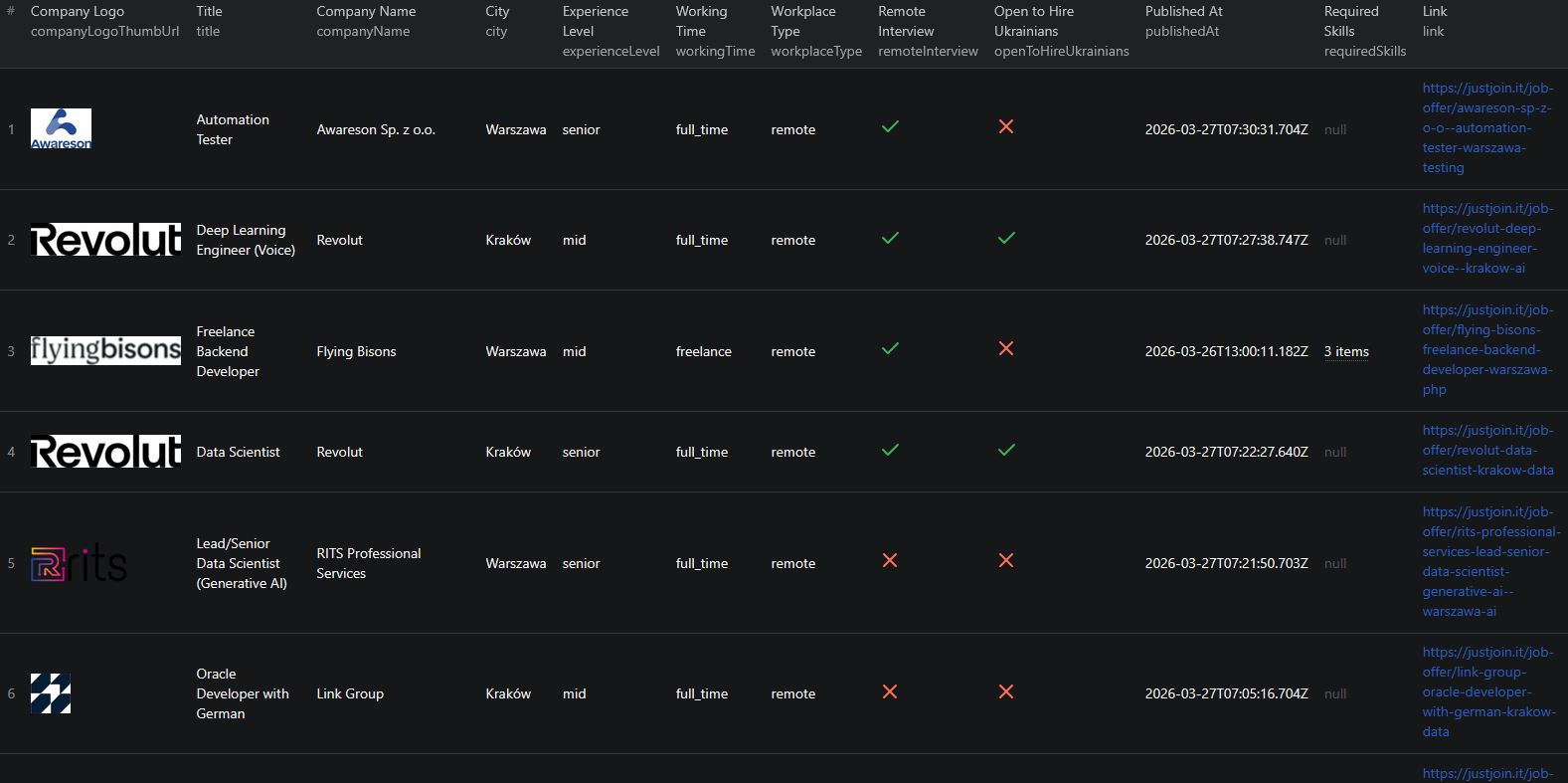
Inspect the first rows for experienceLevel, workplaceType, and employmentTypes. A city filter and a remote-work arrangement answer different questions. Read the actual location requirements before deciding that a remote posting is suitable from anywhere.
Export JSON for the first review. A flat CSV alone can conceal multiple contract options or turn nested salary arrays into hard-to-read strings.
Read the returned fields
| Field | How to use it |
|---|---|
slug | Job identifier used by the source |
link | Source job-page link |
title | Job title |
requiredSkills | Required skill list |
workplaceType | Remote or office arrangement |
experienceLevel | Advertised seniority |
employmentTypes | Nested salary and contract options |
multilocation | Nested office locations |
The documented sample includes slug as the identifier and link as the job-page link. Do not build a pipeline around a nonexistent url field. multilocation can contain several offices for the same posting.
Within employmentTypes, retain from, to, currency, type, unit, and gross. The sample shows the same numeric bounds for different contract types with different gross flags, so those numbers do not have the same meaning on their own. Converted fields such as fromEur do not replace checking the original currency and pay unit.
Flatten offers without double-counting jobs
Keep an untouched JSON export. Create a working table with one row for each employment-type entry, carrying the job slug, title, company, and source link into every row. Add a contract-option identifier if your destination requires unique rows.
Filter that table to one contract type, currency, pay unit, and gross basis. Remove rows with missing salary bounds from numeric summaries, but count and report them separately. Do not fill an undisclosed salary with zero.
For a job shortlist, compare required skills and seniority before sorting by the top of the salary range. Read the posting to check whether the upper bound applies to the candidate profile you have in mind. A range endpoint is not a guaranteed offer.
For a market summary, count unique slugs when reporting job volume and contract-option rows when reporting salary observations. Do not count a multilocation posting once for every office and label that total separate vacancies.
The example's salary minimum deliberately excludes lower-paid and potentially undisclosed offers. Remove that filter in a separate run if the purpose changes to measuring the overall advertised salary distribution. Keep the original filter settings with each exported dataset.
Troubleshoot over-filtered searches
If no offers appear, remove the salary threshold, then the city or technology restriction while keeping the sample small. Check the accented city spelling used on the site. Missing nested salary values can be valid source data rather than an extraction failure.
When a spreadsheet cannot expand employmentTypes, use the JSON export or a tool that supports nested records. Concatenating all contract options into one numeric salary column will produce misleading comparisons.
To extend the research beyond Just Join IT, see the LinkedIn job guide and Dice hiring-data guide. Keep source coverage separate in combined counts.
For processing nested Just Join IT salary data, see the Node.js example. Use the current input fields above if the example differs.
Frequently asked questions
Which input selects technology?
The deployed JSON field is lang and takes a numeric string. Use the Console dropdown to select and copy the correct value.
Can I average every salary field together?
No. Separate contract type, currency, pay unit, and gross basis, and leave undisclosed salaries out of numeric summaries.
What identifies a job in the output?
Use slug as the job identifier. The documented sample includes link for the source job page.
