Piotr VassevPiotr Vassev

How to Scrape LinkedIn Jobs by Keyword (Step-by-Step Guide)

How to Scrape LinkedIn Jobs by Keyword

If you want to scrape LinkedIn jobs by keyword — for recruitment intelligence, salary benchmarking, or market research — this guide walks you through the entire process. You will learn what data you can extract from LinkedIn job searches, how to get past the platform's hard 1,000-result ceiling, and how to turn raw postings into a clean, deduplicated dataset.

Why Scrape LinkedIn Job Data?

LinkedIn is the largest professional job market in the world. Millions of postings are published every month, and unlike most job boards, each one carries structured metadata: seniority level, employment type, job function, industry, applicant count, and increasingly a posted salary range.

That combination makes LinkedIn job data unusually valuable:

  • Recruitment intelligence — see which companies are hiring for which roles, at what seniority, in which markets, and how much competition each posting is getting
  • Salary benchmarking — pay-transparency laws mean a growing share of postings publish a real compensation range you can aggregate by role, location, and seniority
  • Sales prospecting — a company posting ten engineering roles is a company with budget. Hiring activity is one of the strongest buying signals in B2B
  • Market research — track demand for specific skills and titles over time, and watch which industries are expanding or contracting
  • Talent mapping — understand where competitors are building teams before it shows up in headcount data

The Problem Nobody Mentions: The 1,000-Result Ceiling

This is the single most important thing to understand about scraping LinkedIn jobs, and most scrapers quietly ignore it.

LinkedIn's public job search serves at most 1,000 results for any one query. It does not matter whether 1,200 jobs match or 40,000 — you get 1,000, and the rest are simply unreachable through that search.

Search "engineer" in the United States and you are not getting the engineering job market. You are getting an arbitrary 1,000-row sample of it, presented as if it were complete.

This is why the serious actors in this space all advertise some version of "multiple titles and locations in one" or "removes duplicate jobs" — the real engineering problem in LinkedIn jobs is not fetching pages, it is query decomposition and deduplication.

How the scraper solves it

When a search hits the ceiling, the LinkedIn Jobs Search Scraper automatically re-runs it across narrower posting-date windows and merges everything, deduplicating on the LinkedIn job ID.

Measured on a live run of engineer in the United States:

  • Plain search, paginated to exhaustion → 992 unique jobs (the ceiling)
  • With automatic splitting on → 1,500 unique jobs, zero duplicates, in 191 requests

Those extra 508 jobs were never reachable from the original query. And critically, the run reports honestly whether it was truncated and why — silently returning a short result set and calling it a success is the failure mode this scraper is built to avoid.

What Data You Can Extract

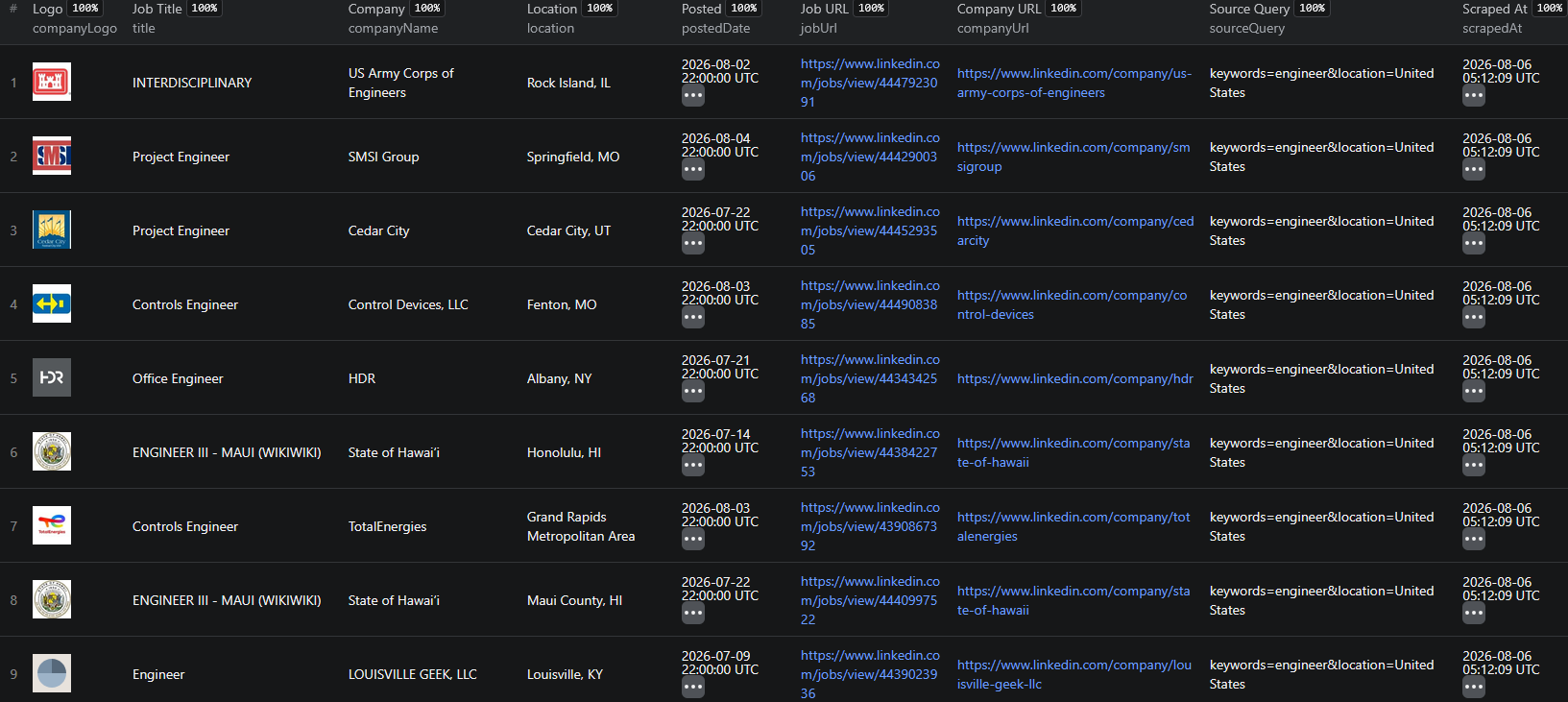
Listing fields (every run)

FieldDescription
jobIdLinkedIn job posting ID — the deduplication key
jobUrlCanonical LinkedIn job URL
titleJob title
companyNameHiring company name
companyUrlCompany LinkedIn profile URL
companySlugCompany identifier — stable join key across runs
locationJob location as posted
postedDatePosting date (YYYY-MM-DD)
postedTimeAgoRelative posting age, e.g. "1 week ago"
companyLogoCompany logo image URL
sourceQueryWhich of your searches produced this row
scrapedAtISO 8601 scrape timestamp

Detail fields (optional depth)

FieldDescription
descriptionFull job description text
salaryTextPosted salary range as displayed
salaryMin / salaryMaxParsed salary bounds as numbers
salaryCurrency / salaryPeriodCurrency, and year / hour / month
seniorityLevelEntry level, Mid-Senior level, Director, ...
employmentTypeFull-time, Part-time, Contract, Internship
jobFunctionJob function, e.g. "Engineering"
industriesIndustries the role sits in
applicantCountApplicant count as a number
applyTypeeasyApply or offsite (external ATS)
similarJobsSimilar roles LinkedIn surfaces alongside the posting
peopleAlsoViewedRoles that viewers of this posting also viewed

Company fields (optional depth)

Industry, employee band, follower count, website, headquarters, founding year, company type, and the full About text — attached to every job from that company, but charged once per unique company, not once per job. A 500-job run usually spans far fewer companies, so this is materially cheaper than per-row company enrichment.

Common Use Cases

Salary Benchmarking

Pull every posting for a title across a market, keep the rows with a parsed salary range, and you have a real compensation distribution — segmented by seniority, location, and industry, using the employer's own published numbers rather than self-reported survey data.

Competitor Hiring Analysis

Track which roles a competitor is opening and where. A sudden cluster of enterprise sales roles in a new region is a go-to-market signal months ahead of any announcement.

Recruitment Market Sizing

Count live postings for a role in a market to size the demand side before committing a sourcing team to it.

Skill Demand Tracking

Search on skill keywords rather than titles and watch how many postings mention them over time.

Buying-Signal Lead Lists

Filter to companies hiring for roles that imply your product's category, then enrich with company data for a ready-to-work prospect list.

Applicant Competition Analysis

applicantCount tells you how contested a role is. Low-applicant, high-seniority postings are the ones worth a candidate's time.

Challenges of Scraping LinkedIn Jobs Manually

  • The 1,000-result ceiling — the hard limit described above, invisible unless you go looking for it
  • Deduplication across searches — run five keyword/location combinations and the same posting appears repeatedly; without an ID-keyed merge you double-count and, on a paid scraper, double-pay
  • Silent geographic scoping — leave the location blank and you do not get worldwide results, you get whatever country your server sits in
  • Pagination that lies — an occasional empty page mid-run does not mean the results ended; treating the first blank as the end truncates runs and reports them as successes
  • Markup churn — LinkedIn A/B-serves several renders of the same page, so selectors that work on one render return nulls on another
  • Volume — 1,500 jobs across several searches is thousands of requests to sequence, retry, and merge

Step-by-Step: How to Scrape LinkedIn Jobs by Keyword

Step 1 — Open the Scraper

Go to the LinkedIn Jobs Search Scraper on Apify. You can run it from the visual interface or via API — no coding required for the basic flow.

Step 2 — Enter Your Keywords

Add one or more search terms under keywords — job titles like software engineer, skills like kubernetes, or anything you would type into LinkedIn's own search box.

Step 3 — Choose Locations

Add locations exactly as LinkedIn writes them: United States, Greater London, Berlin, Germany. Keywords and locations are combined as a cross product, so 3 keywords × 2 locations = 6 searches in one run.

Leave locations empty to search worldwide explicitly.

Step 4 — Pick Your Data Depth

  • Listing only — the search card fields. Fast and cheapest
  • Listing + job detail — opens each posting for description, salary, seniority, applicant count
  • Listing + job detail + company — additionally attaches the hiring company's profile, charged once per company

Leave this on listing for broad market sweeps, and switch to detail when you need salary or seniority.

Step 5 — Set a Posted-Within Window

Optionally restrict to the past 24 hours, week, or month. This is also the dimension the scraper uses internally to break the 1,000-result ceiling, so pinning it narrow makes runs cheaper and more current.

Step 6 — Configure and Run

{
  "keywords": ["software engineer", "backend engineer"],
  "locations": ["United States", "Germany"],
  "postedWithin": "r604800",
  "enrichment": "detail",
  "maxItems": 500,
  "autoFanOut": true
}

Set maxItems to cap both the run and your bill. Leave autoFanOut on unless you specifically want only the plain first 1,000 results.

Step 7 — Export Your Results

Download as JSON, CSV, Excel, or HTML, or pull them from the Apify API. Every row carries jobId and scrapedAt, so results from different runs deduplicate and join cleanly.

Example Output (Real Data Preview)

LinkedIn Jobs Search Scraper results

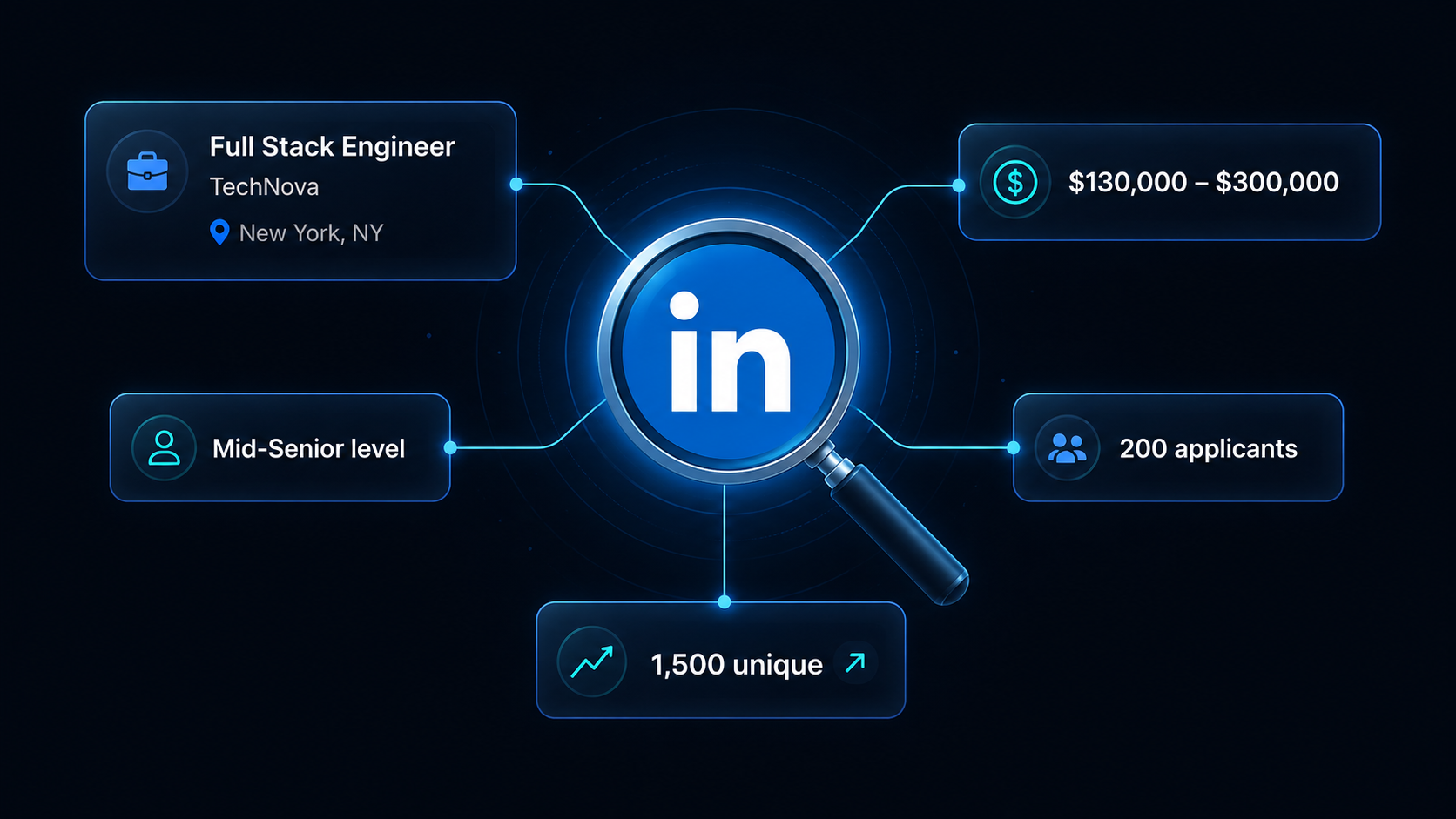
With detail depth enabled, each job comes back as a structured record:

{
  "jobId": "4432896820",
  "jobUrl": "https://www.linkedin.com/jobs/view/4432896820",
  "title": "Software Engineer, Dashboard",
  "companyName": "Vercel",
  "companySlug": "vercel",
  "companyUrl": "https://www.linkedin.com/company/vercel",
  "location": "San Francisco, CA",
  "postedDate": "2026-07-28",
  "postedTimeAgo": "1 week ago",
  "salaryText": "$130,000.00 - $300,000.00",
  "salaryMin": 130000,
  "salaryMax": 300000,
  "salaryCurrency": "$",
  "salaryPeriod": "year",
  "seniorityLevel": "Mid-Senior level",
  "employmentType": "Full-time",
  "jobFunction": "Engineering",
  "industries": "Software Development",
  "applicantCount": 200,
  "applyType": "offsite",
  "sourceQuery": "keywords=software engineer&location=United States",
  "scrapedAt": "2026-08-06T06:42:36.164Z"
}

Key things to notice:

  • Parsed salary, not just a stringsalaryMin / salaryMax / salaryPeriod are ready to aggregate without any post-processing
  • Flat criteria fieldsseniorityLevel, employmentType, jobFunction, and industries are top-level columns, not buried in a nested array
  • applyType — tells you whether a role uses Easy Apply or routes to an external ATS, which is a real signal about how seriously the employer is screening
  • sourceQuery — shows which of your searches produced the row, so you can audit coverage per query
  • companySlug — a stable join key for merging against company data or your CRM

Try the LinkedIn Jobs Search Scraper now — no coding required.

Automating LinkedIn Job Collection

Scheduled Runs

Set recurring scrapes on any schedule. Weekly runs suit market research; daily runs suit active recruiting pipelines.

API Integration

Use the Apify API to trigger runs programmatically and pull results into your own systems — an ATS, a data warehouse, or a BI dashboard.

Node.js Example

For a complete working example showing how to call this scraper from Node.js, see the GitHub repository.

Webhooks

Fire a webhook when a run finishes to push fresh postings straight into Slack, a CRM, or your own service.

Want only what's new?

If your goal is to catch postings as they appear rather than to sweep a market, use the LinkedIn Jobs Monitor instead. It runs the same searches on a schedule and returns only jobs it has not reported before, so you are not re-processing the same rows every day.

Does LinkedIn Provide a Jobs API?

What's available

LinkedIn's official APIs are restricted to approved partners under the LinkedIn Talent Solutions and Marketing programs. Access requires a commercial agreement, an application review, and in most cases an existing product integration.

What an official API would miss

Even approved partners do not get open access to browse the public job market by arbitrary keyword and location. The public job pages carry fields — applicant counts, similar-job recommendations, posted salary text — that are not exposed in a general-purpose API. For market research and competitive analysis, reading the public pages is the practical route.

Why Use a Scraper Instead of Building One

Building this yourself means solving, in order: the 1,000-result ceiling, cross-query deduplication, silent geographic scoping, transient empty pages, multiple markup renders, salary parsing across several formats, and retry logic — then maintaining all of it as LinkedIn's markup shifts.

The scraper is maintained against live LinkedIn changes, runs without a proxy at ~1,000 jobs a minute, and reports truncation honestly rather than quietly returning a short list.

Pricing — Pay Only for Results

The LinkedIn Jobs Search Scraper uses Apify's Pay-Per-Event pricing with volume tiers, so the price per job falls as your usage grows.

EventWhen it's chargedFree planGold plan
job-listingOnce per job returned from search$0.0008$0.0004
job-detailOnce per job when detail depth is on$0.003$0.0012
company-enrichmentOnce per unique company, not per job$0.01$0.004

Example run costs (500 jobs):

  • Listings only → $0.40 on Free, $0.20 on Gold
  • Listings + full details → $1.90 on Free, $0.80 on Gold

Charging company enrichment per unique company rather than per job is a genuine saving: a 500-job pull typically spans a fraction of that many employers, and the work is only done once.

Try the LinkedIn Jobs Search Scraper

The LinkedIn Jobs Search Scraper turns keyword and location searches into a complete, deduplicated dataset of LinkedIn job postings.

What you get:

  • Multiple keywords × multiple locations in a single run, deduplicated on job ID
  • Automatic decomposition past LinkedIn's 1,000-result ceiling — measured 992 → 1,500 unique jobs on a single query
  • Explicit worldwide search, so results are not silently scoped to one country
  • Three depth levels: listing, full job detail, and company enrichment
  • Parsed salary ranges, flat seniority / employment type / job function / industry fields
  • Honest truncation reporting in every run summary
  • JSON, CSV, Excel, or API output
  • Pay-Per-Event pricing with volume tiers — no charge for jobs you did not receive
  • No proxy setup, no LinkedIn account, no cookies

Start scraping LinkedIn jobs now — your first run takes under 5 minutes to set up.

The Rest of the LinkedIn Suite

This scraper is one of five that share the same extraction engine:

Legal and Ethical Considerations

  • Public data only — the scraper extracts publicly visible job postings that anyone can see without logging in. No account, no cookies, no authentication
  • No personal profiles — this scraper collects job and company data. It does not touch personal LinkedIn profiles or people search
  • Respect rate limits — requests are paced to avoid putting load on LinkedIn's infrastructure
  • Compliance — ensure your handling of the data complies with applicable regulations such as GDPR. This applies mainly to storage and processing, not to collecting public job listings
  • Legitimate use — recruitment research, market analysis, and competitive intelligence are well-established uses of public job data

Job postings are published precisely so they can be found. Collecting them for market research is aligned with why they exist.

Frequently Asked Questions

Is scraping LinkedIn job postings legal?

Scraping publicly available LinkedIn job listings is generally legal. The US Supreme Court's hiQ v. LinkedIn decision established that accessing public data does not violate the Computer Fraud and Abuse Act. Job postings are published specifically to be found by candidates. You should still use the data responsibly, comply with local privacy regulations like GDPR, and avoid accessing data behind login walls.

Why does LinkedIn only return 1,000 jobs per search?

LinkedIn's public job search serves a maximum of 1,000 results for any single query, no matter how many jobs actually match. A search for "engineer" in the United States matches far more than that, so a plain scraper silently returns 1,000 and drops the rest. This scraper works around it by automatically splitting a saturated search into narrower posting-date windows and merging the results, deduplicated by job ID. Measured on a real query, this took 992 jobs up to 1,500.

Can I search multiple keywords and locations in one run?

Yes. Keywords and locations are combined as a cross product, so 3 keywords and 2 locations run 6 searches in a single job. Every result is deduplicated on its LinkedIn job ID, so a posting matching several of your searches is returned once and charged once.

Does the scraper return salary data?

Yes, when the employer posts it. Turn on the detail depth and each posting returns salaryText plus parsed salaryMin, salaryMax, salaryCurrency, and salaryPeriod fields. Posted salary is common on US listings because of pay-transparency laws and rarer elsewhere, so treat it as nullable rather than guaranteed.

How do I search worldwide instead of one country?

Leave the locations field empty. The scraper then explicitly searches LinkedIn's worldwide scope. This matters more than it sounds: without an explicit worldwide setting, LinkedIn silently scopes results to the country the request comes from, which for a cloud scraper is usually a US data centre.

How much does the LinkedIn Jobs Search Scraper cost?

It uses Apify's Pay-Per-Event pricing with volume tiers. A job listing costs $0.0008 on the Free plan and $0.0004 on Gold. Opening each posting for full details costs $0.003 on Free and $0.0012 on Gold. Company enrichment costs $0.01 per unique company on Free and $0.004 on Gold, charged once per company rather than once per job. A 500-job run with full details costs about $1.90 on Free and $0.80 on Gold.

About the Author

This guide was written by Piotr, a software engineer with hands-on experience building and maintaining web scrapers at scale. He develops and maintains a suite of data extraction tools on the Apify platform, helping businesses automate their data collection workflows.

Need help with your scraping project?

Book a free discovery call and let's scope your project together.

Book a Call
Piotr Vassev

Piotr Vassev

Founder of FalconScrape. Building production-grade web scraping systems and data automation pipelines for businesses worldwide.

Connect on LinkedIn