How to Search AliExpress by Image and Compare Product Matches
A product photo can be more useful than a keyword when the item has a generic name, appears under several translated titles, or is sold by many suppliers. The useful outcome is not merely finding a similar picture. You need a shortlist that keeps each match beside its price, rating, sold count, and source page.
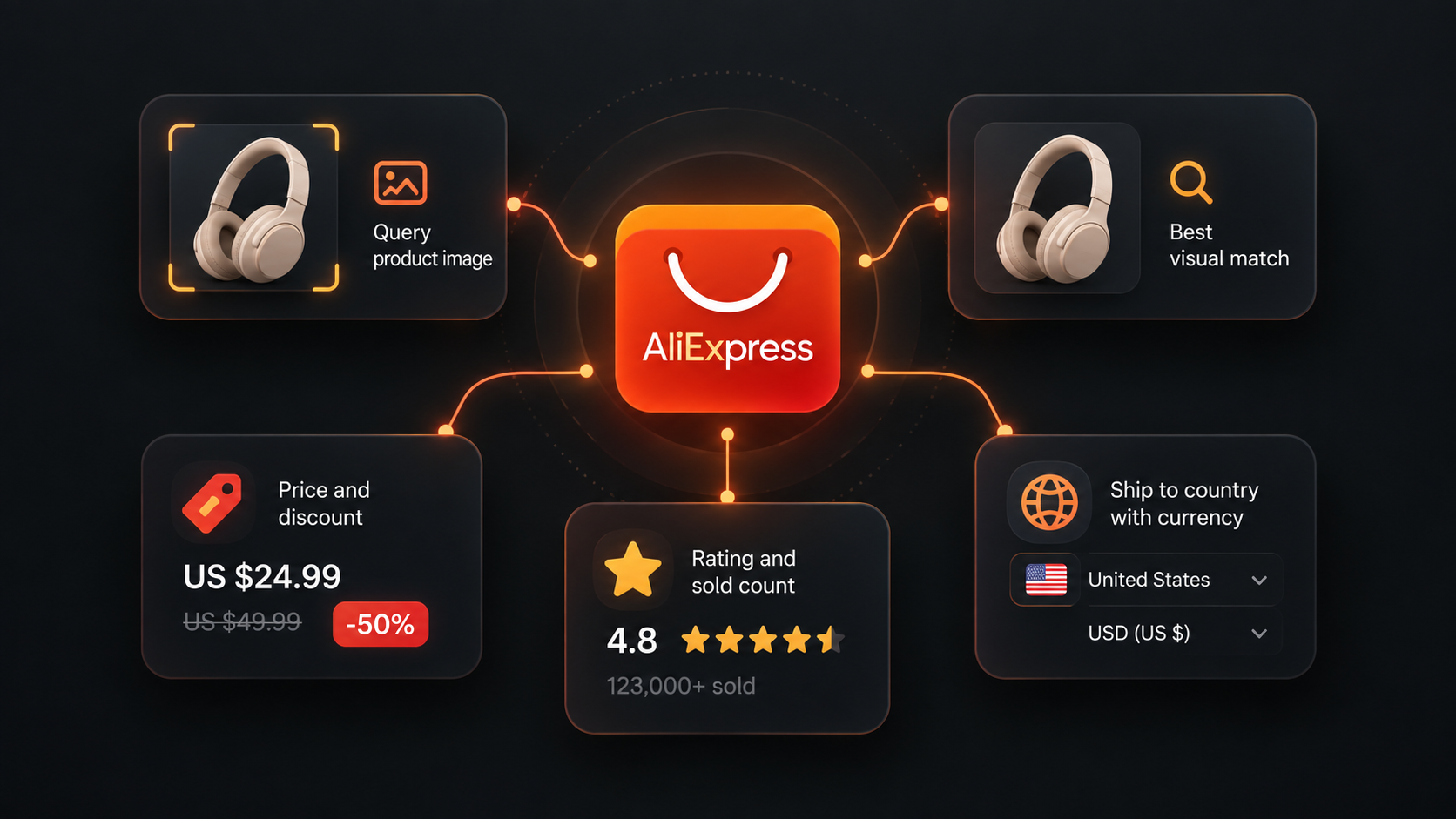
Our AliExpress Image Search Scraper takes direct image URLs and returns AliExpress's ranked visual matches. Each result includes the listing title and URL, current and reference prices, discount, unit price where available, rating, displayed sold count, launch date, commercial tags, and a flag for the top visual match.
Choose the ship-to country and currency before running it. Prices and availability reflect that market context. A visual match is still a lead, not proof that two products have the same materials, dimensions, variants, or supplier.
Start with two direct image URLs
- Open the Actor on Apify and click Try for free.
- Add one or two direct JPG, PNG, or WebP URLs under Image URLs.
- Set Ship-to country and Currency for the market you want to research.
- Keep Sort on Best match and Max results per image at
60. - Click Start, then open Matches when the run succeeds.
The image URL must return the image file itself and the file must be no larger than 5 MB. A product page, social post, or cloud-sharing preview is not a direct image URL. Data URLs are also accepted when calling the Actor through JSON or the API.
We used this input for the example:
{
  "imageUrls": [
    "https://ae-pic-a1.aliexpress-media.com/kf/Sbf5a5b9337a442c99336f7e29821977fx.jpg",
    "https://ae-pic-a1.aliexpress-media.com/kf/S855220c50df546d5bab115643d3982d6R.jpg"
  ],
  "shipTo": "US",
  "currency": "USD",
  "sort": "best_match",
  "maxResultsPerImage": 60,
  "proxyConfiguration": {
    "useApifyProxy": true
  }
}
Our example run returned 120 rows, 60 for each image, in about seven seconds. The two input images were charged as two image-search events. No additional result pages were requested.
One abbreviated match was:
{
  "queryImage": "https://ae-pic-a1.aliexpress-media.com/kf/Sbf5a5b9337a442c99336f7e29821977fx.jpg",
  "rank": 1,
  "isBestMatch": true,
  "productId": "1005010040139040",
  "url": "https://www.aliexpress.com/item/1005010040139040.html",
  "title": "10/20pcs Simulation strawberry artificial strawberry fake fruit",
  "price": 1.09,
  "originalPrice": 6.41,
  "discountPercent": 82,
  "unitPrice": 0.11,
  "unitLabel": "pc",
  "currency": "USD",
  "rating": 4.6,
  "sold": 167,
  "launchedAt": "2025-09-24",
  "isChoice": true,
  "shipTo": "US",
  "scrapedAt": "2026-09-20T06:02:48.226Z"
}
| Field group | How to use it |
|---|---|
queryImage, rank, isBestMatch | Keep every result attached to its source photo and preserve AliExpress's visual ranking. |
productId, url, image | Identify the listing, reopen it for validation, and compare its product image with your query. |
price, originalPrice, discountPercent | Market-specific listing prices and AliExpress's reference-price comparison. They are not a complete landed cost. |
unitPrice, unitLabel | Per-unit context where AliExpress supplies it. Keep the pack quantity and selected variant in mind. |
rating, sold, launchedAt | Signals for prioritizing a shortlist, not independent proof of product quality or sales during your research period. |
sellingPoints, isChoice | Promotions, delivery text, bulk offers, and marketplace labels that can explain an unusually low price. |
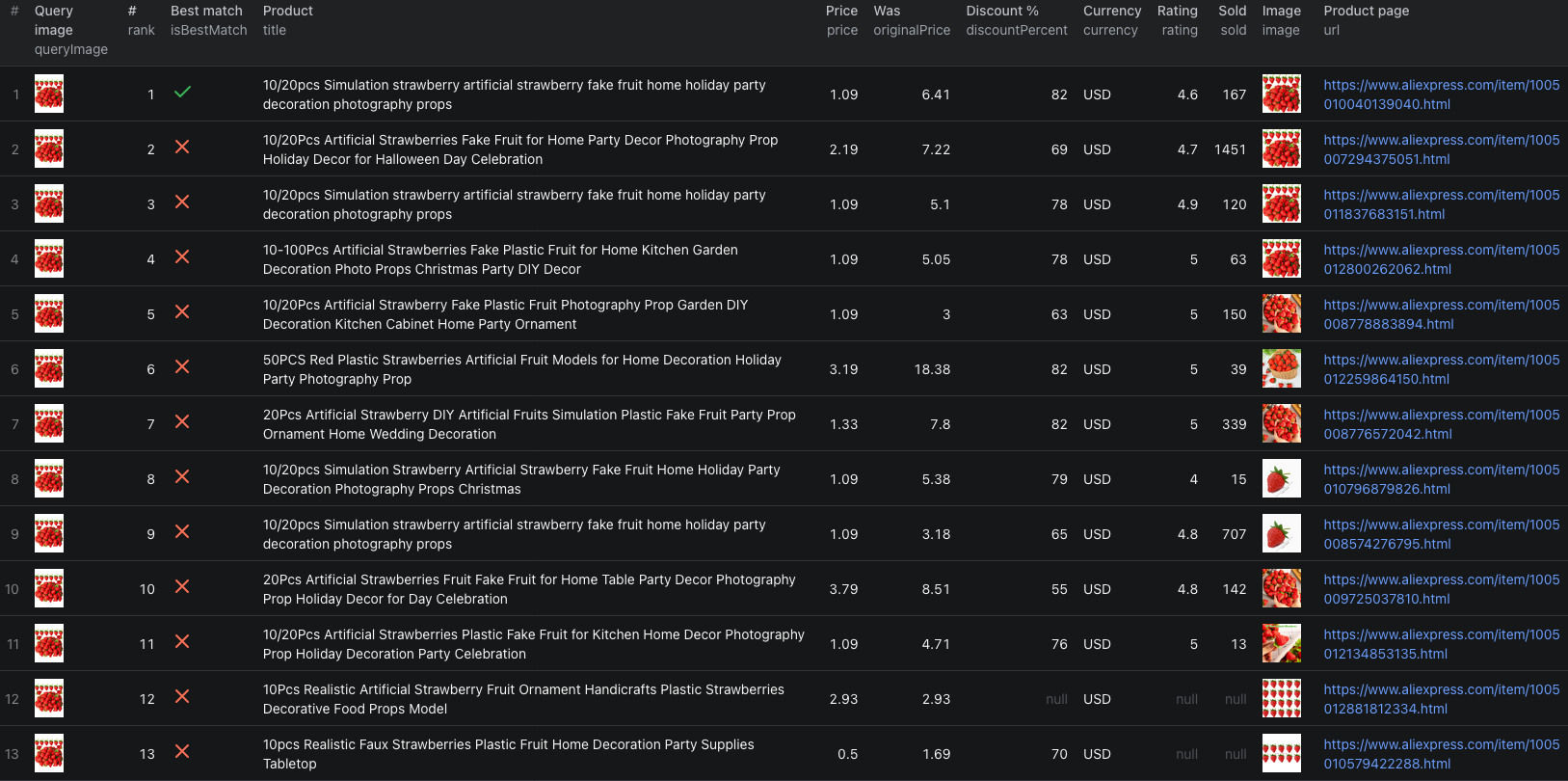
The AliExpress image-search Node.js example runs the same two-image search with apify-client and retrieves all 120 dataset rows.
Build a supplier shortlist from the matches
Do not sort the complete export by price and choose the first row. Visual search can return adjacent products, different pack sizes, accessories, or listings that reuse a similar image.
A practical review sequence is:
- Group rows by
queryImageso results from different photos never mix. - Review the first ten to twenty matches visually and remove obvious accessories or different products.
- Open the remaining product pages and confirm the selected variant, quantity, dimensions, material, and pack size.
- Keep
sellingPointsbeside the price so new-customer and bulk promotions are not treated as unconditional prices. - Compare seller and shipping details with the AliExpress product-details guide before choosing a supplier.
Use productId to deduplicate listings found by several query images. Preserve each image and rank in a separate match table if you want to know which photo found the product and where it appeared.
Change the sort only after checking relevance
best_match is the safest first run because it preserves AliExpress's visual ordering. Once the first page contains the right kind of product, the other sort options answer narrower questions:
| Sort value | Use it for |
|---|---|
best_match | Reviewing the strongest visual candidates first. |
orders | Bringing listings with more displayed orders toward the top. |
price_asc | Finding cheaper candidates after you know the results are comparable. |
price_desc | Inspecting the high end of the visually similar set. |
Sorting by price does not normalize variants or quantities. A ten-piece pack and a twenty-piece pack can still appear together. Treat unitPrice as a clue and verify the product page before calculating a sourcing margin.
Control result depth and cost
The first page contains up to 60 matches per image. Each additional page can add up to 45 matches. maxResultsPerImage applies separately to every unique image URL and accepts values from 1 to 1,000.
Start with 60. Ask for more only when the first page is relevant and you have a reason to inspect a longer tail. Requesting 150 matches for ten images can produce up to 1,500 rows, but relevance usually falls as you move deeper.
Pricing as of September 21, 2026 is:
| Event | Price |
|---|---|
| Image search | $0.02 per successfully searched image, including the first page of up to 60 matches |
| Additional results page | $0.01 per page of up to 45 more matches for that image |
Our two-image, 60-results-per-image example cost 2 × $0.02 = $0.04 in Actor event charges. An image that cannot be loaded or returns no matches is not charged for an image-search event. Apify platform usage can be billed separately according to your plan, so check the run cost and live pricing before a large batch.
Fix the common input and comparison problems
- The image returns
image_error. Confirm that the URL opens the raw JPG, PNG, or WebP without login, is still available, and is no larger than 5 MB. - The result is
no_matches. Try a clearer product photo with the item centered and less text or background decoration. A different photo can produce a different match set. - The matches are visually close but technically different. Image search cannot validate materials, dimensions, certification, or included accessories. Open the listing and compare specifications.
- The displayed price looks unusually low. Check the variant, pack size, promotion text, shipping, tax, and buyer eligibility before treating it as a procurement cost.
- The same product appears more than once. Deduplicate by
productId, but retain the query-image and rank relationship separately. - A later run changes order or price. The output is a marketplace snapshot. Keep
scrapedAt,shipTo, andcurrencywith every comparison.
Frequently asked questions
Can I upload an image file directly from my computer?
The Actor accepts a direct JPG, PNG, or WebP URL up to 5 MB, or a data URL. A normal webpage URL is not an image URL.
Does the best-match flag prove that two products are identical?
No. It marks AliExpress's top visual match for the query image. Check the listing, variants, specifications, seller, and shipping before treating it as the same product.
How many matches can one image return?
The first results page contains up to 60 matches. Each additional page can add up to 45, and maxResultsPerImage can be set from 1 to 1,000.