
How to Check Alibaba Supplier Profiles and Verification Reports
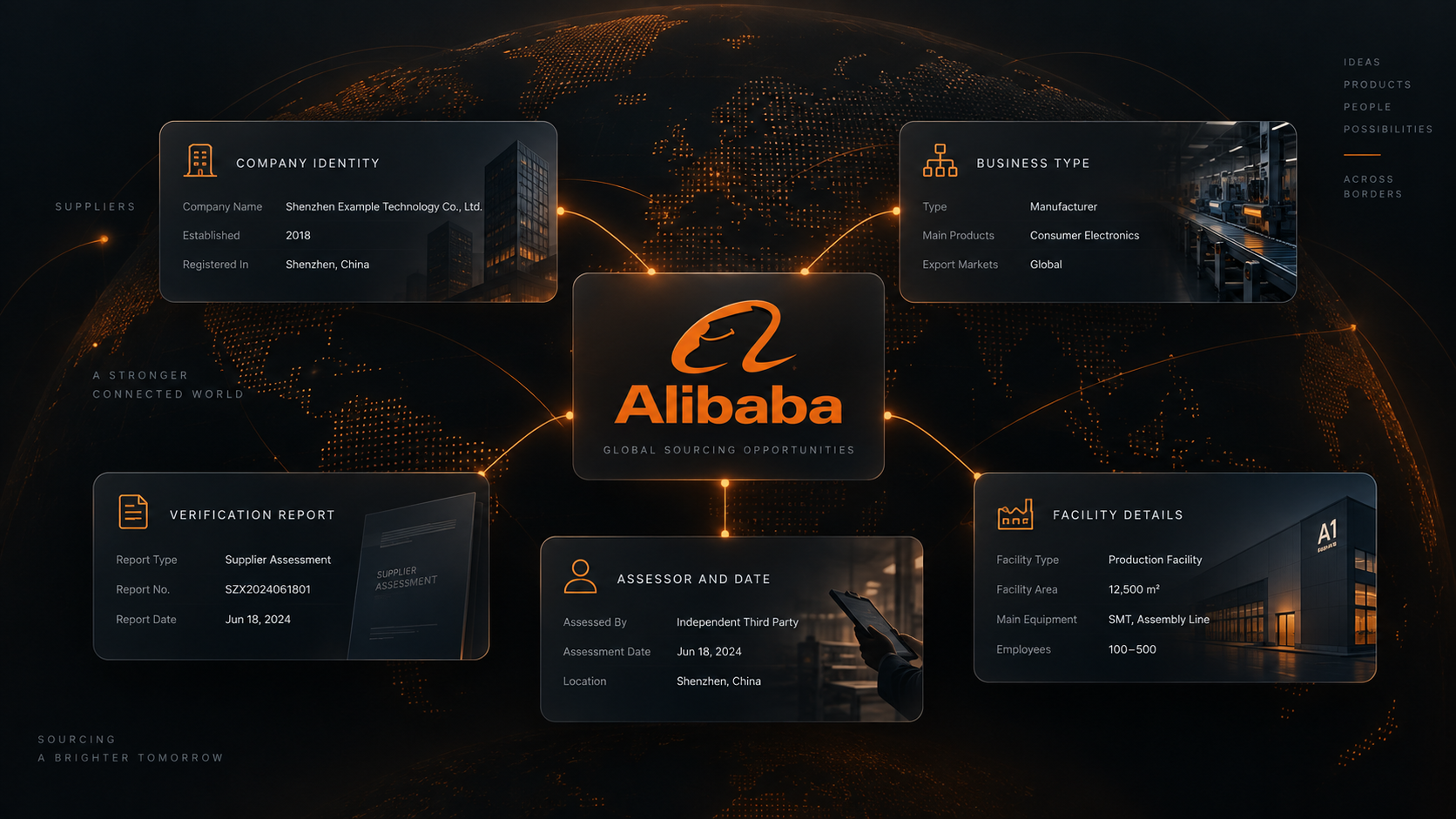
A product listing can tell you who is selling an item. It does not, by itself, establish the supplier's registered identity, factory capacity, or the status of a published assessment. Those questions need a separate supplier record.
Our Alibaba Supplier Profiles Scraper accepts supplier storefront URLs and returns one company record per supplier. You can add the third-party verification report that Alibaba publishes for some suppliers, including the assessor, report dates, registered company name, employees, facilities, and other reported details. An Actor is a tool run on Apify; this one can be used directly from its Input form.
The data reflects what the storefront and published report say. It is a starting point for due diligence, not our own factory inspection or endorsement.
Check three supplier storefronts
- Open the Actor on Apify.
- Add three storefront URLs under Supplier URLs.
- Turn on Include verification reports and set Maximum suppliers to
3. - Leave the default Apify proxy enabled and click Start.
- Open the completed run's Dataset. Export JSON if you need the nested report sections.
Use this exact input in the JSON editor:
{
  "supplierUrls": [
    "https://brightest.en.alibaba.com",
    "https://tangooled.en.alibaba.com",
    "https://papagarment.en.alibaba.com"
  ],
  "includeVerificationReport": true,
  "maxItems": 3,
  "proxyConfiguration": {
    "useApifyProxy": true
  }
}
You can paste a storefront home page, company profile page, or product-list page from that storefront. A product detail or Alibaba search URL is not a supplier input. The Actor deduplicates multiple URLs for the same storefront.
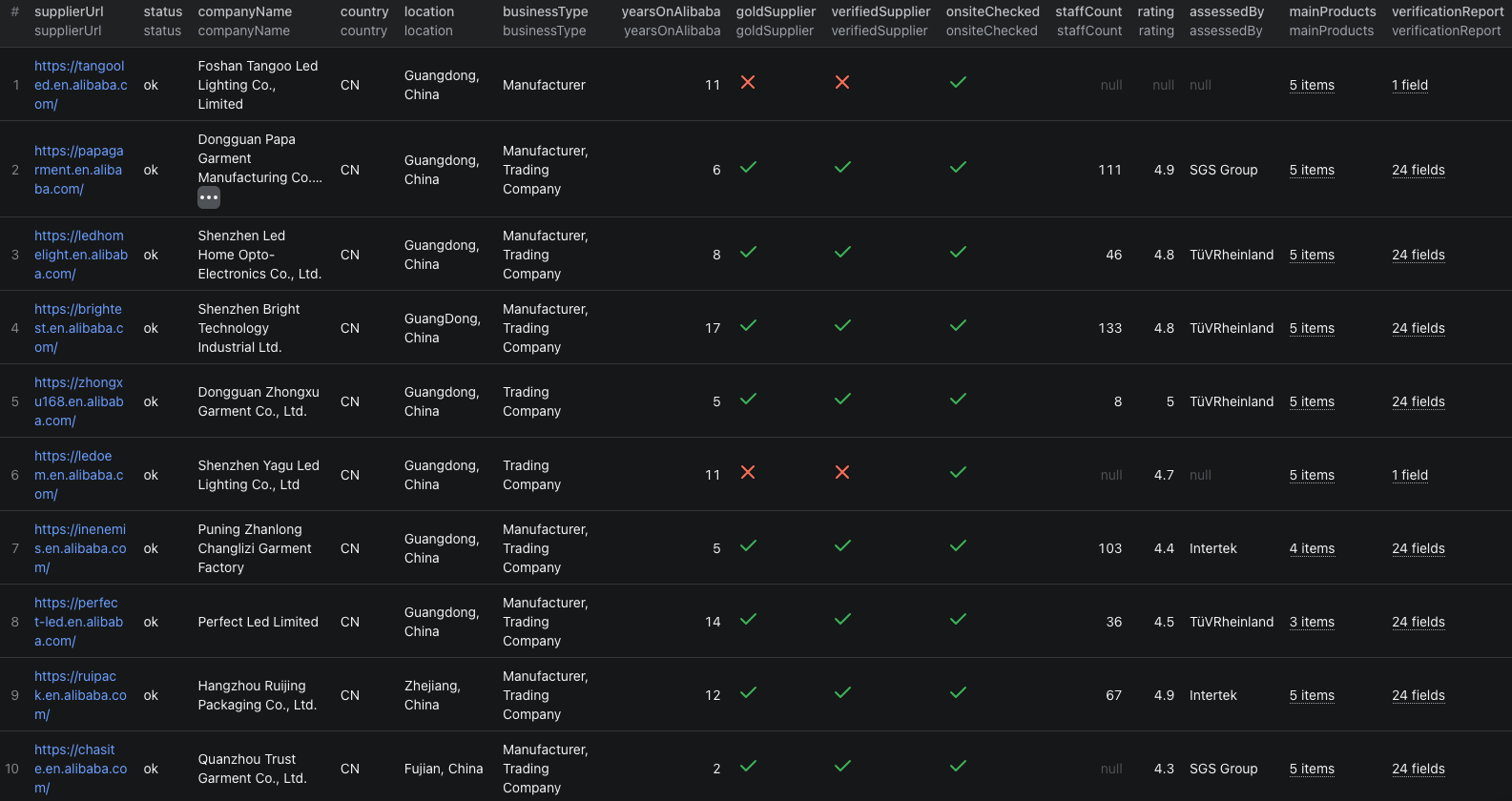
Our example returned three company records: one report matched the storefront name, one used a different legal-name variant, and one supplier had no published report. This excerpt shows the name-variant case:
{
  "status": "ok",
  "supplierUrl": "https://papagarment.en.alibaba.com",
  "companyId": "259120904",
  "companyName": "Dongguan Papa Garment Manufacturing Co., Ltd.",
  "businessType": "Manufacturer, Trading Company",
  "verifiedSupplier": true,
  "yearsOnAlibaba": 6,
  "staffCount": 111,
  "verificationReport": {
    "status": "name_variant_requires_review",
    "reportNumber": "493779876_P+T",
    "assessor": "SGS Group",
    "validFrom": "2026-07-16",
    "validUntil": "2027-07-15",
    "companyName": "Dongguan Papa Garment Manufacture Co., Ltd.",
    "employees": 111,
    "facilityArea": 2148
  }
}
“Manufacturing” on the storefront and “Manufacture” in the report may be a simple naming difference, but the Actor flags it for review instead of silently equating the two. Open the published report and confirm the legal identity before relying on its figures.
The Alibaba supplier profiles Node.js example runs this shortlist and retrieves its dataset.
Build a supplier review sheet
Start with product discovery through our Alibaba listings guide or image search guide. Retain the supplier storefront URL with the product that led you to it. Then run this Actor on the distinct storefronts.
For each company, keep these checks in separate columns:
- Identity: storefront name, company ID, country, province, and business type.
- Source markers: the source-provided Verified, Gold, and onsite-check flags.
- Report status: matched, name variant requiring review, not published, not requested, or fetch error.
- Report provenance: assessor, report number, validity dates, and reported legal company name.
- Open questions: what must be confirmed with the supplier or an independent inspection before an order.
Do not score not_published as a failed report. It means a public report was not available in this run. Likewise, a fetch_error calls for a retry or source check, not a negative quality rating.
| Field group | How to interpret it |
|---|---|
companyId, companyName, supplierUrl | Identify the storefront and keep a link to the source record. |
businessType, businessTypeVerified | Separate the stated business type from its source-provided verification flag. |
verifiedSupplier, goldSupplier, onsiteChecked | Record Alibaba's displayed program markers without treating them as a purchasing guarantee. |
verificationReport.status | Decide whether to inspect a report, compare a name variant, or resolve missing information. |
assessor, validFrom, validUntil | Check who assessed the supplier and whether the published report remains within its stated dates. |
sources | Trace report and profile fields back to the Alibaba pages used in collection. |
The report may contain Confidential values. Keep them as reported rather than converting them to zero. Some published numbers lack units; preserve the source value and ask for the underlying document when a capacity or facility measure matters to the order.
Pricing
Pricing as of September 23, 2026 is $0.002 per saved supplier profile. When Include verification reports is on, each published report adds $0.002. A supplier with no published report is charged for its profile only; suppliers that cannot be found are not charged. The current event table has no separate Actor-start fee.
Our three-supplier example returned three profiles and two reports, for (3 × $0.002) + (2 × $0.002) = $0.01 in Actor event charges. Apify platform or proxy usage may be billed separately according to your plan. Check live pricing before a larger run.
Check the source before treating it as proof
- The report name differs from the storefront name. Review the legal name, address, and report identifier. The Actor exposes the discrepancy for you to resolve.
- No report appears. Check
verificationReport.status;not_published,not_requested, andfetch_errormean different things. - A badge or rating looks reassuring. Use it as source context, then review the underlying report and your own product requirements.
- A field says Confidential or has no unit. Keep the source wording. Do not calculate capacity or financial ratios from an assumed unit.
- Several product listings lead to one company. Deduplicate by supplier identity before treating each product as a separate supplier.
Frequently asked questions
Can I paste product or search URLs into this Actor?
No. supplierUrls accepts Alibaba supplier storefront URLs, including storefront home, company profile, and product-list pages. Use a product listing Actor first to find supplier links.
Does a missing verification report mean the supplier failed verification?
No. not_published means this Actor did not find a public assessment report for that supplier. It is not a quality verdict.
What does name_variant_requires_review mean?
The legal company name in a published report differs from the storefront name. Review the underlying report and supplier identity before treating the records as the same company.
