How to Scrape Alibaba Product Details, Price Tiers, and Supplier Data
An Alibaba search result gives you a price range and a supplier name. Before you request a quote, you want the numbers behind it: what the price becomes at 500 or 5,000 units, how long production takes at that volume, whether the supplier has shipped on time, and what certificates the product actually carries.
The Alibaba Product Details Scraper takes a list of product URLs and returns one record per product with the quantity price tiers, every variant with its price and stock, MOQ, lead-time tiers, the full attribute table, certifications, and the supplier's ratings and 180-day trade history. I maintain the Actor, and every number below comes from its current build and a run on September 12, 2026.
Two limits up front. Prices are USD only, and the supplier's free-text description is not part of the output. Both are covered below.
Is this the right tool?
Use it when you already have product URLs. That usually means a search you saved with the Alibaba listings guide, a shortlist from a colleague, or the products you already buy and want to re-check.
It is the wrong tool if you need:
- Keyword search. Run the listings scraper first. Its
productUrlcolumn is this Actor's input. - The supplier's long description. The attribute table is returned. The marketing text below it is not.
- Retail-side data. For AliExpress, use the AliExpress product details guide.
No code is required. You paste URLs into a form in the Apify Console, click Start, and export a file.
What one product record holds
Each product is one row with nested lists. This is the September 12 record for a COB LED strip, cut down to the fields that decide a sourcing call. Prices were current that day.
{
  "productId": "60409871093",
  "status": "ok",
  "title": "High Density No Led Dot FOB Led Strip 24V 320 Led/m Flexible COB",
  "currency": "USD",
  "unit": "meter",
  "moq": 5,
  "price": { "min": 0.73, "max": 0.91 },
  "promotionPrice": { "min": 0.66, "max": 0.82 },
  "priceTiers": [],
  "skus": [
    {
      "attributes": { "Color": "White", "Emitting Color": "Natural white 4000K", "Length": "5m(16.40ft)" },
      "price": 0.91,
      "promotionPrice": 0.82,
      "stock": 1000
    }
  ],
  "totalStock": 15867,
  "leadTime": [{ "minQuantity": 1, "maxQuantity": 10000, "days": 6 }],
  "tradePriceType": "FOB",
  "sample": { "available": true, "free": false, "price": 0.73, "maxQuantity": 5 },
  "customization": [{ "type": "Customized logo", "moq": 500, "unit": "meter" }],
  "certifications": [{ "name": "Declaration of Conformity", "validTo": "07/07/2031" }],
  "supplier": {
    "name": "Shenzhen Bright Technology Industrial Ltd.",
    "yearsOnAlibaba": 17,
    "employees": "101-200",
    "verifiedSupplier": true,
    "onTimeDeliveryRate": "96.3%",
    "responseTime": "≤3h",
    "ordersLast180Days": 281,
    "revenueLast180Days": 2263245.5,
    "tradeAssuranceLimit": 730000
  }
}
| Group | What it contains |
|---|---|
priceTiers | Quantity ladder as the supplier set it. Empty when the product is priced per variant instead. |
skus, skuAttributes | One entry per variant with attributes, price, promotion price and stock. Price is null when the product uses tiers. |
moq, unit, leadTime | Minimum order as a number, its unit, and production days by order quantity. |
supplier | Company, verification flags, rating, on-time rate, response time, orders and revenue in the last 180 days, Trade Assurance limit. |
certifications | Name, number, type, issuer, validity dates and images. |
attributes, images, video, sample, customization | Specification table, gallery, product video, sample terms, and customisation options with their own MOQ. |
status | ok or not_found. Only ok rows carry product data. |
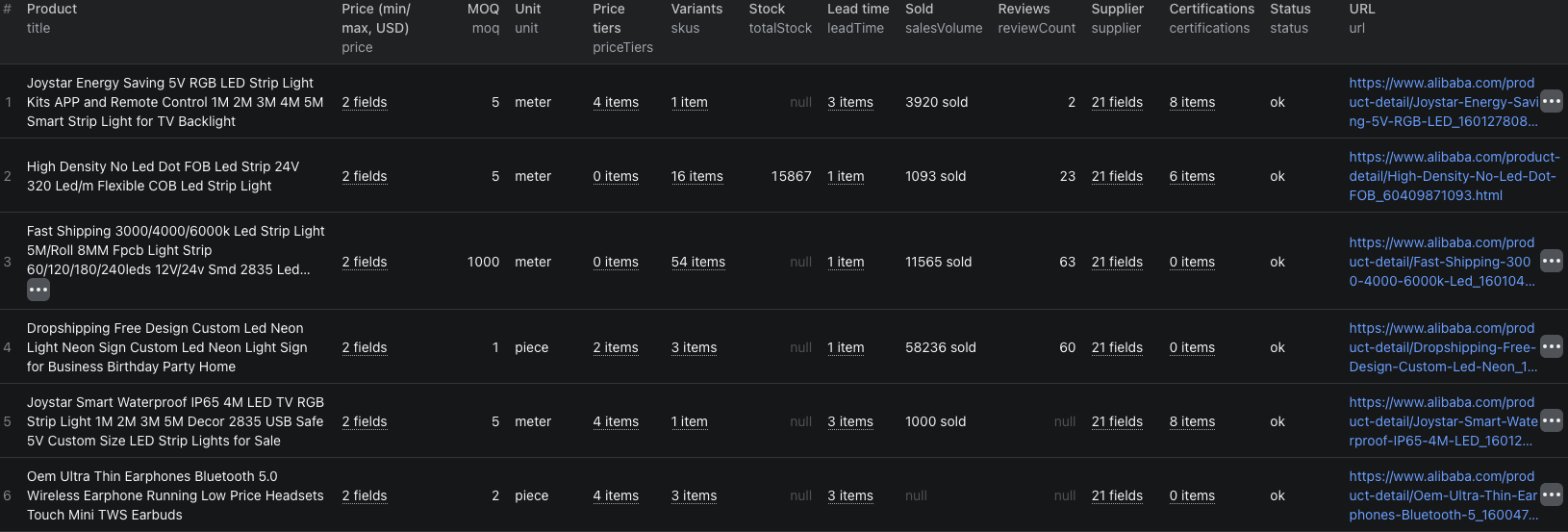
Run it on three products
- Open the Actor page and click Try for free. A free Apify account is enough.
- The Input tab is prefilled with three LED lighting products. Keep them for a first run, or replace them with your own product page links.
- Leave Max products at
50and the proxy setting as it is. - Click Start. The test run on the three prefilled products finished in 12 seconds.
- When the status is Succeeded, open Output for the table or Storage to export JSON or CSV.
The same input in JSON form, if you switch the editor:
{
  "productUrls": [
    { "url": "https://www.alibaba.com/product-detail/High-Density-No-Led-Dot-FOB_60409871093.html" },
    { "url": "https://www.alibaba.com/product-detail/Joystar-Energy-Saving-5V-RGB-LED_1601278086778.html" },
    { "url": "https://www.alibaba.com/product-detail/Dropshipping-Free-Design-Custom-Led-Neon_1601291800018.html" }
  ],
  "maxItems": 50
}
Paste product URLs as they appear in the browser. Any Alibaba country domain works as long as the path ends in the product ID. maxItems is a total for the run. Duplicate URLs are collapsed first, then the first N unique products are scraped.
Read the price the way the supplier set it
The three test products show both pricing shapes Alibaba uses, and they need different handling.
Quantity tiers. The RGB strip kit came back with four tiers and no variant prices:
| Quantity | Price per meter |
|---|---|
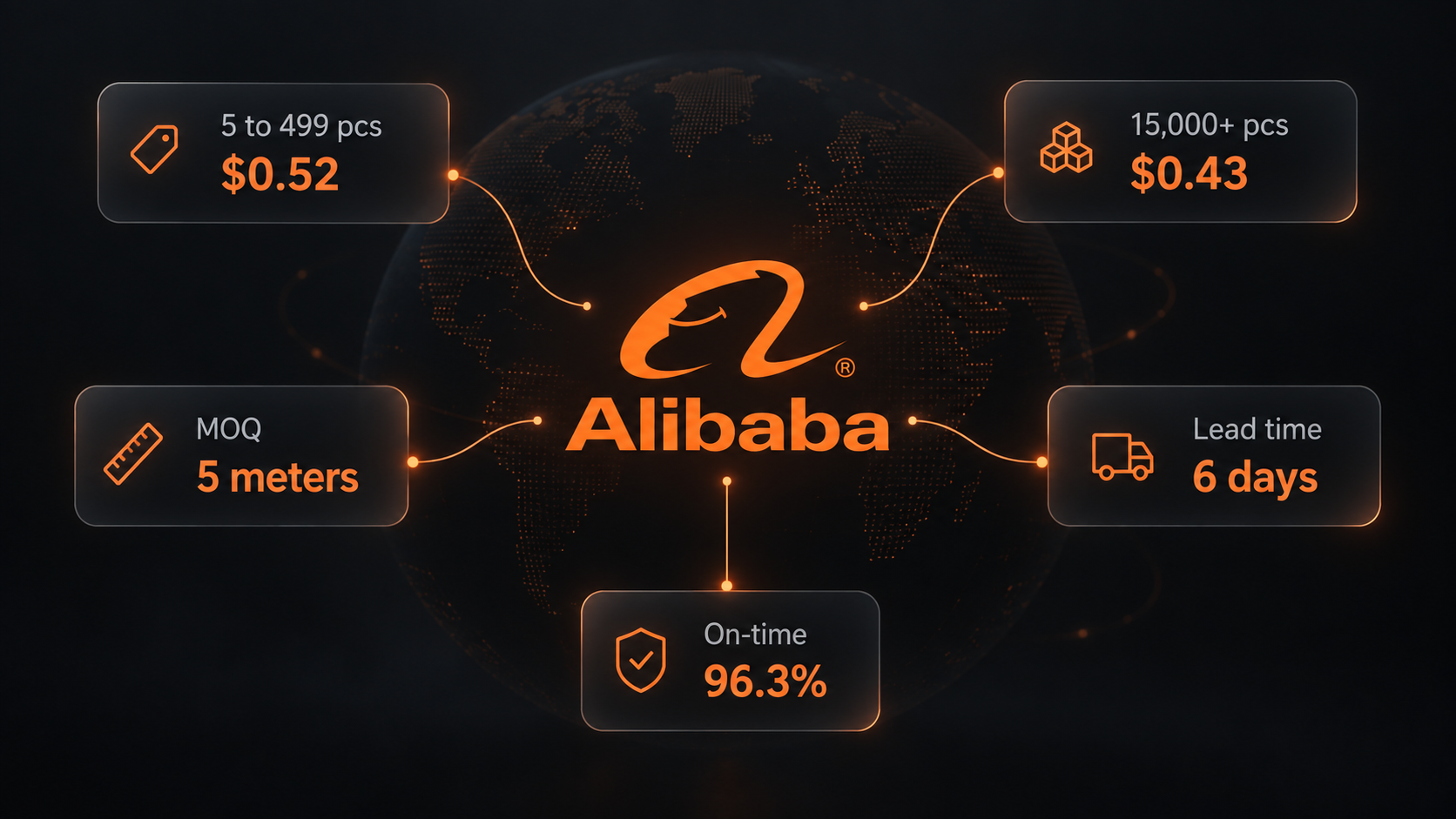
| 5 to 499 | $0.52 |
| 500 to 2,499 | $0.49 |
| 2,500 to 14,999 | $0.46 |
| 15,000 and up | $0.43 |
The open-ended top tier has maxQuantity: null. Pick the tier that contains your order size, not the headline minimum.
Per-variant prices. The COB strip had no tiers and 16 variants, each with its own price, promotion price and stock. Its 4000K white 5 m variant was $0.91, or $0.82 on promotion, with 1,000 in stock. Total stock across variants was 15,867. Filter skus to the variant you would order and read the price there.
For both shapes, price.min and price.max give the range across everything, which is fine for a first sort and wrong for a quote.
Build the supplier comparison sheet
Export the dataset as JSON, since the nested lists do not flatten well into CSV. Then, for each product on your shortlist, pull one line into a sheet:
- Unit price at your quantity, from the matching tier or variant.
- Lead time at your quantity, from
leadTime. The RGB kit takes 45 days up to 500 units and 75 days above 3,000. The COB strip takes 6 days up to 10,000. Same category, very different production model. - MOQ and unit. All three test products sold by the meter or piece with MOQs of 5, 5 and 1.
- Supplier track record. Years on Alibaba, on-time rate, response time, and the 180-day order count.
- Certificates. Count and expiry. The RGB kit carried 8, the COB strip 6, the neon sign none.
Two of the test suppliers make the point:
| Bright Technology | Guanghengda Technology | |
|---|---|---|
| Years on Alibaba | 17 | 2 |
| Verified supplier | Yes | No |
| On-time delivery | 96.3% | 88.9% |
| Orders, last 180 days | 281 | 74 |
| Revenue, last 180 days | $2.26M | $65.6k |
| Trade Assurance limit | $730,000 | $42,000 |
Neither row is a verdict. A two-year trading company with a 5.0 rating may be the right fit for a small custom order. The sheet just makes the trade-off visible before the first email.
Add sample.price for the products you will test. The COB strip sample was $0.73 for up to 5 meters. The RGB kit charged $5 for one sample.
To refresh the sheet from code, the Alibaba product details Node.js example calls the Actor with the same three URLs and prints each record. The e-commerce scraping guide covers the broader comparison workflow.
Pricing
As of September 12, 2026 the Actor charges $0.005 per product with status: "ok", whatever the number of variants. Products that no longer exist come back as not_found and are free.
| Products | Product events |
|---|---|
| 3 | $0.015 |
| 50 (default) | $0.25 |
| 500 | $2.50 |
The README also lists platform usage as billed separately, so check the live pricing page and your Console charges before scheduling large lists.
When something looks off
priceTiersis empty. The product is priced per variant. Readskus[].price.skus[].priceis null. The product is priced by tier. ReadpriceTiers.stockortotalStockis null. The supplier left stock unset, which Alibaba shows as unlimited. Orderable, just not counted.- A product failed after retries. Alibaba serves an access check to some IPs. The Actor retries on a fresh one and backs off. In testing about 7 percent of first attempts hit the check and all cleared on retry. The run's status message names any product that still failed; re-run those URLs.
statusisnot_found. The listing was removed. Open the URL to confirm.- You need shipping quotes. They are not on the product page. Use the FOB price,
unitWeightKgandunitSizeCmto estimate freight, or ask the supplier.
Frequently asked questions
Why is priceTiers empty for some products and skus priced for others?
Alibaba suppliers price a product either by order quantity or per variant. Quantity-priced products fill priceTiers and leave the variant prices null. Variant-priced products fill each entry in skus and leave priceTiers empty. The price field always carries the overall minimum and maximum.
Why is stock null on some products?
The supplier did not set a stock figure, which Alibaba displays as unlimited. The Actor returns null rather than a placeholder number. The variant is still orderable.
Can I get prices in a currency other than USD?
No. Alibaba computes a dollar value for every price on the page, and that is what the Actor returns. It is the one figure that is comparable across suppliers.