How to Scrape Amazon Today's Deals and Track Discounts
Amazon's Today's Deals page is a moving target. The order shifts during the day, discounts change, and there is no export button. A daily snapshot in a spreadsheet is the simplest way to see which deals are new, which keep coming back, and which discounts are real.
The Amazon Today's Deals Scraper reads that page and returns one row per product with list price, deal price, savings, percent off, title, image, and link. You pick a country site and a total limit, and that is the whole input. I maintain the Actor, and everything below comes from its current build and a run made on September 12, 2026. It does not filter by category, and it does not return deal start or end times.
Is this the right tool?
Use it when you want the deals page as a table: a daily discount feed, a watch on competitor promotions, or raw material for a deals newsletter. Each run costs a fraction of a cent per product.
Look elsewhere if you need:
- A specific category or keyword. The Actor follows the page order and takes what Amazon shows. You filter afterwards.
- Deal countdowns or claimed percentages. Not in the output.
- A seller's full catalogue or a Best Sellers chart. Use the storefront guide or the Best Sellers guide instead.
No code is needed. You fill a form in the Apify Console, start the run, and download a CSV.
What one row looks like
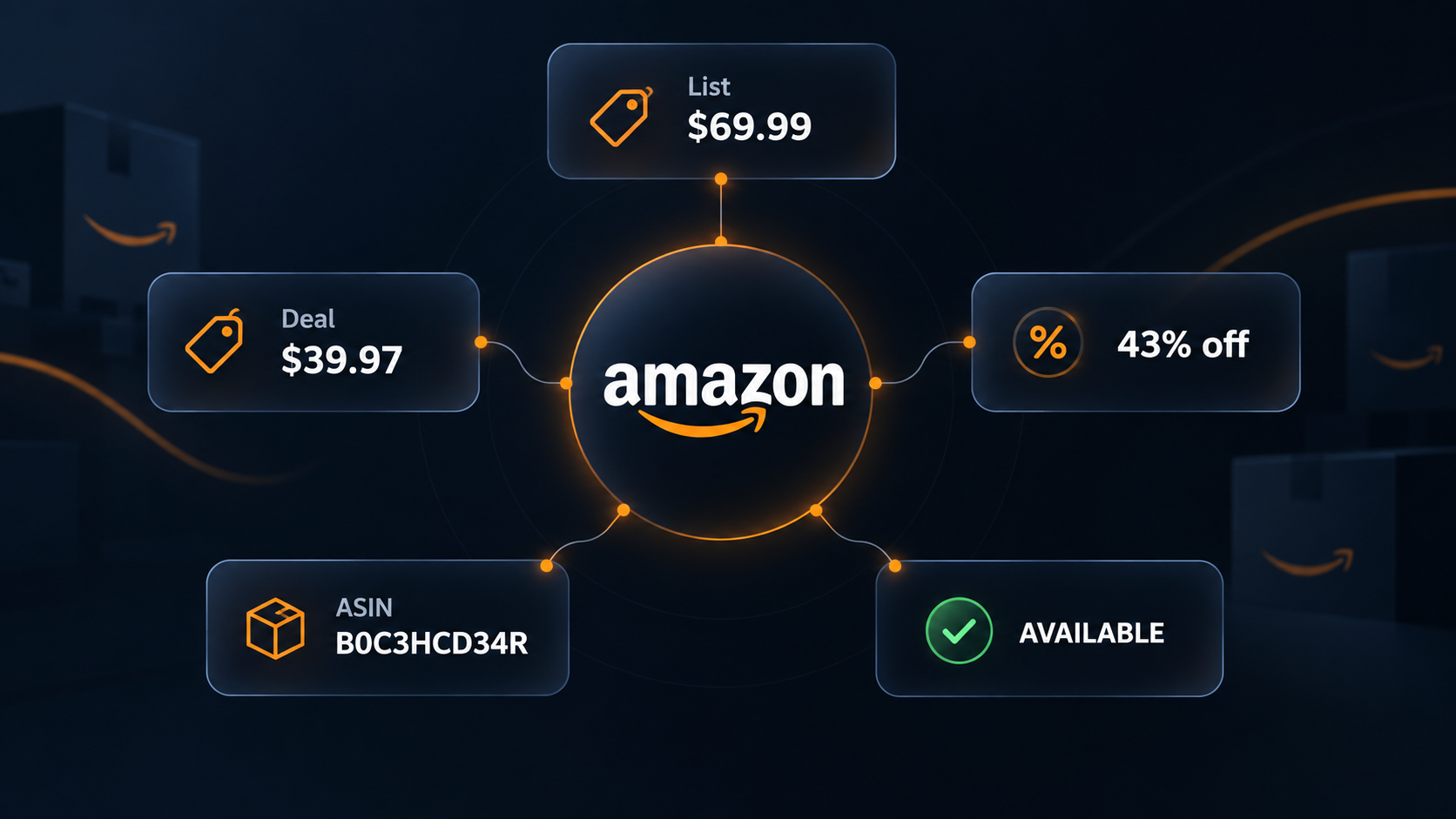
This is a real record from the September 12 run on amazon.com, shortened to the fields that matter. Prices are from that day and will have changed.
{
  "asin": "B0C3HCD34R",
  "title": "Soundcore by Anker Q20i Hybrid Active Noise Cancelling Headphones, Black",
  "basisPrice": 69.99,
  "priceToPay": 39.97,
  "currency": "USD",
  "savingsAmount": 30.02,
  "savingsPercentageValue": 43,
  "dealState": "AVAILABLE",
  "link": "https://www.amazon.com/soundcore-Cancelling-Headphones-Bluetooth-Transparency/dp/B0C3HCD34R"
}
| Field | Meaning |
|---|---|
basisPrice | The reference price Amazon shows struck through. A list price, not a past sale price. |
priceToPay | The deal price at the moment of the run. |
savingsAmount | Basis minus deal price, computed by the Actor and rounded to cents. |
savingsPercentageValue | Whole-number percent off, computed from the two prices. |
dealState | Amazon's state string, such as AVAILABLE. It can be null on some country sites. |
asin | Amazon's product ID. Use it as the key when comparing days. |
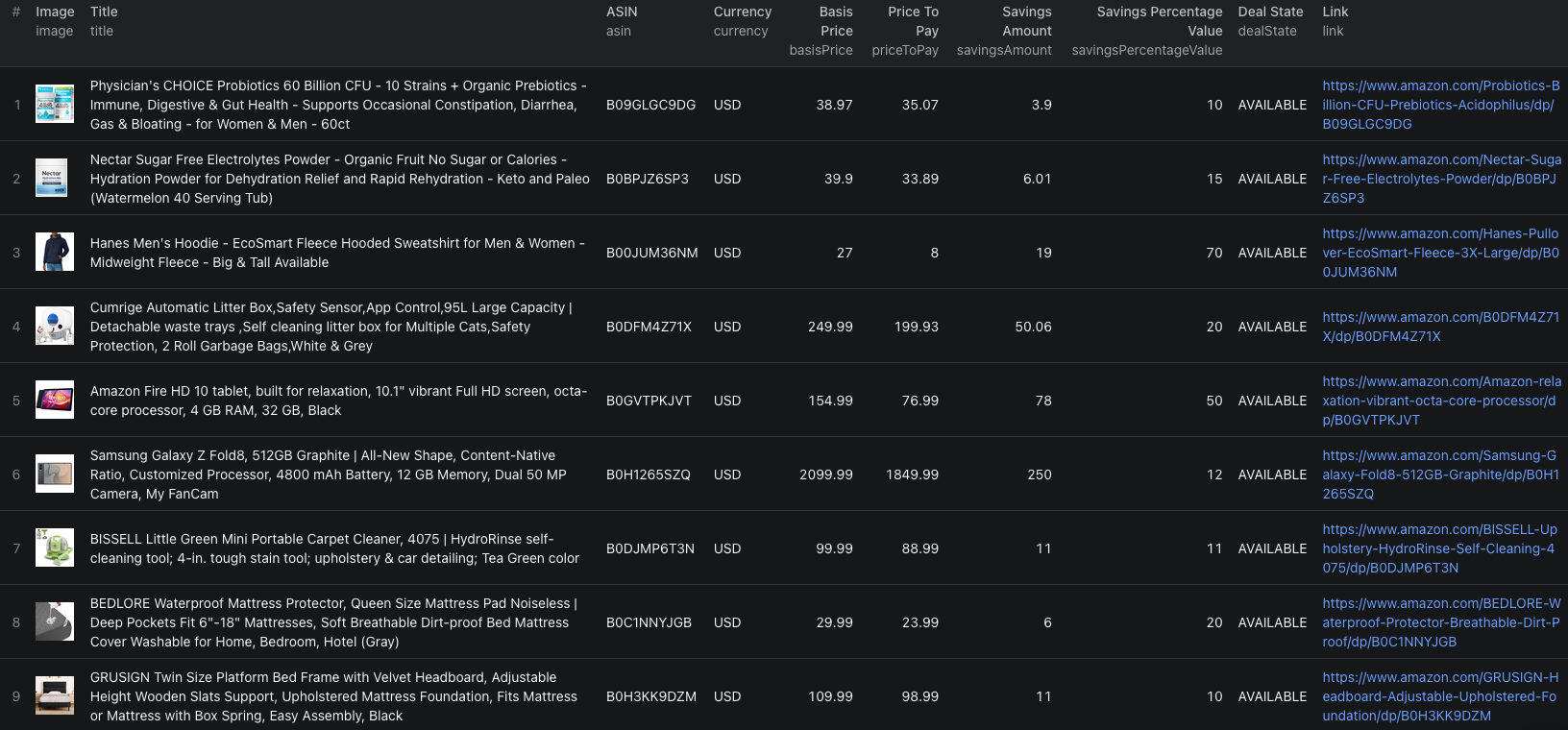
The record also carries image, the product photo URL. In the 30-row test run every product had both prices, and the discounts ranged from 10 percent to 70 percent, with seven at 30 percent or more.
Run it once
- Open the Actor page and click Try for free. A free Apify account is enough.
- In the Input tab, leave Amazon domain on
amazon.comand set Limit to30. - Click Start. The test run of 30 products took about five seconds.
- When the status turns to Succeeded, open the Output tab to see the table, or Storage to export.
If you prefer JSON, switch the input editor to JSON and paste:
{
  "domain": "amazon.com",
  "limit": 30
}
limit is the total number of unique products for the whole run, not a per-page value. The Actor reads the page 30 deals at a time and stops at your limit, or earlier if the page starts repeating items. The default is 120 and the maximum is 10,000. There is no guarantee the page holds that many distinct deals on a given day, so a run can end below a large limit without anything being wrong.
Build a daily deal watch
Export the dataset as CSV and keep asin, title, basisPrice, priceToPay, savingsPercentageValue, link, and the run date. Then:
- Filter by percent off. Sort on
savingsPercentageValueand keep rows at or above your threshold. In the test run a 30 percent cutoff kept 7 of 30 rows. - Mark new versus repeat deals. Run again tomorrow with the same input. Any
asinnot in yesterday's file is new. Anyasinpresent both days is a repeat, and a repeat whosepriceToPaymoved is worth a look. - Sanity-check the basis price. A 70 percent discount on a basic hoodie in the test run came from a high list price. Open the link before calling it a bargain.
To automate the snapshot, save the run as a Task in the Console and add a Schedule. A daily run at 120 products is enough for most watches.
If you would rather call the Actor from code, the Amazon Today's Deals Node.js example runs it with the same input and prints the dataset. Pair it with the e-commerce scraping guide when planning a broader price comparison.
Other Amazon sites
Pick the country in Amazon domain. Thirteen sites are supported: the US, UK, Germany, France, Italy, Spain, the Netherlands, Canada, Mexico, Brazil, Australia, Japan, and India. The Actor routes through a proxy in the matching country so Amazon serves local prices.
A five-product check on amazon.de returned prices in EUR as expected. Two things to know from that run: dealState came back null, and product titles were in English. Treat the state field as optional outside the US, and don't rely on titles being in the local language.
Pricing
As of September 12, 2026 the Actor charges $0.003 per product saved to the dataset. That is pay-per-event pricing, so the per-product fee is the charge for the run.
| Limit | Cost per run | Cost per month, daily |
|---|---|---|
| 30 | $0.09 | $2.70 |
| 120 (default) | $0.36 | $10.80 |
| 1,000 | $3.00 | $90.00 |
Check the live pricing page before scheduling, since the figure can change.
When something looks off
- The run failed with "No deals scraped". Amazon served a CAPTCHA page instead of deals. The Actor fails on purpose rather than reporting an empty success. Retry; if it fails repeatedly, the page may have changed and the Actor needs an update.
- Fewer rows than your limit. The page started repeating products, so the Actor stopped. That is the end of the day's list, not a truncation bug.
- A discount looks too good.
savingsPercentageValueis computed from Amazon's struck-through price. Amazon decides what that reference is. Compare against your own price history before trusting it. dealStateis empty. Some country sites do not expose it. The prices are still valid.
Frequently asked questions
Can I filter deals by category or keyword?
Not inside the Actor. It walks the Today's Deals page in Amazon's order and returns whatever appears. Filter by title, price, or percent off after export.
Is limit a total or a per-page setting?
A total. The Actor reads the page 30 deals at a time and stops once it has saved that many unique products, or once the page starts repeating.
Does the output include deal start and end times?
No. The current build returns prices, savings, title, link, image, ASIN, and a deal state where Amazon provides one. Timing fields are not available.