How to Scrape Threads Posts, Replies and Profiles (Step-by-Step Guide)

If you want to scrape Threads posts for brand monitoring, sentiment analysis, or creator research, this guide walks you through the process. You will learn how to pull a profile's full post history, its replies to other accounts, the top posts for any keyword, and any single post with its replies — all as structured data, with no account required.
Why Scrape Threads Data?
Threads is Meta's text-first social network, launched in 2023 and now one of the largest public conversation platforms in the world. It inherits Instagram's creator base and Meta's distribution, which means brands, journalists, founders and public figures post there daily — and the replies underneath carry the kind of unfiltered consumer opinion that used to live only on X.
For anyone doing social listening, that makes Threads a gap. The established monitoring tools were built around X and Reddit; most either do not cover Threads at all or cover it thinly. And Meta's own API is scoped to your own content, not the conversation around you.
Threads posts are short, timestamped, attributed and public. That is exactly the shape of data that sentiment analysis, trend tracking and brand monitoring need — as long as you can get it out at volume.
Teams scrape Threads for a range of purposes:
- Brand monitoring — every post and reply that mentions your product, in near real time
- Sentiment analysis — what people say about a launch, a competitor or a category, scored over time
- Creator and influencer research — a creator's full posting history, engagement rates and audience size before you approach them
- Competitor intelligence — what a rival's official account posts, how often, and what gets engagement
- Journalism and research — statements from public figures, archived and searchable
- AI training and RAG — a clean, dated, attributable corpus of short-form public opinion
Doing this by hand means scrolling a profile and copying posts one by one. That is the definition of an automation target.
What Data You Can Extract from Threads
Each post comes back as one structured record, and each profile as another.
| Field | Description | Example |
|---|---|---|
| type | Whether the item is a post or a profile | post |
| id / code / url | Post identifiers and direct link | DcULMjPEsV3 |
| text | Full post body | #photodump from this summer... |
| createdAt | Publish timestamp | 2026-08-21T20:16:22Z |
| author | Username, full name, verification and profile picture | mosseri / Adam Mosseri / true |
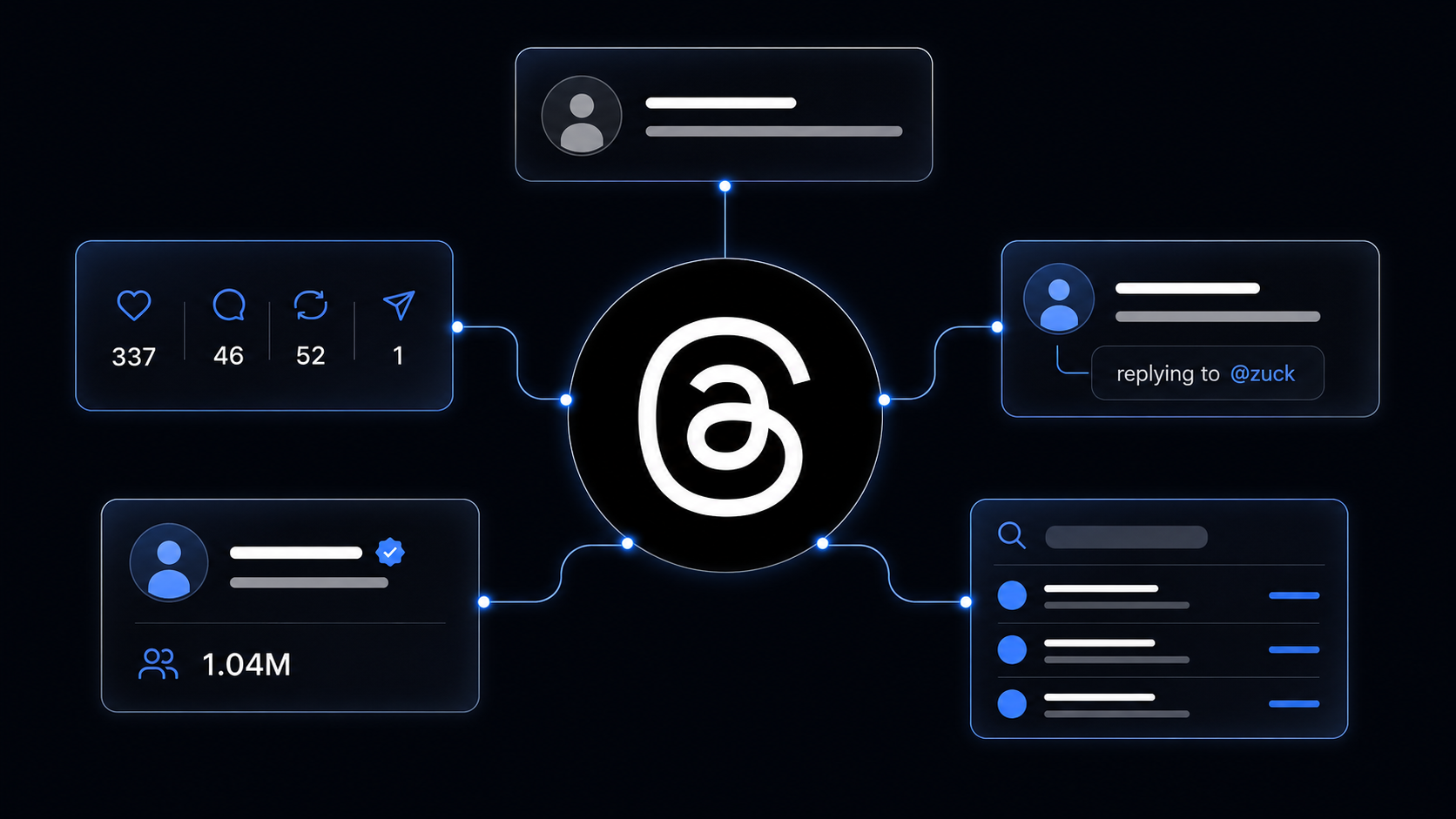
| likes / replies / reposts / quotes / reshares | All five engagement counts | 337 / 46 / 52 / 1 / 12 |
| views | View count, available for posts opened via a post URL | 184,201 |
| isReply / replyTo | Whether it is a reply, and the post it answers (username, text, URL) | true / @zuck: Spoiler alert... |
| images / videos | Direct media URLs, carousels included | https://scontent-sea5-1.cdninstagram.com/... |
| linkPreview / quotedPost / repostedPost | Attached link, quoted post or reposted post | null |
| isEdited / isPinned / isPaidPartnership | Content flags | false / false / false |
| source | The profile, query or post URL this item came from | https://www.threads.com/@mosseri |
Profile records add bio, bioLinks, followers, isVerified, isPrivate and profilePic.
Replies carry their context
A reply on its own is half a conversation. Every reply the scraper returns carries a replyTo object with the username, text and URL of the post it answers, so you can read the exchange without a second lookup — and group thousands of replies by the post that provoked them.
Every item knows where it came from
source records the profile, keyword or post URL that surfaced each item. Run twenty profiles and five keywords in one job and the output still splits cleanly by target.
Common Use Cases for Threads Data
Brand Monitoring
Put your brand name, product names and common misspellings in searchQueries and run the scraper every few hours with postedAfter set to yesterday. Each run returns only new posts mentioning you. Route anything with high reply counts or negative language to Slack and you have a monitoring desk for the cost of a coffee.
Sentiment Analysis
Pull every post mentioning a category term over a launch window, score text with a sentiment model, and plot it against createdAt. Weight by likes and reposts to separate what one angry person said from what a thousand people agreed with.
Creator and Influencer Research
Give the scraper a creator's handle with a high maxPosts and you get their entire history: posting cadence, engagement per post, how often they run isPaidPartnership content, and their followers count from the profile record. Engagement rate is a division you can now do yourself instead of trusting a media kit. Pair this with Collabstr influencer pricing for the commercial side.
Competitor Intelligence
Monitor competitors' official accounts and their executives. What they announce, what they reply to, which posts they pin and which they edit — all of it is public and all of it is signal. Cross-reference with LinkedIn company data for the corporate view of the same organisations.
Conversation Mining
Give the scraper a post URL and it returns the post with its view count and its top replies. For a viral post about your industry, that reply thread is a focus group that already happened.
AI Pipelines and RAG
Short, dated, attributed public text is ideal LLM input. Embed text, keep url, author.username and createdAt as metadata, and you have a queryable index of public opinion with a citation for every answer.
Challenges of Doing This Manually
Before the tutorial, it is worth being clear about why this is awkward to build in-house:
- Threads is a JavaScript application — the HTML you fetch does not contain the posts; they arrive through internal GraphQL endpoints with rotating document IDs and required headers
- Pagination is cursor-based and undocumented — walking back through a profile's history means chaining cursors correctly across many requests
- Replies, search and threads use different queries — each surface has its own endpoint shape and its own response structure to parse
- Rate limits — Meta caps how much one IP can read, so any real volume needs proxy rotation
- Media URLs expire — Threads' CDN links are signed and stop working after a few days, so a pipeline needs to download what it wants to keep
- Personal data obligations — post authors are individuals; a compliant pipeline needs minimization and deletion handling from day one
- Maintenance — Meta changes its internal APIs frequently, and each change breaks an unmaintained scraper
For most teams, a maintained actor is more practical than owning that stack.
Step-by-Step: How to Scrape Threads Posts
Here is how to do it using the Threads Posts Scraper on Apify.
Step 1 — Choose Your Input
The scraper takes three kinds of input, and you can mix them in one run:
- Usernames —
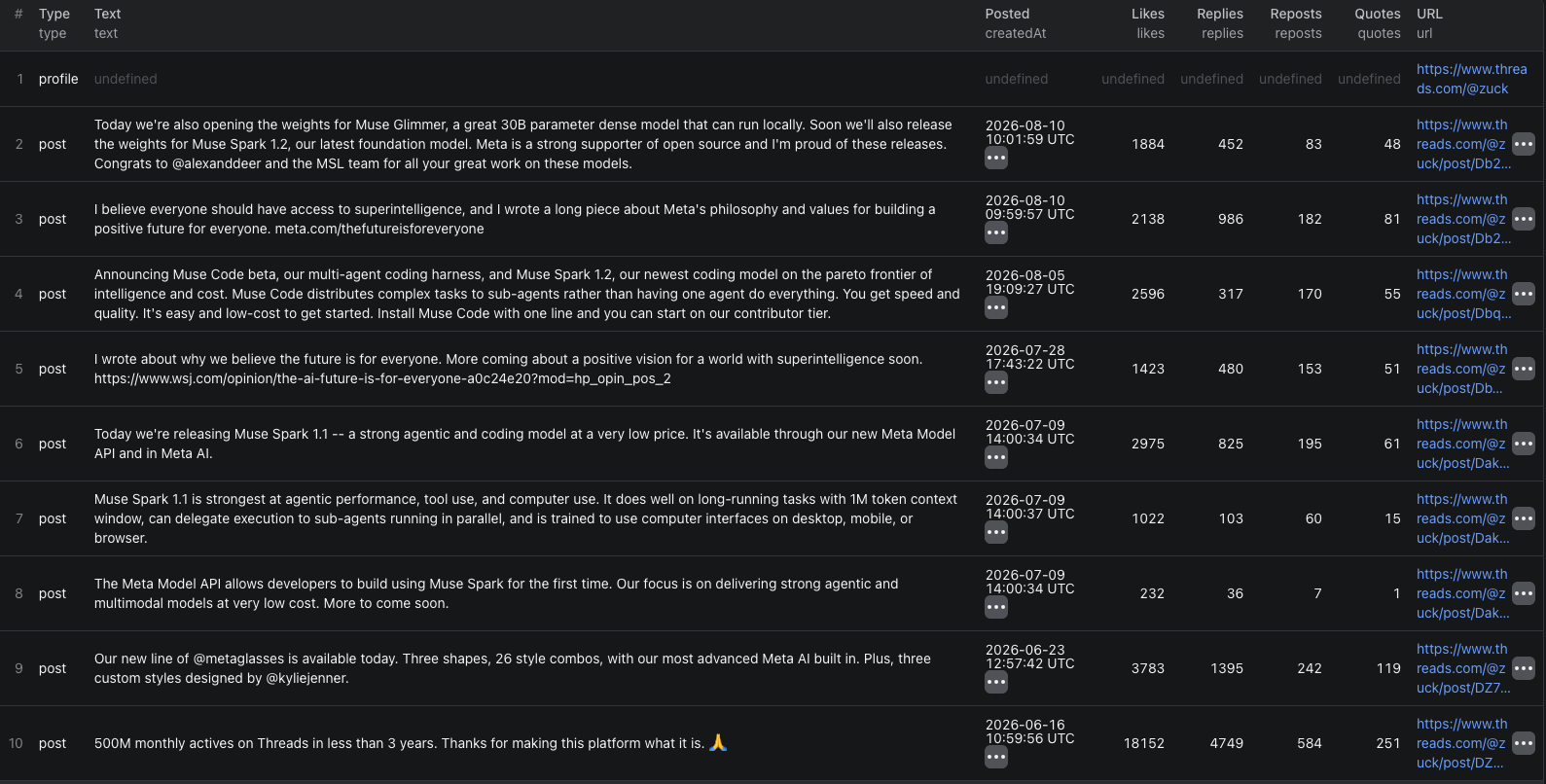
zuck,@nba, or a profile URL. Returns the profile record plus its posts, newest first, and optionally its replies - Search queries — keywords to search. Returns the top posts Threads shows visitors for each, combining the default and recent result sets
- Post URLs —
https://www.threads.com/@zuck/post/...links. Returns the post with its view count and its top replies
Usernames are the right choice for monitoring accounts and building histories. Search queries are the right choice for brand mentions. Post URLs are the right choice for reading a specific conversation.
Step 2 — Configure the Run
Head to the Threads Posts Scraper and set your options:
- Add handles to
usernames, keywords tosearchQueriesand/or links topostUrls - Set
maxPoststo cap results per profile, query or post URL (default50) — this is your cost control - Turn on
includeRepliesif you also want each profile's replies to other people's posts - Set
postedAfterto aYYYY-MM-DDdate so scheduled runs only fetch what is new - Leave the default proxy — residential proxies are not needed
Example input for monitoring a few accounts:
{
"usernames": ["zuck", "@mosseri"],
"includeReplies": true,
"maxPosts": 50,
"postedAfter": "2026-08-01"
}
And for brand monitoring by keyword plus one specific conversation:
{
"searchQueries": ["Threads API", "Meta AI glasses"],
"postUrls": ["https://www.threads.com/@zuck/post/DK-BydcJHkF"],
"maxPosts": 30
}
Step 3 — Run the Scraper
Once started, the actor will:
- Resolve each username into its profile record and page through its posts, newest first
- Collect the profile's replies too, when enabled, each with the post it answers
- Run each keyword search and merge the default and recent result sets
- Open each post URL and collect the post, its view count and its top replies
- Extract text, engagement counts, media URLs, link previews, quoted and reposted posts and content flags
- Stop at
maxPostsper target and atpostedAfterwhen set - Finish in seconds — there is no browser involved, so hundreds of posts arrive per minute
Step 4 — Export Your Results
- JSON — the right choice here, since
author,replyTo,imagesandvideosare nested - CSV / Excel — fine if you only need flat text and engagement counts
- API — pull results programmatically via the Apify API
- Integrations — push straight to Google Sheets, Make, Zapier, or Slack
Ready to try it? Run the Threads Posts Scraper on Apify and get your first results in minutes.
Example Output (Real Data Preview)

Here is a real post record:
{
"type": "post",
"id": "3968846412599444855",
"code": "DcULMjPEsV3",
"url": "https://www.threads.com/@mosseri/post/DcULMjPEsV3",
"text": "#photodump from this summer now that we're back in California and the boys are back in school",
"createdAt": "2026-08-21T20:16:22.000Z",
"author": {
"id": "63482099442",
"username": "mosseri",
"fullName": "Adam Mosseri",
"isVerified": true,
"profilePic": "https://scontent-sea5-1.cdninstagram.com/v/t51.82787-19/652081753_….jpg"
},
"likes": 337,
"replies": 46,
"reposts": 52,
"quotes": 1,
"reshares": 12,
"views": null,
"isReply": false,
"replyTo": null,
"images": ["https://scontent-sea5-1.cdninstagram.com/v/t51.82787-15/780551048_….jpg", "…"],
"videos": ["https://scontent-sea1-1.cdninstagram.com/o1/v/t16/f2/m84/AQPpNIQVzGWmMI3Vek….mp4"],
"linkPreview": null,
"quotedPost": null,
"repostedPost": null,
"isEdited": false,
"isPaidPartnership": false,
"isPinned": false,
"scrapedAt": "2026-08-27T12:38:48.187Z",
"source": "https://www.threads.com/@mosseri"
}
And a reply, from a post thread — replyTo carries the post being answered:
{
"type": "post",
"id": "3657413245254485711",
"code": "DLBvfgAM8bP",
"url": "https://www.threads.com/@_elan_/post/DLBvfgAM8bP",
"text": "Spoiler alert: this was actually awesome",
"createdAt": "2025-06-18T03:34:16.000Z",
"author": { "id": "63451933679", "username": "_elan_", "fullName": "ELÁN", "isVerified": true },
"likes": 346,
"replies": 0,
"reposts": 2,
"quotes": 0,
"reshares": 3,
"isReply": true,
"replyTo": {
"code": "DK-BydcJHkF",
"url": "https://www.threads.com/@zuck/post/DK-BydcJHkF",
"username": "zuck",
"text": "Spoiler alert: We're testing a way for you to hide spoilers in your Threads posts."
},
"images": [],
"videos": [],
"scrapedAt": "2026-08-27T12:38:49.447Z",
"source": "https://www.threads.com/@zuck/post/DK-BydcJHkF"
}
Key things to notice:
- Five engagement counts, not one —
reposts,quotesandresharesare distinct signals. A post with high quotes and low likes is being argued with; high reposts and low replies is being endorsed viewsis null on profile posts — Threads only exposes view counts on an opened post. If you need views, pass the post URL inpostUrlsreplyTomakes replies self-contained — you can read the exchange, and group replies by the post they answer, without a second request- Media URLs expire — the
imagesandvideoslinks are signed CDN URLs that stop working after a few days. Download anything you intend to keep isPaidPartnershipis a disclosure flag — count it across a creator's history and you know how much of their feed is sponsored before you approach themsourcesplits multi-target runs — one job over twenty profiles and five keywords still separates cleanly into per-target datasets
Try the Threads Posts Scraper now — no coding required.
Automating Threads Data Collection
Scheduled Runs
Threads moves fast, so the useful cadence is hours, not weeks. Schedule the actor with a fixed list of accounts and keywords and set postedAfter to the previous run's date. Each run returns only what is new, keeps the cost proportional to the actual activity, and builds a complete archive over time — including replies that later get deleted.
Deduplicate on id and you will never store or pay for the same post twice.
API Integration
Use the Apify API to trigger runs and collect results programmatically:
- Push new posts into a sentiment model and a dashboard
- Alert Slack when a post mentioning your brand crosses a reply threshold
- Append creator metrics to a spreadsheet for influencer vetting
- Embed post text into a vector database for semantic search
Node.js Example
For a complete working example showing how to call this actor from Node.js — including per-creator engagement rates and grouping posts by source — see the GitHub repository.
Webhooks
Fire a webhook on run completion so scoring, alerting and archiving kick off the moment new posts land.
Using Threads Data for Business Intelligence
Share of Voice
Search for your brand and each competitor over the same window and compare post counts weighted by likes and reposts. Repeat weekly. Share of voice on Threads is a leading indicator for share of voice in press, because journalists are reading it.
Engagement Rate Benchmarks
Join a creator's posts against their profile's followers count and compute likes per follower, replies per follower and reposts per follower. Do this for fifty creators in a niche and you have a benchmark that no media kit will give you honestly.
Narrative Tracking
Tokenize post text by week and track which terms are rising around your category. When a phrase starts appearing in replies before it appears in posts, you are watching a narrative form from the bottom up.
Reply Analysis
Pull the reply threads under a competitor's announcement posts. The questions people ask and the objections they raise are a free roadmap of what that competitor's customers actually want — and what yours might.
Sponsored Content Mapping
Filter by isPaidPartnership across many creators and you can see which brands are active in a niche, how often, and with whom. That is a competitor's influencer strategy, reconstructed from public disclosures.
Does Threads Provide an API?
Partially, and not for this. Meta's Threads API is built for publishing: an authenticated user can post, read their own posts and replies, and fetch their own insights. There is a keyword search endpoint, but it is rate-limited, scoped and excludes a large share of results.
What's Available
- Publishing and reading your own posts, replies and insights, after app review
- A limited keyword search with per-app quotas and filtered results
- No endpoint for another account's full post history
- No follower counts or engagement data for accounts you do not own
- No bulk export of replies under a post
What That Means
For monitoring, research and competitive analysis, the official API does not return the data you need. Everything the actor reads is rendered publicly for any logged-out visitor: the posts, the profiles, the engagement counts and the replies.
The Threads Posts Scraper reads that public surface and returns it as structured records, with replies attached to what they answer and every item tagged with its source.
Pricing — Pay Only for Results
The actor uses Apify's Pay-Per-Event pricing model, so you pay for what you actually get back.
| Event | When it's charged | Price |
|---|---|---|
Actor start | Once per run | $0.00005 |
post | Per post returned — profile post, reply, search result or post-thread reply | $0.0035 |
profile | Per profile record — bio, links, follower count, verification | $0.005 |
Quick cost estimates:
- 1,000 posts → $3.50
- Monitoring 20 profiles at 50 posts each → about $3.60 per run (1,000 posts + 20 profiles)
- A brand-mention check over 5 keywords, ~30 results each, run every 6 hours → roughly $2.10 per day
- A creator's full 2,000-post history → $7.00
Two things keep the bill honest: maxPosts caps every target, and postedAfter means scheduled runs pay only for what is new. New Apify accounts include free monthly usage credits, so you can validate the output before spending anything.
Try the Threads Posts Scraper
The Threads Posts Scraper turns Meta's text-first network into structured data — profile posts with no depth limit, replies with the post they answer, keyword search results, post threads with view counts, and profile records with follower counts and bio links. No login, no browser, and a first run finishes in seconds.
Tracking the same conversations elsewhere? See how to scrape X (Twitter) video transcripts and Weibo posts and profiles, or work through the news and social media scraping guide for the wider picture.
Legal and Ethical Considerations
Social posts are people's words, so this dataset warrants more care than a product feed. Read this before building a pipeline.
- Public data only — the actor reads what any logged-out visitor can see. No login, no cookies, and private profiles return only their public profile record
- Posts are personal data — a named individual's posts, attached to their handle and profile, are personal data under GDPR, UK GDPR, CCPA and similar regimes. You need a lawful basis to collect and process them
- Purpose matters — analyzing public sentiment about a product is ordinary market research; building profiles of individuals attracts obligations you probably do not want
- Collect only what you need — if you are tracking share of voice, you may not need author names at all. Aggregate analysis carries far less risk than a personal-data archive and usually answers the question just as well
- Build deletion in from day one — if someone deletes a post or asks to be removed from your dataset, you need to be able to honour it. Retrofitting that is painful
- Respect the platform's terms — you are responsible for using the data in compliance with Meta's Terms of Service and applicable law
- Do not republish wholesale — analysis, search and summarization are fair uses of your own copy; reposting people's content as your own is not
Public conversation is fair to study. The people having it still have rights over how you process their identity. Treating those two things differently is the whole of doing this responsibly.
Frequently Asked Questions
Is scraping Threads legal?
Scraping publicly available data from Threads is generally legal. Public posts, profiles and engagement counts are visible to anyone without an account. Post authors are identifiable people, though, so usernames and post content are personal data under GDPR and similar regimes — you need a lawful basis to process them, and you remain responsible for complying with Meta's Terms of Service.
Do I need a Threads account or login to scrape it?
No. The Threads Posts Scraper reads only what a logged-out visitor can see, so there is no login, no cookies and nothing to configure. That also means private profiles return only the profile record, not their posts.
Can I get a profile's full post history?
Yes. Profile posts and replies have no depth limit — set Max posts high enough and the scraper pages all the way back to the account's first post. Keyword search and post threads are different: Threads shows visitors only its top 20–30 posts per keyword and top 20 or so replies per post, and the scraper returns exactly what a visitor sees.
What data does the Threads Posts Scraper return?
Posts come back with text, timestamp, author, likes, replies, reposts, quotes, reshares, image and video URLs, link previews, quoted or reposted posts, and pinned, edited and paid-partnership flags. Profiles come back with bio, bio links, follower count, verification and private status. Every item carries a source field naming the profile, query or post URL it came from.
Does Threads have a public API?
Meta's Threads API lets an authenticated user publish and read their own posts and replies, plus a limited keyword search that excludes many results. It does not return another account's full post history, follower count or engagement data, which is exactly what monitoring and research need. Scraping the public site is the practical route.
How much does the Threads Posts Scraper cost?
The actor uses Pay-Per-Event pricing: $0.0035 per post and $0.005 per profile, with no fee per run beyond a negligible actor start. Replies, search results and post-thread replies are all posts. 1,000 posts cost $3.50, and monitoring 20 profiles at 50 posts each costs about $3.60 per run.
About the Author
This guide was written by Piotr, a software engineer with hands-on experience building and maintaining web scrapers at scale. He develops and maintains a suite of data extraction tools on the Apify platform, helping businesses automate their data collection workflows.
Want this data without writing code?
Every scraper on this site runs on Apify with free starter credits — or get it straight into a spreadsheet with the Google Sheets add-on.