How to Scrape Yelp Business Listings (Step-by-Step Guide)

If you want to scrape Yelp business listings for lead generation, market research, or competitive analysis, this guide walks you through the entire process. You will learn what data you can extract from Yelp, how to automate the collection across any business category and location, and how to turn raw listing data into actionable business intelligence.
Why Scrape Yelp Data?
Yelp is one of the largest and most trusted local business directories in the world, with hundreds of millions of reviews across restaurants, home services, healthcare, retail, and nearly every other local business category. For anyone who needs structured data about local businesses — their ratings, review volume, categories, and contact details — Yelp is an unmatched source.
The platform contains rich, structured information on millions of businesses: star ratings, review counts, price ranges, category tags, neighborhoods, and contact details. Compiling this manually for even a single city and category would take days. Automation makes it possible to collect meaningful datasets in minutes.
Businesses and researchers scrape Yelp data for several reasons:
- Lead generation — build targeted lists of businesses in specific categories and cities for sales outreach, complete with phone numbers and websites
- Competitor analysis — identify competing businesses in your market, their ratings, review counts, and price positioning
- Market research — understand the density, quality, and distribution of businesses across a city or category
- Reputation benchmarking — compare your star rating and review volume against competitors in the same area
- Directory enrichment — augment your own business database with verified categories, ratings, and contact information
- Local SEO and listings audits — track how businesses appear and rank for specific search terms in target locations
Manually copying Yelp listings is impractical for any serious dataset. A search for plumbers in a large city returns hundreds of results across many pages. Automation is the only realistic path to collecting meaningful data at scale.
What Data You Can Extract from Yelp
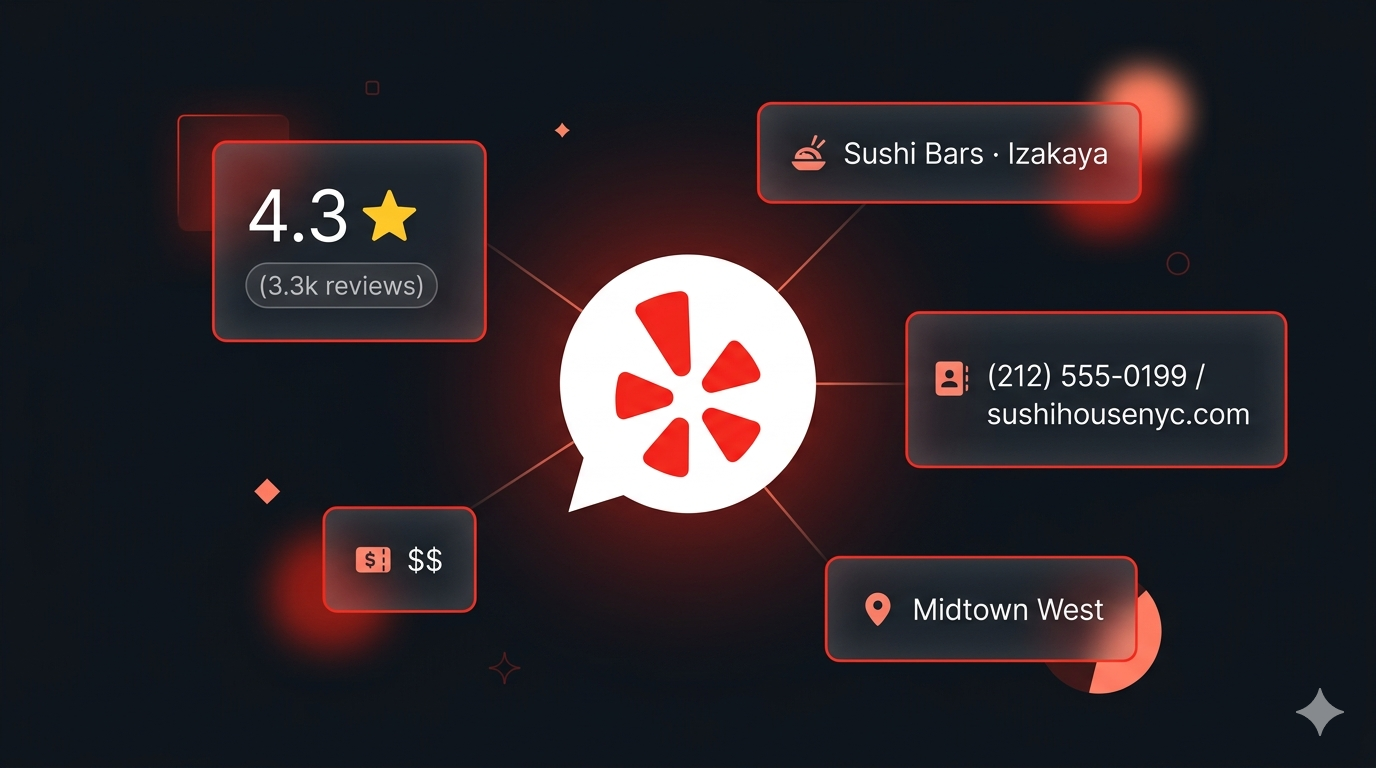
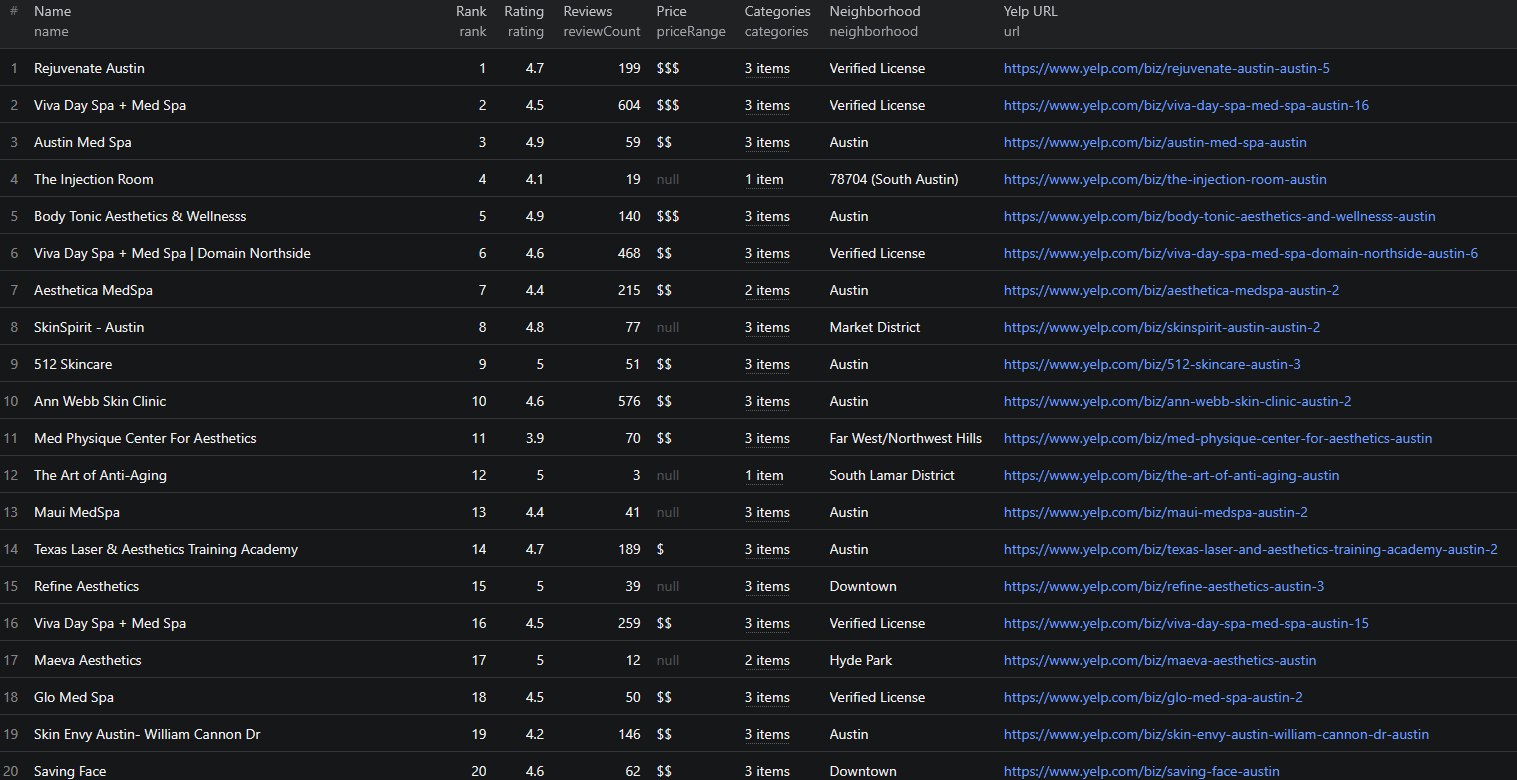
The Yelp Business Scraper extracts richly structured data from Yelp search results. Here are the key fields you can collect:
| Field | Description | Example |
|---|---|---|
| Name | Business name as listed on Yelp | Izakaya MEW |
| Alias | Yelp URL slug for the business | izakaya-mew-new-york-3 |
| URL | Direct link to the Yelp business page | yelp.com/biz/izakaya-mew-new-york-3 |
| Rank | Position in the search results | 1 |
| Rating | Average star rating on Yelp | 4.3 |
| Review count | Total number of user reviews | 3300 |
| Price range | Yelp price tier ($ to $$$$) | $$ |
| Categories | Business category tags | Tapas Bars, Sushi Bars, Izakaya |
| Neighborhood | Neighborhood or area within the city | Midtown West |
| Review snippet | Excerpt from a featured review | "Presentation was amazing..." |
| Thumbnail | Listing photo URL | s3-media0.fl.yelpcdn.com/... |
| Phone | Business phone number (full details only) | (646) 368-9384 |
| Address | Full street address (full details only) | 53 W 35th St, New York, NY 10001 |
| Website | Business website (full details only) | mewnyc.com |
| Scraped at | Timestamp when the record was collected | 2026-06-13T16:22:36.997Z |
The contact fields — phone number, full address, and website — are especially valuable for lead generation. They are collected when you enable full business details, turning a list of search results into a ready-to-use prospect list.
Common Use Cases for Yelp Data
Lead Generation for B2B Sales
Yelp is one of the most reliable sources of local business contact data. A sales team targeting restaurants, contractors, dentists, or retail shops in a specific city can use scraped Yelp data to build a targeted prospect list in minutes — complete with business name, category, phone number, address, and website.
Filter by category and location to narrow leads to exactly the segment you are targeting. The rating and review count fields help you qualify leads by activity level — businesses with many reviews are actively operating and more likely to be reachable.
Competitor Mapping and Market Analysis
If you operate a local business, scraping your competitive landscape is a powerful way to understand what you are up against. Extract all businesses in your category within a city, compare ratings and review counts to benchmark your own performance, and see how competitors position themselves on price.
Identify which neighborhoods have high competitor density versus underserved areas where there is room to expand. The price range field shows how the market segments between budget and premium positioning.
Reputation Benchmarking
Star ratings and review volume are the two metrics customers use most when choosing a local business. Scrape your category in your city and you instantly see where you stand: how your rating compares to the local average, and whether competitors have more review momentum than you do.
Tracking this over time — by re-running the scraper on a schedule — turns a one-off snapshot into an ongoing competitive monitoring system.
Directory Enrichment and Data Cleansing
If you maintain a database of local businesses, Yelp is an excellent enrichment source. Validate and update categories, append ratings and review counts, and enrich existing records with phone numbers, addresses, and websites collected via full business details.
Market Research and Site Selection
Before opening a new location, understanding the commercial landscape in an area is essential. Yelp data lets you analyze the density and mix of businesses in any neighborhood, assess the quality of existing competitors, and identify gaps where demand may be underserved.
Challenges of Extracting Yelp Data Manually
Before jumping into the tutorial, it is worth understanding why automation is necessary:
- Volume — a single category in a major city can return hundreds of business listings across many pages of search results
- Pagination — Yelp search results paginate, and clicking through them manually to collect complete data is extremely time-consuming
- Contact details — phone numbers, addresses, and websites live on each individual business page, requiring a separate visit per business to collect them
- Anti-bot protection — Yelp actively protects against automated access, so naive scraping scripts get blocked quickly
- Data freshness — business ratings, review counts, and listings change constantly. Any manual collection is stale within days
A maintained scraper handles all of this automatically, letting you focus on analyzing the data instead of collecting it.
Step-by-Step: How to Scrape Yelp Business Listings
Here is how to scrape Yelp data using the Yelp Business Scraper on Apify.
Step 1 — Decide What You Want to Scrape
Yelp searches are driven by two simple inputs: a search term and a location. Think about the business category you want and where you want to find it. For example:
- Sushi in
New York, NY - Plumber in
San Francisco, CA - Coffee in
Seattle, WA - Dentist in
Austin, TX
Any search that works on Yelp's website works here — the location can be a city, neighborhood, or address.
Step 2 — Configure the Scraper Input
Head to the Yelp Business Scraper on Apify and configure your run:
- Enter a search term — the type of business you want (e.g.
Plumber) - Enter a location — a city, neighborhood, or address (e.g.
San Francisco, CA) - (Optional) Enable Scrape full business details to also collect phone, address, and website for each business
- Set Max businesses to limit the total number of results to collect (set to
0for no limit) - Click Start to begin the extraction
Here is an example input configuration:
{
"search": "Sushi",
"location": "New York, NY",
"scrapeDetails": false,
"maxItems": 50
}
The scraper handles pagination automatically — you do not need to manually navigate through result pages.
Step 3 — Run the Scraper
Once started, the scraper will:
- Run your search on Yelp for the term and location you provided
- Extract all business listings visible on the results page
- Automatically paginate through additional result pages up to your configured limit
- Parse structured data for each listing including name, rating, review count, price range, categories, and neighborhood
- (If enabled) follow each business to its Yelp page to collect phone, full address, and website
- Store all results in a clean, structured dataset
The scraper is built to handle Yelp's anti-bot protection, so your runs just work without manual intervention.
Step 4 — Export Your Results
Once the scraper finishes, export your results in your preferred format:
- JSON — ideal for developers building data pipelines, CRMs, or analytics integrations
- CSV — perfect for analysis in Excel or Google Sheets, or importing into a database
- API — access results programmatically via the Apify API for automated downstream workflows
Ready to try it? Run the Yelp Business Scraper on Apify and get your first dataset in minutes.
Example Output (Real Data Preview)

Here is what the actual output looks like from the Yelp Business Scraper, with full business details enabled. Each business listing returns a structured JSON object:
{
"name": "Izakaya MEW",
"alias": "izakaya-mew-new-york-3",
"url": "https://www.yelp.com/biz/izakaya-mew-new-york-3",
"rank": 1,
"rating": 4.3,
"reviewCount": 3300,
"reviewCountText": "(3.3k reviews)",
"priceRange": "$$",
"categories": ["Tapas Bars", "Sushi Bars", "Izakaya"],
"neighborhood": "Midtown West",
"reviewSnippet": "\"Presentation was amazing. Yummy and fresh sushi...\"",
"thumbnail": "https://s3-media0.fl.yelpcdn.com/bphoto/Y3DtWTTXQ4MhbTEFU3DKLw/ls.jpg",
"phone": "(646) 368-9384",
"address": "53 W 35th St, New York, NY 10001",
"website": "mewnyc.com",
"scrapedAt": "2026-06-13T16:22:36.997Z"
}
Key things to notice:
- Rating and review count — combined, these give you a signal of both quality and activity level. A business with 4.3 stars across 3,300 reviews is very different from one with 4.3 across 30 reviews
- Price range — the
priceRangefield shows where a business sits between budget and premium, useful for market segmentation - Categories — multiple category tags per business let you filter and segment with precision
- Neighborhood — area-level data lets you analyze listing density and characteristics by neighborhood, not just by city
- Contact details — with full business details enabled, each record includes a phone number, full street address, and website, turning search results into a ready-to-use lead list
- Rank — the position in the search results, useful for tracking visibility and local ranking
Without full business details, every field above is returned except phone, address, and website.
This structured format is ready to import into any database, analytics tool, or CRM without additional parsing.
Try the Yelp Business Scraper now — no coding required.
Pricing
The Yelp Business Scraper uses a pay-per-result model, so you only pay for the data you collect:
- $2.00 per 1,000 businesses for standard search results
- $5.00 per 1,000 businesses when full business details (phone, address, website) are enabled
There are no monthly platform fees — you pay only for what you scrape. Use the Max businesses parameter to keep tight control over scope and cost on every run.
Automating Yelp Data Collection
For ongoing lead generation, competitor monitoring, or reputation benchmarking, you do not want to run the scraper manually each time. The Apify platform supports full automation:
Scheduled Runs
Set up recurring scrapes on any schedule — daily, weekly, or monthly. The scraper runs automatically and stores results in a persistent dataset you can access at any time. Weekly runs work well for most lead generation and competitive monitoring use cases, while daily runs suit fast-changing categories like restaurants.
API Integration
Use the Apify API to trigger scraper runs programmatically and retrieve results. This lets you integrate Yelp data into your existing workflows:
- Feed new business listings into your CRM automatically
- Trigger alerts when businesses matching your criteria appear in a target location
- Build dashboards that update with fresh business data across multiple cities
- Connect to tools like Zapier, Make, or custom data pipelines
Node.js Example
For a complete working example showing how to call this scraper from Node.js, see the GitHub repository.
Webhooks
Configure webhooks to get notified when a scraper run completes. This is useful for event-driven architectures where you want to process new business data immediately rather than polling on a schedule.
Tips for Getting the Most Out of Yelp Data
Choosing Effective Search Terms
The quality of your Yelp data starts with the search term. Be as specific as your use case requires — Italian Restaurant returns a different segment than the broader Restaurant. Run several targeted searches to build a complete picture of a category.
Running Multiple Searches
To build a broad dataset, run the scraper across several combinations of search term and location:
- Multiple categories in the same city (e.g. plumbers, electricians, HVAC in San Francisco)
- The same category across multiple cities (e.g. dentists in Austin, Dallas, and Houston)
Results from each run are stored in your dataset and can be combined for a unified view.
Enabling Full Details Selectively
Full business details cost more per result because the scraper visits each business page individually. Enable them when you specifically need contact data for outreach, and leave them off for pure market research where ratings and categories are enough — this keeps your costs down.
Filtering by Rating and Review Count
The raw scraped data includes rating and reviewCount for every listing. After export, filter in your analytics tool to focus on:
- High-quality businesses (rating ≥ 4.0) for premium outreach
- Active businesses (high review count) to focus on established operations
- Newer or lower-volume businesses that may be more open to new vendor relationships
These filters help you build lead lists that match your exact qualification criteria.
Does Yelp Offer an API?
Yelp does have a developer API — the Fusion API — but it comes with significant limitations for bulk data extraction:
Restricted Data Access
The Fusion API requires approval and imposes strict rules on how the returned data can be stored and displayed. It is designed for embedding Yelp content into apps, not for bulk extraction of business listings into your own database.
Usage Restrictions
The API enforces strict daily call limits and caps on results per query. Building a sizeable dataset across many categories and cities quickly runs into these limits.
The Practical Alternative
For most teams that need structured Yelp business data at scale, a web scraper is the practical solution. The Yelp Business Scraper extracts the same information visible to anyone visiting the Yelp website — without requiring API approval, usage agreements, or custom infrastructure.
Why Use a Pre-Built Yelp Scraper Instead of Building One
Building a custom Yelp scraper is more involved than it looks:
- Anti-bot protection — Yelp actively detects and blocks automated access, requiring proxy rotation and careful request handling to scrape reliably
- Pagination complexity — collecting complete results for a category means navigating through many pages of search results without missing listings
- Detail-page crawling — contact details live on individual business pages, so collecting them at scale requires a second crawling layer with its own rate management
- Maintenance overhead — Yelp updates its frontend regularly. Every update can break a custom scraper, requiring immediate fixes to keep your data pipeline running
- Infrastructure costs — scaling to thousands of listings per run requires proxy management, distributed request handling, and retry logic that adds up fast to build and maintain
Using a maintained, pre-built solution means you spend time analyzing Yelp data instead of maintaining the infrastructure to collect it.
Try the Yelp Business Scraper
The Yelp Business Scraper extracts structured business data from Yelp across any category and location — names, ratings, review counts, price ranges, categories, neighborhoods, and optional contact details.
What you get:
- Structured JSON or CSV output ready for analysis
- All key business fields including name, rating, review count, price range, categories, and neighborhood
- Optional contact details — phone number, full address, and website — for lead generation
- Simple search-and-location input — no URLs or complex configuration required
- Automatic pagination across result pages
- Configurable limit with Max businesses to control scope and cost
- Built to handle Yelp's anti-bot protection so your runs just work
- Pay-per-result pricing with no monthly fees
- Scheduled runs for ongoing monitoring and lead generation
- API access for integration into your workflows
- No coding or scraper maintenance required
Start scraping Yelp now — your first run takes less than 5 minutes to set up.
If you are building a broader local business intelligence pipeline, combine Yelp data with 2GIS business listings for international coverage, or with Google Maps leads to cross-reference and enrich your prospect lists.
Legal and Ethical Considerations
Web scraping occupies a well-established legal space, but responsible practice matters:
- Public data only — the Yelp Business Scraper extracts publicly visible business listings that anyone can view by visiting Yelp. No login or authentication is required
- Respect rate limits — the scraper is designed to make requests at a reasonable pace to avoid overloading Yelp's servers
- Privacy compliance — business listing data is commercial and public in nature, but if your use case involves processing personal data, ensure compliance with applicable regulations including GDPR for EU-connected operations
- Responsible use — use collected data for legitimate business purposes such as lead generation, market research, and competitive analysis, in compliance with Yelp's terms
Frequently Asked Questions
Is scraping Yelp business listings legal?
Scraping publicly available business listings from Yelp is generally legal. All listing data is visible to any visitor without logging in. You should use the data responsibly, comply with applicable data privacy laws, and respect Yelp's terms of service when using the data.
Can I scrape contact details like phone numbers from Yelp?
Yes. Enable the Scrape full business details option and the scraper follows each business to its Yelp page to additionally collect the phone number, full street address, and website — ideal for building lead lists.
Does Yelp offer an official API?
Yelp does offer the Fusion API, but it has strict rate limits, requires approval, and restricts how the data can be stored and displayed. For bulk extraction of business listings with contact details, a scraper is the practical alternative.
How many businesses can I scrape per search?
As many as Yelp returns for that search. The scraper paginates automatically across result pages. Use the Max businesses parameter to cap the total number of results collected per run.
What locations can I search?
Any city, neighborhood, or address that works on Yelp's website works in the scraper too. Just enter a search term and a location — for example, Plumber in San Francisco, CA.
What does it cost to scrape Yelp?
The scraper uses a pay-per-result model: $2.00 per 1,000 businesses for standard search results, or $5.00 per 1,000 businesses when full business details (phone, address, website) are enabled. There are no monthly platform fees.
About the Author
This guide was written by Piotr, a software engineer with hands-on experience building and maintaining web scrapers at scale. He develops and maintains a suite of data extraction tools on the Apify platform, helping businesses automate their data collection workflows.
Need help with your scraping project?
Book a free discovery call and let's scope your project together.
Book a Call