How to Search Mercari Japan by Image and Price Items From Sold Comps
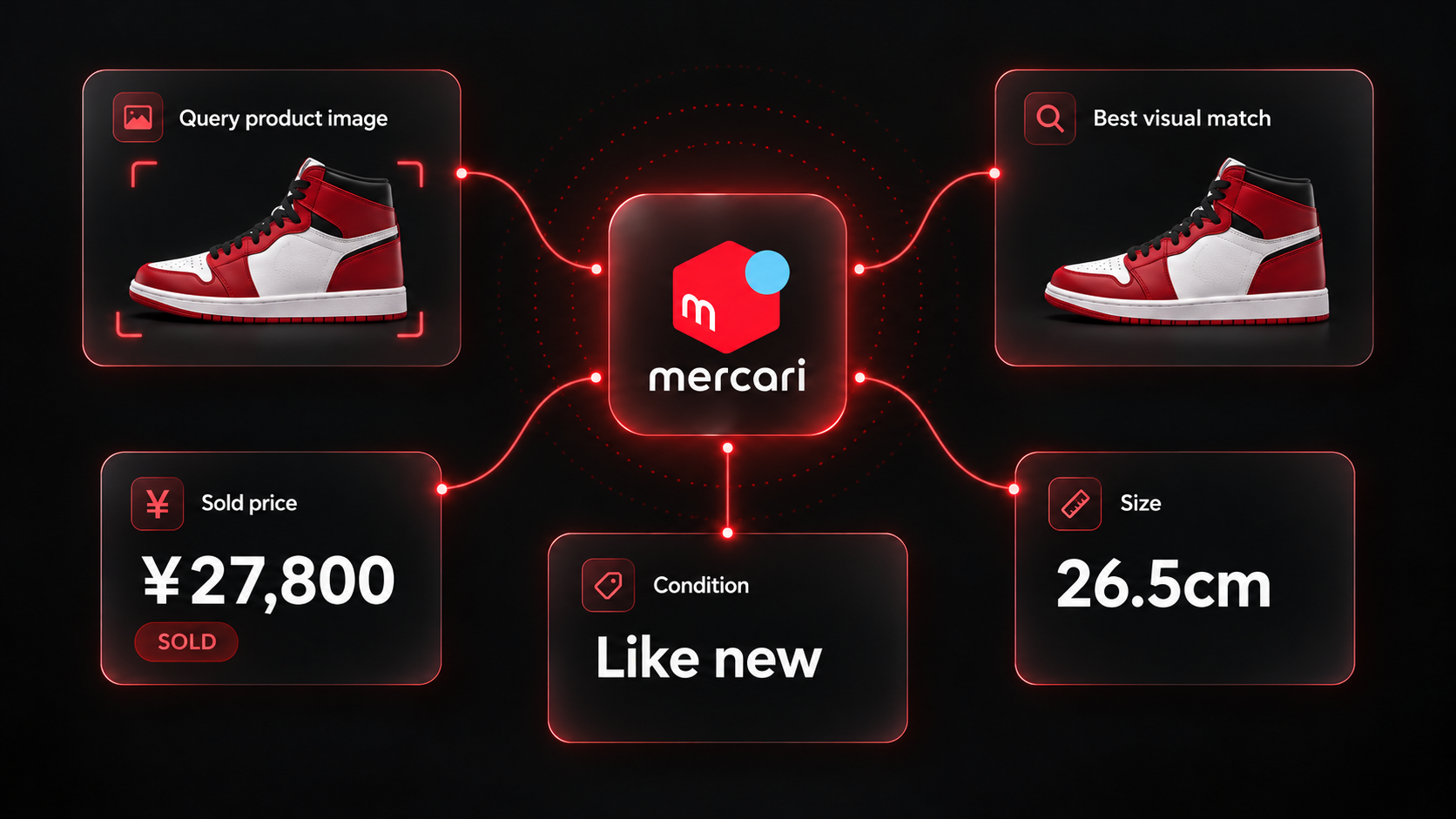
Pricing a second-hand item from Japan by keyword is slow. Titles mix Japanese and English, model numbers are often missing, and the same sneaker can be listed under a dozen names. Mercari's app solves this with a photo search. The question a reseller actually needs answered is narrower: what did items that look like this one sell for?
Our Mercari Image Search Scraper runs that photo search on Mercari Japan for a list of image URLs. It returns one row per matching listing with the yen price, on-sale or sold status, brand, condition, size, seller or shop ID, photos and a link. Set Status to Sold and the result becomes a set of sold comps for your photo.
The main limitation is that visual similarity is not identity. A photo of one colorway also finds other colorways, other sizes and items in very different condition. The useful work happens after the run, when you narrow the matches down to the comparable ones.
What you need before the first run
- An Apify account. Mercari does not require a login for this search, and you do not need a Japanese address.
- A direct image URL for each photo: JPG, PNG, WebP, GIF or AVIF, up to 10 MB. The Actor resizes large photos for you. A product page or a social post link is not an image URL. Data URLs also work when you call the Actor through the API.
- A rough idea of the price band, if you want to drop accessories and junk listings up front. Minimum price (JPY) and Maximum price (JPY) are optional.
The Actor covers jp.mercari.com only. Mercari US does not offer a public photo search.
Run a sold-comps search for one photo
- Open the Actor on Apify and click Try for free.
- Under Image URLs, add the photo of the item you want to price.
- Set Status to Sold.
- Set Max results per image to
120, one full results page. - Leave the price fields empty for the first run, then click Start.
We used this input for our example run, with a public photo of an Air Jordan 1 High in the Chicago colorway:
{
  "imageUrls": [
    "https://upload.wikimedia.org/wikipedia/commons/thumb/2/2a/Nike_Air_Jordan_I.jpg/960px-Nike_Air_Jordan_I.jpg"
  ],
  "status": "sold",
  "maxResultsPerImage": 120,
  "proxyConfiguration": {
    "useApifyProxy": true
  }
}
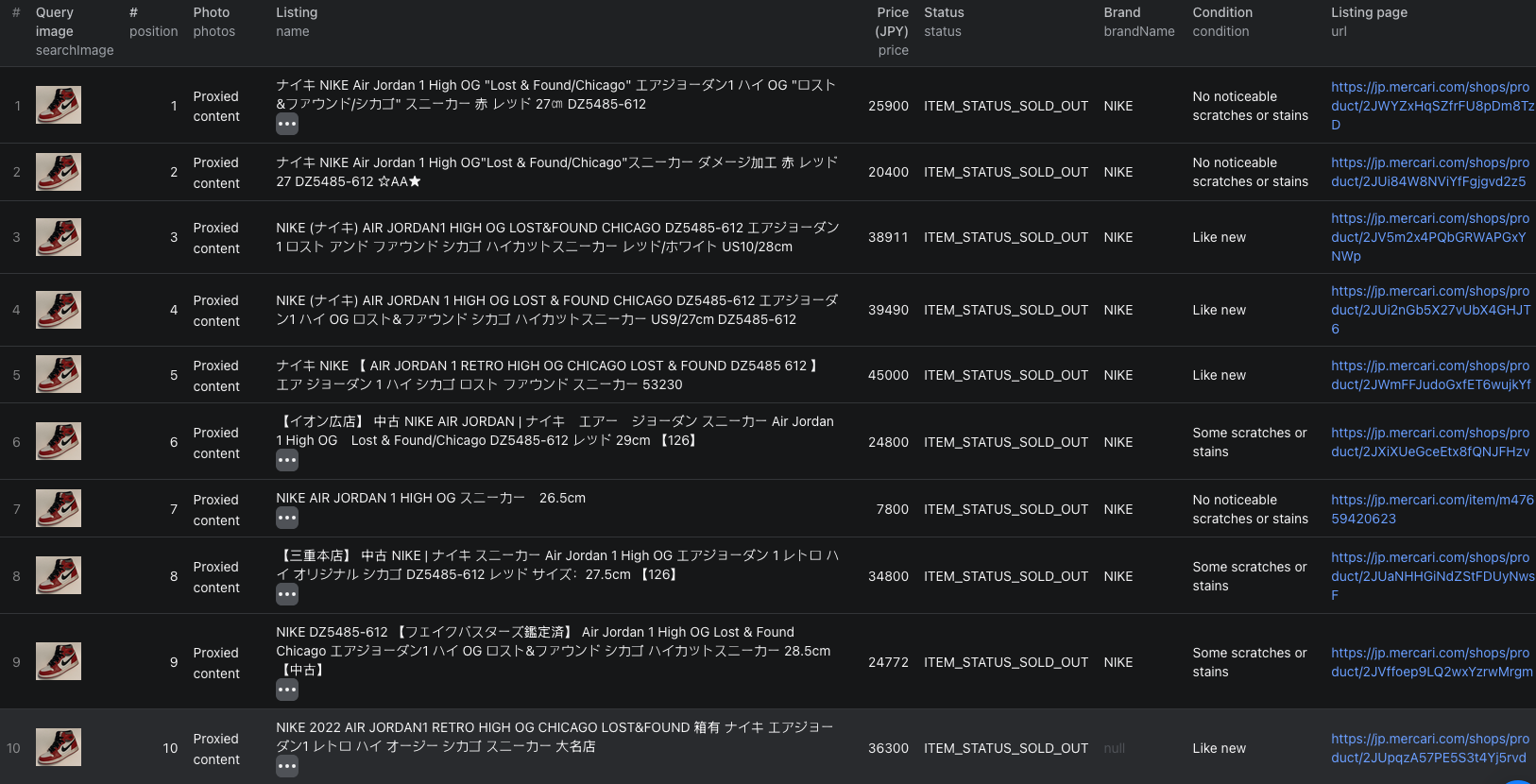
The run finished in about five seconds and saved 120 sold listings: 115 marked ITEM_STATUS_SOLD_OUT and 5 marked ITEM_STATUS_TRADING, which means sold with the transaction still in progress. Prices ranged from ¥2,500 to ¥94,426, with a median of ¥20,000.
One abbreviated row:
{
  "searchImage": "https://upload.wikimedia.org/wikipedia/commons/thumb/2/2a/Nike_Air_Jordan_I.jpg/960px-Nike_Air_Jordan_I.jpg",
  "position": 7,
  "id": "m47659420623",
  "url": "https://jp.mercari.com/item/m47659420623",
  "name": "NIKE AIR JORDAN 1 HIGH OG スニーカー 26.5cm",
  "price": 7800,
  "currency": "JPY",
  "status": "ITEM_STATUS_SOLD_OUT",
  "isShopsItem": false,
  "brandName": "NIKE",
  "condition": "No noticeable scratches or stains",
  "size": "26.5cm",
  "sellerId": "386820444",
  "shopId": null,
  "photos": ["https://static.mercdn.net/item/detail/webp/photos/m47659420623_1.jpg?1789176983"],
  "created": "2026-09-12T01:36:23.000Z",
  "updated": "2026-09-14T14:05:25.000Z"
}
| Field | What it tells you |
|---|---|
searchImage, position | Which of your photos found the listing, and how similar Mercari ranked it. Position 1 is the closest match. |
price, currency | The listing price in yen. On a sold row, it is the price the listing showed when it sold. |
status | ITEM_STATUS_ON_SALE, ITEM_STATUS_SOLD_OUT or ITEM_STATUS_TRADING. |
name, brandName, size | What you filter on to keep only the same model. Titles are usually in Japanese, often with the English model name or style code inside. |
condition | Mercari's condition grade, from "New, unused" to "Poor condition". |
isShopsItem, sellerId, shopId | Whether a private seller or a Mercari Shops business listed it. Shops listings link to /shops/product/ pages. |
photos, thumbnails | Listing photos, so you can check the match by eye without opening every page. |
created, updated | Listing timestamps. Neither is a confirmed sale date. |
The Mercari image-search Node.js example runs the same sold-comps search with apify-client and retrieves all 120 dataset rows.
Narrow the matches to real comparables
The overall median of ¥20,000 in our example is not a price for the item in the photo. The 120 matches included other Jordan 1 colorways, used pairs in every condition, and a few listings far from the original. You have to filter first.
Our photo shows the Chicago colorway, and Nike's "Lost & Found" release is the one Mercari ranked first. Filtering name for "Lost", "LOST" or "ロスト" kept 41 of the 120 rows. Those sold between ¥13,400 and ¥55,000 with a median of ¥27,800. That is a far more useful number than the median of the full set.
A practical sequence for any item:
- Filter
nameby the model name, style code or a distinctive Japanese term you see in the top results. Read the first ten names to find them. - Filter by
sizeif your item has one. Many Mercari Shops rows have no structured size, so check their titles too. - Split by
conditionbefore taking a median. In our example, condition alone did not order the prices, because each condition group still mixed several models. Filter by model first, then compare conditions. - Look at the
photosof the outliers at both ends. Very low prices are often a single shoe, an empty box, a replica, or a damaged pair. - Use Minimum price (JPY) in the next run to drop accessories and junk listings at the source.
Run the same photo again with Status set to On sale to see what the item is listed for now. Sold prices and current asking prices together show where a new listing could fit.
Choose depth and estimate cost
Mercari returns matches most similar first, in pages of up to 120. Relevance falls quickly after the first page for most photos, so 120 is a good default for pricing. Go deeper only for very common items where the first page is all one model. maxResultsPerImage accepts 1 to 960, and Mercari usually stops at around 900 unique matches per photo. The limit applies to each image separately.
Pricing as of October 10, 2026:
| Event | Price |
|---|---|
| Actor start | $0.00005 per run |
| Image search | $0.02 per image searched, including the first page of up to 120 matches |
| Results page | $0.01 for each additional page of up to 120 matches for the same image |
Our one-photo, 120-match example costs $0.02 in event charges. A photo at 300 matches costs $0.04: the first page plus two more. Pricing 100 items at one page each costs about $2.00. Images that fail to load or return no matches are not charged, and the run stops at the maximum charge you set. Platform usage may be billed separately depending on your Apify plan, so check live pricing before a large batch.
When results look wrong
- A row has
status: "image_error". The URL did not return an image. Open it in a private browser window and make sure it shows the picture itself, not a page around it, and needs no login. - A row has
status: "no_matches". Mercari found nothing similar. Try a photo with the item centered on a plain background, without collages, text overlays or several products in one frame. - Matches are the right type but the wrong model. Mercari ranks by look, not by model number. Filter by name and style code, as above.
- Prices span a huge range. You are looking at several models and conditions at once. Narrow the set before you trust any average.
- Sizes are missing. Mercari Shops listings often keep size only in the title.
Use it with the keyword scraper
Once a photo search tells you the model name or style code that sellers use, you can track that model by keyword with the Mercari Listings Scraper. The field names match, so the two datasets merge cleanly. For sourcing from China instead of Japan, the AliExpress image search guide works the same way.
Frequently asked questions
Do I need a Mercari account or a Japanese address?
No. The Actor searches public Mercari Japan listings. You only need an Apify account to run it.
Is the sold price the amount the buyer paid?
It is the price the listing showed when it sold. It does not include shipping paid by the buyer separately, fees, or anything arranged outside the listing.
How many matches can one photo return?
A results page holds up to 120 matches. maxResultsPerImage accepts 1 to 960, and Mercari usually stops at around 900 unique matches per photo.
Can I search Mercari US by image?
No. Mercari US has no public photo search, so the Actor covers jp.mercari.com only.