Google Sheets™ add-on
Marketplace, job and listing data
in a spreadsheet formula
One formula per site. No CSS selectors, no API keys, no IMPORTXML that breaks on Monday. Type =OLX_SEARCH("iphone 15", "pl") and get a typed table back.
200 free credits 30-day trial No card required
Explore the 6 supported sites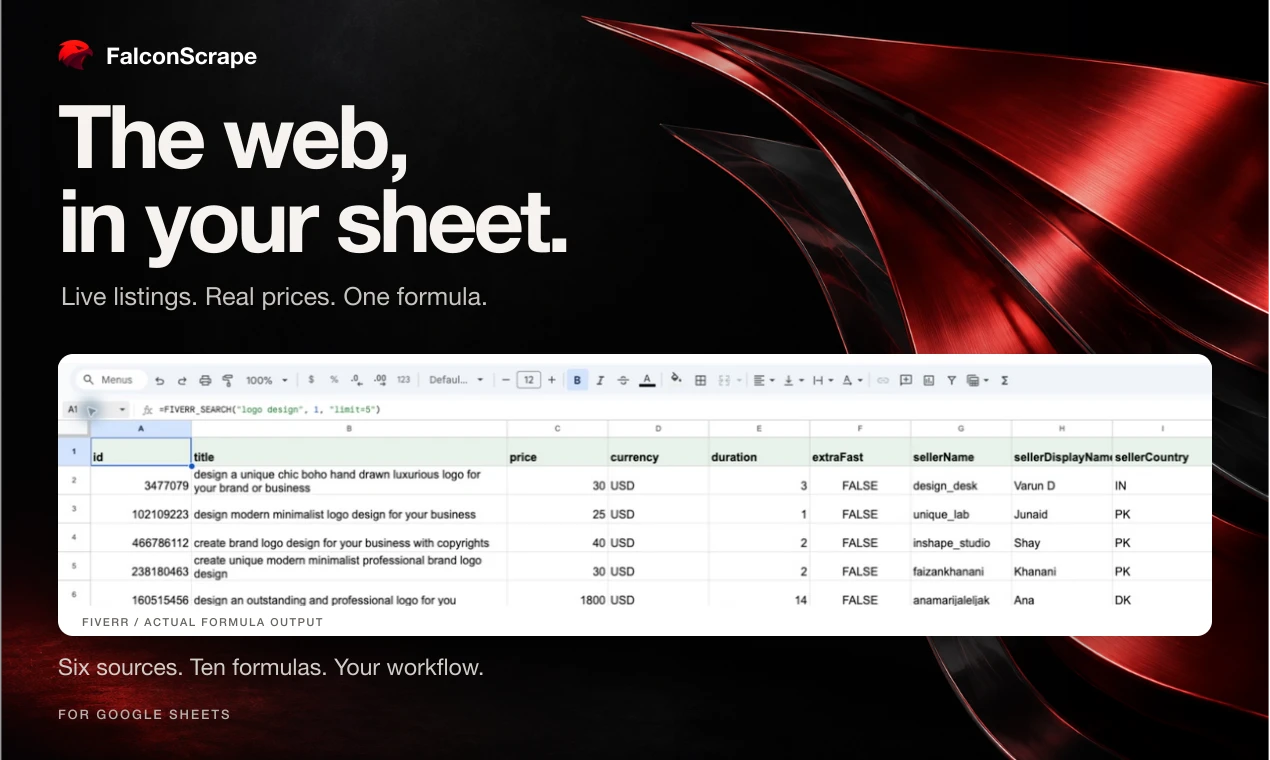
Six sources. One spreadsheet.
What would you like to import?
Choose a site to see its formulas, example results and setup guide.
Independent tools for public data. FalconScrape is not affiliated with these websites.
Formulas
Each formula returns a typed table with a header row. Open a site guide for its options and refresh setup.
=OLX_SEARCH("iphone 15", "pl")Listings with price, city, seller, URL — OLX Poland, Bulgaria, Romania, Portugal, Ukraine
=LINKEDIN_JOB(A2)Paste a public job URL in A2; returns title, company, location, salary and description
=FIVERR_SEARCH("logo design")Gigs with seller level, rating, starting price
=FLIPKART_SEARCH("running shoes")Products with price, discount, rating, reviews
=ALIBABA1688_SEARCH("bluetooth speaker")Wholesale prices and supplier location; detail lookup adds MOQ and price tiers
=MERCARI_SEARCH("nintendo switch")Mercari Japan listings with price, condition, shipping
| Formula | Returns |
|---|---|
| =OLX_SEARCH("iphone 15", "pl") | Listings with price, city, seller, URL — OLX Poland, Bulgaria, Romania, Portugal, Ukraine |
| =LINKEDIN_JOB(A2) | Paste a public job URL in A2; returns title, company, location, salary and description |
| =FIVERR_SEARCH("logo design") | Gigs with seller level, rating, starting price |
| =FLIPKART_SEARCH("running shoes") | Products with price, discount, rating, reviews |
| =ALIBABA1688_SEARCH("bluetooth speaker") | Wholesale prices and supplier location; detail lookup adds MOQ and price tiers |
| =MERCARI_SEARCH("nintendo switch") | Mercari Japan listings with price, condition, shipping |
How it works
From installation to structured results in three steps.
Install and activate
Install the add-on, open a spreadsheet, then choose Extensions → FalconScrape → Activate / Account.
Type a formula
Site-specific formulas autocomplete in the cell. Arguments are plain text — a search phrase, a country, a URL.
Get a table
Results spill into the cells below with a header row. Recalculate for free; only new fetches use credits.
More sources on the roadmap
Planned additions from our scraper catalog. These sites are not available in the add-on yet.
Pricing
Start with 200 free credits for 30 days. Most searches use 1 credit per row; cache hits and failed requests are free.
Trial
$0/ 30 days
200 credits
No card required
Starter
$15/ month
3,000 credits / month
$12/month billed yearly
Pro
$45/ month
20,000 credits / month
$36/month billed yearly
Agency
$99/ month
60,000 credits / month
$950/year · priority support
Plan and billing details
Choose Upgrade or Buy credits in the add-on sidebar to purchase a plan or credit pack. Subscriptions renew until cancelled; plan credits reset monthly and do not roll over. Fiverr rows and detail/job lookups cost 2 credits. Credit packs: 600 for $9 or 2,500 for $29, with no expiry. Prices are in USD; applicable taxes appear at checkout. See the terms for cancellation and refund details. The software is provided by FalconScrape (PIOTR VASSEV IT SOLUTIONS, sole proprietorship (jednoosobowa działalność gospodarcza) registered in Poland). Paid checkout uses Stripe Managed Payments (“Sold through Link”) as merchant of record. Google does not provide or sell the service. See Terms and Privacy.
FAQ
- Why am I seeing a formula parse error?
- Examples use commas between arguments. Some spreadsheet locales, including Poland, require semicolons instead:
=OLX_SEARCH("iphone 15"; "pl"; 1; "limit=5"). Change only the separators outside quoted text, and check File → Settings → Locale. - Why not IMPORTXML?
- IMPORTXML cannot run JavaScript, shares Google's IP range (sites block it), and shows Loading… forever. Our formulas call production scrapers with proxy rotation and return typed columns.
- Do my collaborators need a subscription?
- No. The spreadsheet owner activates the add-on; formulas anyone types in that sheet use the owner's credits.
- What data do you access?
- We process the inputs you pass to our formulas and use your Google identity and verified email to identify your account. Results appear in the current spreadsheet. Refresh all maintains a refresh marker in a hidden _falcon sheet in that same spreadsheet. We do not read unrelated cells or other Drive files. See the Privacy Policy for storage and service-provider details.
- Which Google permissions?
- The add-on requests current-spreadsheet access (spreadsheets.currentonly), connections to api.falconscrape.com (script.external_request), sidebar and dialog content (script.container.ui), and Google identity and email (openid and userinfo.email). These support formulas, the refresh marker, activation and account controls.