How to Find Amazon.de Sellers and Business Contact Data
An Amazon product page can show several marketplace offers, but it is awkward to turn those offers into a clean list of actual businesses. You need to open seller profiles one by one, separate the storefront name from the registered company, and keep evidence of where each seller was found.
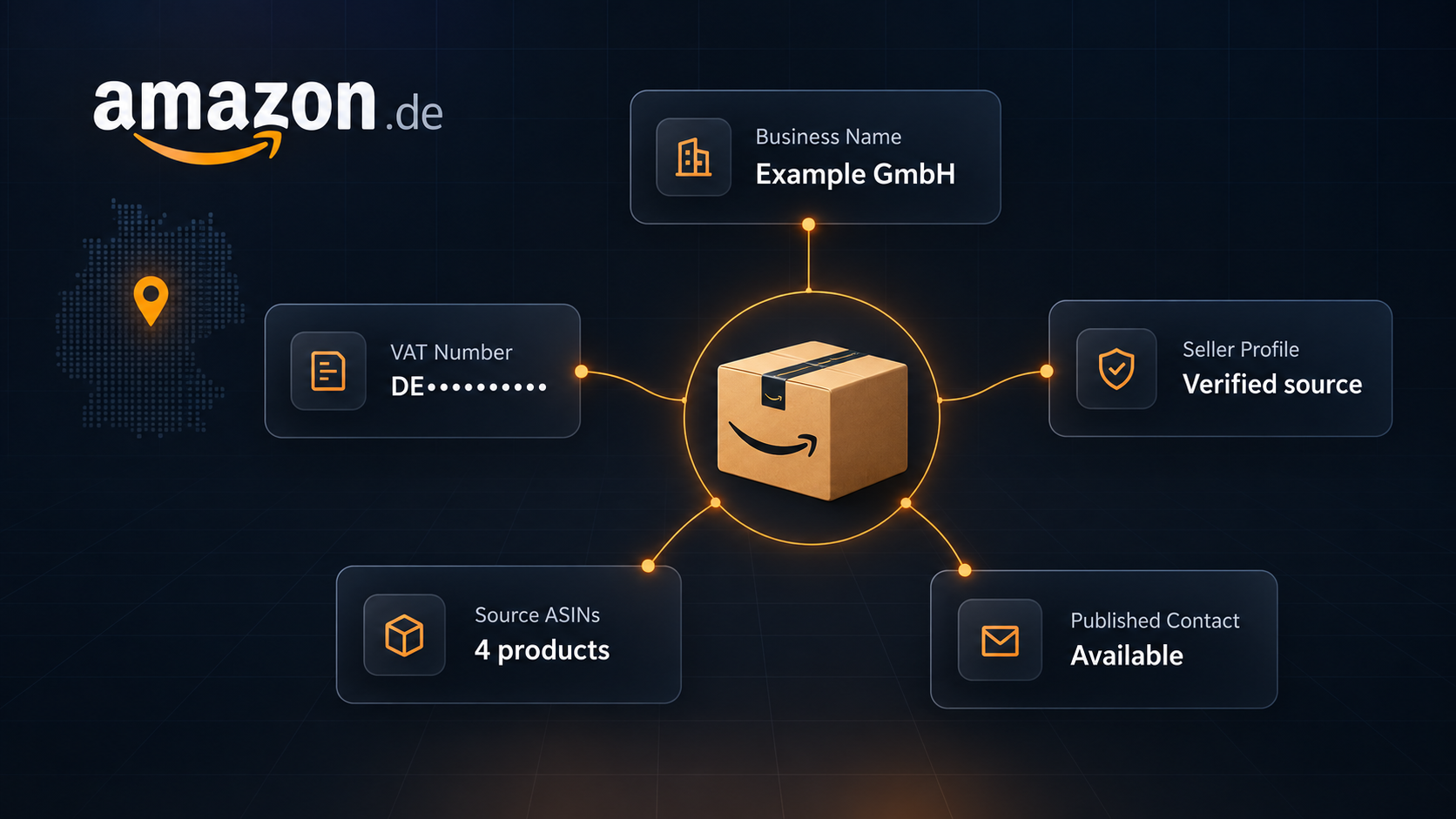
We built the Amazon Seller Discovery Scraper for that workflow on Amazon.de. Give it German product, search, category, or seller URLs. It returns one row per distinct seller with the business name and address, VAT and registration numbers, published phone or email, seller links, and the source ASINs observed during the run.
The main limitation is scope: this is an Amazon.de discovery tool, not a complete merchant directory. It only returns sellers observed within your product and offer-page limits.
Choose an input that matches your goal
Use a product URL when you want the competing sellers for one known item. Use a search or category URL when you want to discover merchants across a product niche. A direct seller URL is useful when you already know the seller ID and only need the business profile.
Supported examples include:
- Product:
https://www.amazon.de/dp/B008YETL18 - Search:
https://www.amazon.de/s?k=kaffeemaschine - Seller:
https://www.amazon.de/sp?seller=A18EE9GVRFMIY1 - Ranked category:
https://www.amazon.de/gp/bestsellers/kitchen/
Keep the German delivery postcode accurate. Amazon offers depend on delivery location, so another postcode can expose a different seller set.
The Actor uses German residential proxies by default. They are recommended because direct datacenter requests can return incomplete pages. Residential proxy traffic is separate Apify platform usage and is not covered by the Actor's event prices.
What a seller row contains
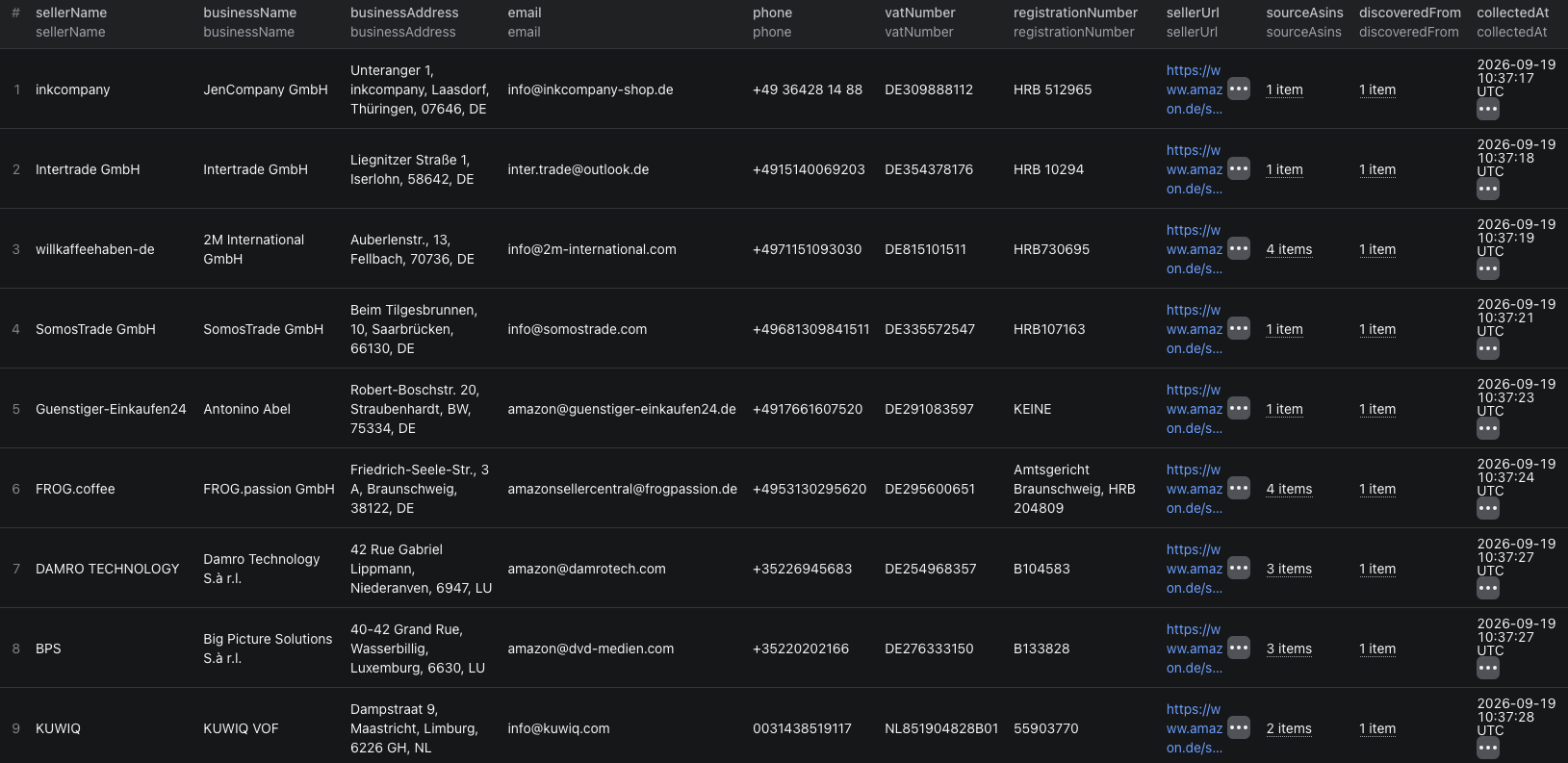
This abbreviated row comes from our September 19 coffee-bean search. Contact and street-address fields are omitted here, but were present in the source record.
{
  "sellerId": "A2UOUL8U7ZBPFE",
  "marketplace": "amazon.de",
  "sellerName": "inkcompany",
  "businessName": "JenCompany GmbH",
  "businessType": "Unternehmen in Privatbesitz",
  "registrationNumber": "HRB 512965",
  "vatNumber": "DE309888112",
  "sellerUrl": "https://www.amazon.de/sp?seller=A2UOUL8U7ZBPFE",
  "sourceAsins": ["B000LXZSB2"],
  "discoveredFrom": ["https://www.amazon.de/s?k=kaffeebohnen"],
  "collectedAt": "2026-09-19T10:37:17.029Z"
}
| Field | How to use it |
|---|---|
sellerId | Use this as the stable seller key when the same merchant appears on several products. |
sellerName, businessName | Keep the Amazon display name separate from the registered business identity. |
vatNumber, registrationNumber | Use these as verification fields, not as proof that a supplier fits your requirements. |
email, phone | Published seller contacts when present. The Actor does not search external websites for missing details. |
sourceAsins, discoveredFrom | Evidence showing which observed products and input URLs led to the seller. |
fieldSources | The Amazon labels and sections used for individual business fields. |
Run a small seller search
- Open the Actor on Apify and click Try for free.
- Add one Amazon.de search URL under Amazon.de URLs.
- Set Maximum products to inspect to
5and Maximum offer pages per product to2. - Keep Use German residential proxy enabled and set the delivery postcode you need.
- Click Start. When the run succeeds, open Seller profiles to inspect the rows.
- Open Coverage and limits before exporting. It explains where the scan stopped and which profiles could not be collected.
We used this input for the launch example:
{
  "startUrls": [
    { "url": "https://www.amazon.de/s?k=kaffeebohnen" }
  ],
  "maxItems": 50,
  "postalCode": "10115",
  "maxProducts": 5,
  "maxOfferPages": 2,
  "useResidentialProxy": true
}
With that input, our scraper inspected five products and returned 23 distinct seller profiles. The summary marked the run as partial because it reached the product cap, one product had more offer pages, and four discovered profiles were unavailable or incomplete. That is useful evidence, not a failed result: you know exactly what the list covers.
Turn the output into a seller shortlist
Start by deduplicating on sellerId. Then keep these columns together:
- Registered business name and address.
- VAT and registration numbers.
- Seller and storefront URLs.
- Source ASINs and discovery URL.
- The collection timestamp.
Filter the list by the attributes relevant to your task, then verify shortlisted sellers on Amazon before contacting or evaluating them. sourceAsins proves only what the run observed. It is not the seller's full catalog.
If you need each shortlisted seller's products, pass its storefrontUrl to the Amazon Storefront Scraper guide. You can also seed discovery with products from the Amazon Best Sellers guide or the Amazon Today's Deals guide.
For a code-based run, the Amazon seller discovery Node.js example calls the Actor with the same five-product input and prints the seller dataset.
Use published business contacts responsibly. Check that your purpose is relevant, keep the source with the record, and respect applicable outreach and opt-out requirements.
Pricing
Pricing as of September 20, 2026 is additive:
| Event | Price | When it applies |
|---|---|---|
| Actor start | $0.01 | Once when a valid run begins. |
| Product inspected | $0.002 | For each product whose offers are successfully collected. |
| Seller profile | $0.005 | For each distinct business profile returned. |
Our example run inspected five products and returned 23 sellers, so its Actor event charges were $0.01 + (5 × $0.002) + (23 × $0.005) = $0.135. German residential proxy traffic was additional platform usage. Check the live pricing page before a larger run.
When the result is smaller than expected
- The run reached
maxProducts. Raise it carefully if the search contains more relevant products. - More offers may exist. Increase
maxOfferPageswhen the coverage summary reports an offer-page limit. - A profile is incomplete. The business identity and address must be available before the Actor returns a seller row. Optional contact fields can remain null.
- The seller list changed. Confirm the postcode, product variant, availability, and collection time. Amazon can show different offers in another context.
- You used another marketplace. Only Amazon.de is supported in this version.
Frequently asked questions
Which Amazon marketplaces does the Seller Discovery Scraper support?
It currently supports Amazon.de only. Other Amazon marketplace domains are rejected.
Will every Amazon seller have an email address or phone number?
No. The Actor returns contact details only when Amazon publishes them on the seller information page. Missing optional fields remain null.
Why can the result contain fewer sellers than the maximum I requested?
The maximum is a cap, not a guaranteed count. Product limits, offer-page limits, repeated sellers, unavailable profiles, and incomplete business information can all reduce the result.