
How to Scrape Yiwugo Listings for a Supplier Research Sheet
For sourcing from Yiwu, a product list becomes useful when it connects an offer to the right shop and a set of questions about quantities, variants, and delivery. A low-looking number alone is not enough to choose a supplier.
The Yiwugo Listings Scraper collects products from keyword searches or known product IDs, with optional supplier and booth-related details. I maintain this Apify Actor. This guide builds a small phone-case research sheet while keeping unverified prices and contact fields clearly separated from confirmed sourcing facts.
Search in the language the catalog uses
keywords accepts Chinese or English search terms as an array of strings. The documented example 手机壳 means phone case. A broad phone-case search can still include different device models, materials, and package quantities, so treat it as discovery before narrowing the product specification.
The current deployed schema enables Apify Proxy by default because it reports connection problems from direct platform egress. This differs from older README wording that says a proxy is unnecessary. Keep the current proxy default in the first run.
Open the Actor on Apify, choose Input, switch to JSON, and enter:
{
  "keywords": ["手机壳"],
  "maxItems": 20,
  "includeDetails": false,
  "proxyConfiguration": {"useApifyProxy": true}
}
Click Start and inspect the completed dataset. maxItems caps products across every keyword and direct ID in the run. Its allowed range is one to 50,000, with a default of fifty. A single keyword is still bounded by Yiwugo's documented approximate 5,000-item limit, so raising the global cap cannot make one search cover an unlimited catalog.
Keep product identity and shop identity
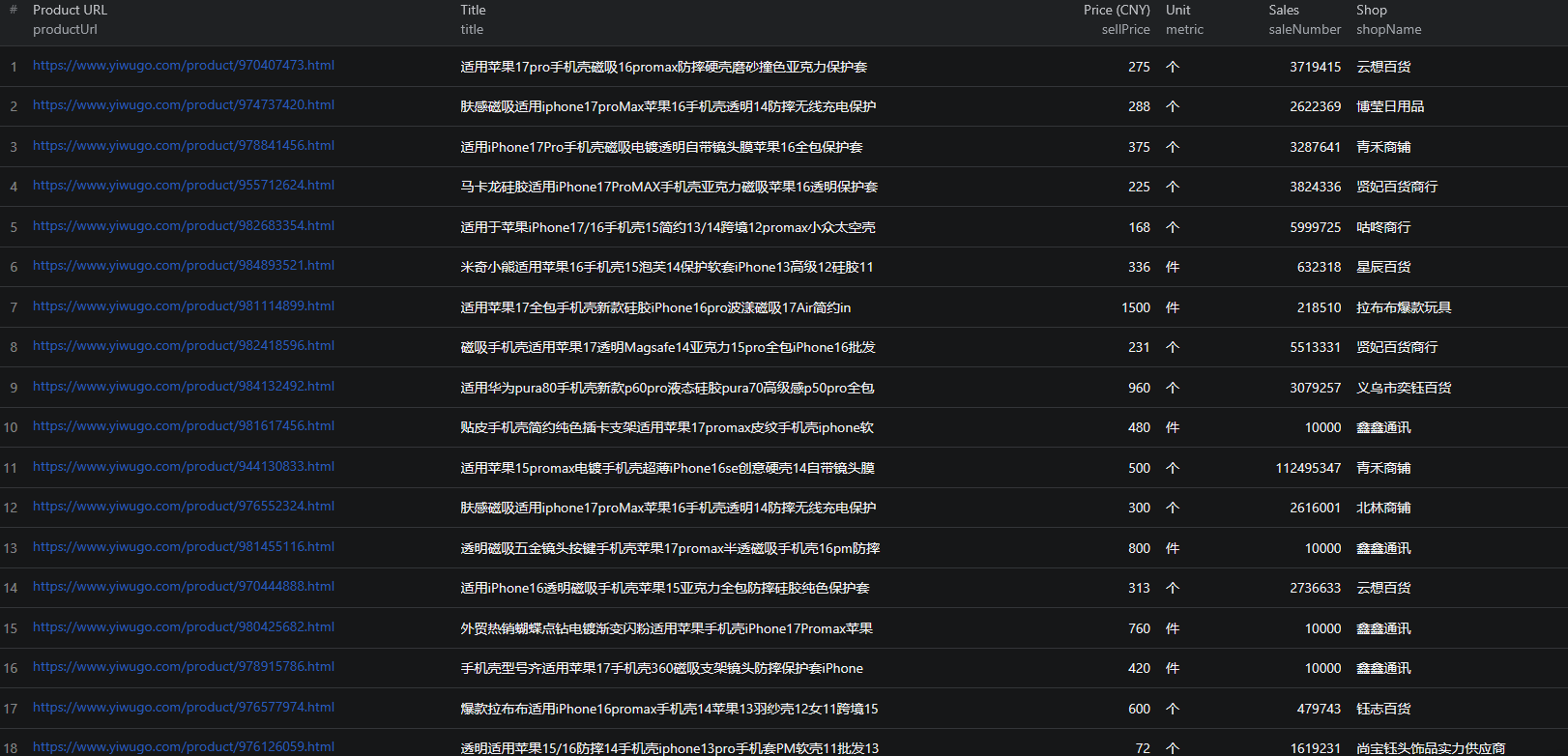
Listing fields include id, productUrl, title, images, sellPrice, priceType, metric, startNum, saleNumber, dealQuantity, deliveryPromise, onlineOrderFlag, marketInfo, shopId, and shopName where available.
Use id to identify a product and shopId to group a supplier's offers. Do not merge products just because the images or titles look similar. Several shops can offer similar cases, and one shop can have many distinct listings.
The README says empty fields are stripped from output. A missing key therefore does not necessarily mean an extraction failed; it can mean the source did not supply a usable value. Some contact fields also appear in the historical basic sample, so do not assume their presence or absence alone establishes which mode was used.
Resolve price units before doing arithmetic
The historical example contains sellPrice: 275 in its listing data. Its detail sample also contains unitprice: "3.13", totalprice: "3.13", and defaultfreight: "5.00". The published documentation does not establish a sufficient conversion rule linking these values.
Do not divide sellPrice by 100, label it as 275 yuan, or substitute unitprice without checking the product page and selected offer. Preserve the raw fields, then record a confirmed price, currency, unit, quantity tier, and variant in separate review columns.
metric and startNum help identify the stated unit and starting quantity, but they do not by themselves establish the price for your intended order size. A phone case may have multiple model and color choices. Verify whether the selected combination changes price or minimum quantity.
Similarly, saleNumber and dealQuantity are source counters with insufficient documented scope for a sales forecast. Do not convert them into monthly demand, revenue, or a claim of verified completed orders. Coded fields such as deliveryPromise need a checked meaning before being translated into a delivery guarantee.
Fetch details for a reviewed shortlist
When you have selected relevant products, copy their IDs into the productIds input and remove the broad keyword list. Set includeDetails to true and keep maxItems close to the shortlist size. This documented direct-ID route skips discovery and helps you revisit the same products.
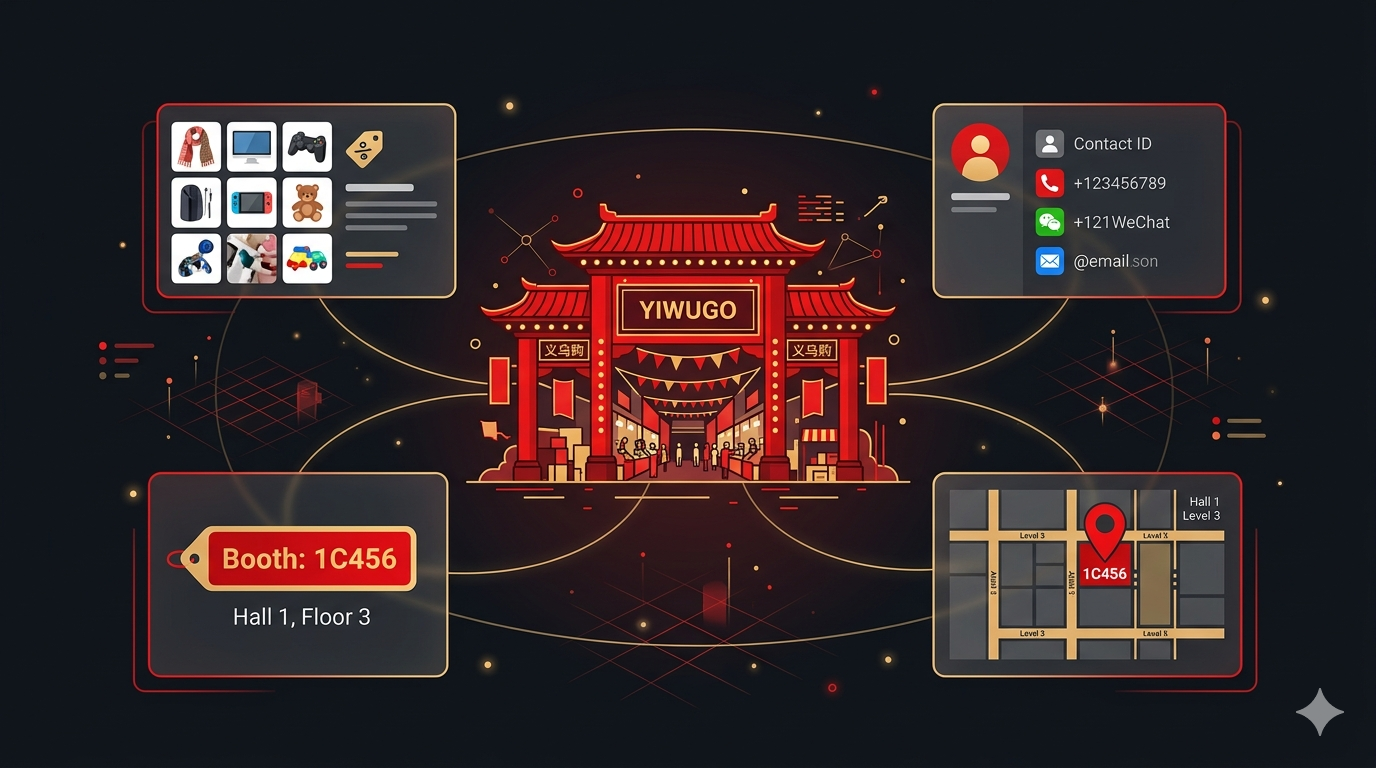
Detail records can add propertyList, contact fields such as mobile, weixin, and email, shop reputation fields, factoryAddress, marketCode, and boothId. These fields are available where the source publishes them; their presence does not independently verify the supplier, factory ownership, or current contact details.
For the product specification sheet, expand propertyList into the relevant color or variant choices and confirm the ones your order requires. For supplier grouping, retain the shop ID and source page. Limit exported personal contact fields to those needed for the sourcing task and keep them out of broadly shared product-analysis sheets.
A booth ID is not a geographic coordinate or complete route. Before planning a market visit, verify the market, building, floor, entrance, and booth address from current source information. The documented output sample does not establish a complete walking route from boothId alone.
Produce a supplier comparison with open questions
Create one product-offer row per ID and a separate supplier sheet keyed by shop ID. In the offer sheet, retain the original title, URL, raw price fields, unit, starting quantity, selected model, material, and color. Add a verified-price column only after checking those assumptions.
In the supplier sheet, record the products being considered, available source contact channels, market information, and questions still to resolve. Those questions might concern quantity pricing, packaging, samples, lead time, and shipping for a specified destination. Do not turn an unconfirmed freight field into a landed-cost estimate.
Compare like-for-like offers only after the specification and pricing units agree. Preserve missing values and mark which facts were confirmed and when. The resulting shortlist should help a sourcing discussion stay precise, not imply that a supplier has passed an independent quality audit.
For later refreshes, join by product ID and keep shop identity attached. Store your collection time because the documented output does not establish a scrapedAt field. If an ID disappears, check the source page before marking the item unavailable.
Cost and access checks
Pricing as of September 6, 2026 is $0.001 per basic listing or $0.005 per detail record. The deployed input and README describe alternative modes, so twenty listings cost $0.02 in result events and twenty detail records cost $0.10, rather than $0.12 for a single detail-mode run.
The active configuration also includes a start event of $0.00005 per GB of allocated memory, minimum one event. Review live pricing and your actual account usage before scaling; do not rely on older broad claims about there being no additional charges.
If the run hangs or times out, check that the documented proxy configuration is enabled and inspect the log. For empty keyword results, check the term on Yiwugo and try a narrower product phrase. The Yiwugo Node.js example supports a repeat shortlist workflow. Separate guides cover 1688, Alibaba, AliExpress, and DHgate with their own offer structures.
Frequently asked questions
Is sellPrice directly comparable with unitprice?
The published sample has different values and types for those fields without a sufficient unit contract. Keep them raw and verify the displayed unit, currency, quantity tier, and variant before calculating a comparison.
Are detail charges added to listing charges?
The documented modes are alternatives: includeDetails false charges product-listing events, while includeDetails true switches to item-detail events for returned products.
Does a boothId provide a map location?
No. It is a source identifier, not latitude and longitude or a complete walking address. Confirm the market, building, floor, and booth details before planning a visit.
