How to Scrape HubSpot Solutions Marketplace (Step-by-Step Guide)

If you want to scrape HubSpot Solutions Marketplace for B2B lead generation, partner research, or competitive analysis, this guide covers everything you need. You will learn what data you can extract, how to filter by partner tier, location, and service type, and how to automate the entire process — no coding required.
Why Scrape HubSpot Solutions Marketplace?
The HubSpot Solutions Marketplace is one of the most valuable B2B directories for finding certified HubSpot partners — agencies and service providers that specialize in CRM implementation, inbound marketing, web design, sales enablement, and more.
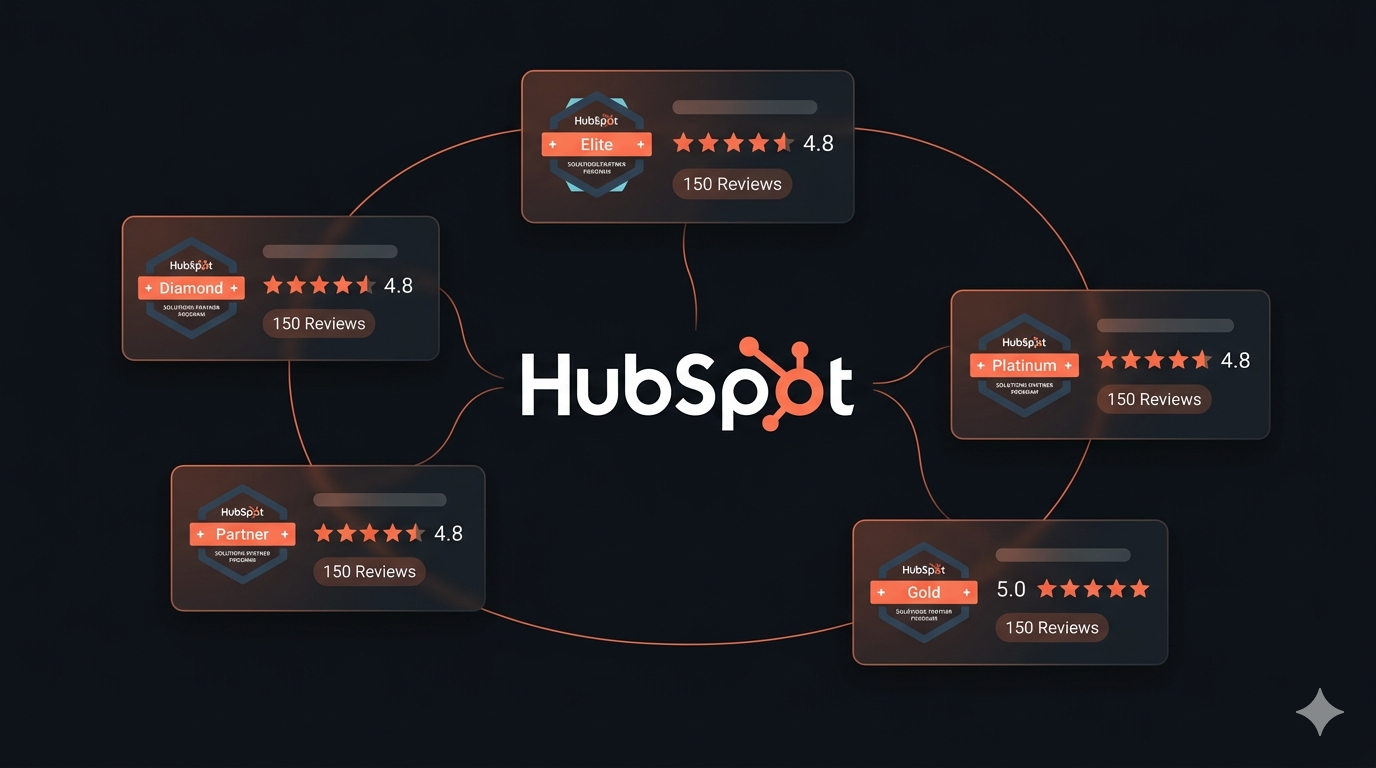
Every listing includes verified partner tier badges (Elite, Diamond, Platinum, Gold), star ratings, review counts, service descriptions, and direct profile links. This is high-signal data that goes far beyond what you would find in a generic business directory.
Businesses scrape HubSpot partner data for several reasons:
- Sales prospecting — identify HubSpot-certified agencies that match your ideal customer profile by tier, location, and service focus
- Partner discovery — find integration partners, resellers, or co-marketing opportunities among top-tier HubSpot agencies
- Competitive benchmarking — compare your agency's tier, rating, and review count against competitors in the same market
- Market research — analyze agency density by region, service demand by tier, and pricing ranges across industries
- Vendor evaluation — build shortlists of HubSpot implementation partners for enterprise CRM projects
Manually browsing and copying agency data from the Solutions Marketplace is impractical at scale. The directory lists thousands of partners across dozens of countries and specializations. Automation is the only realistic approach for bulk extraction.
What Data You Can Extract from HubSpot Solutions Marketplace
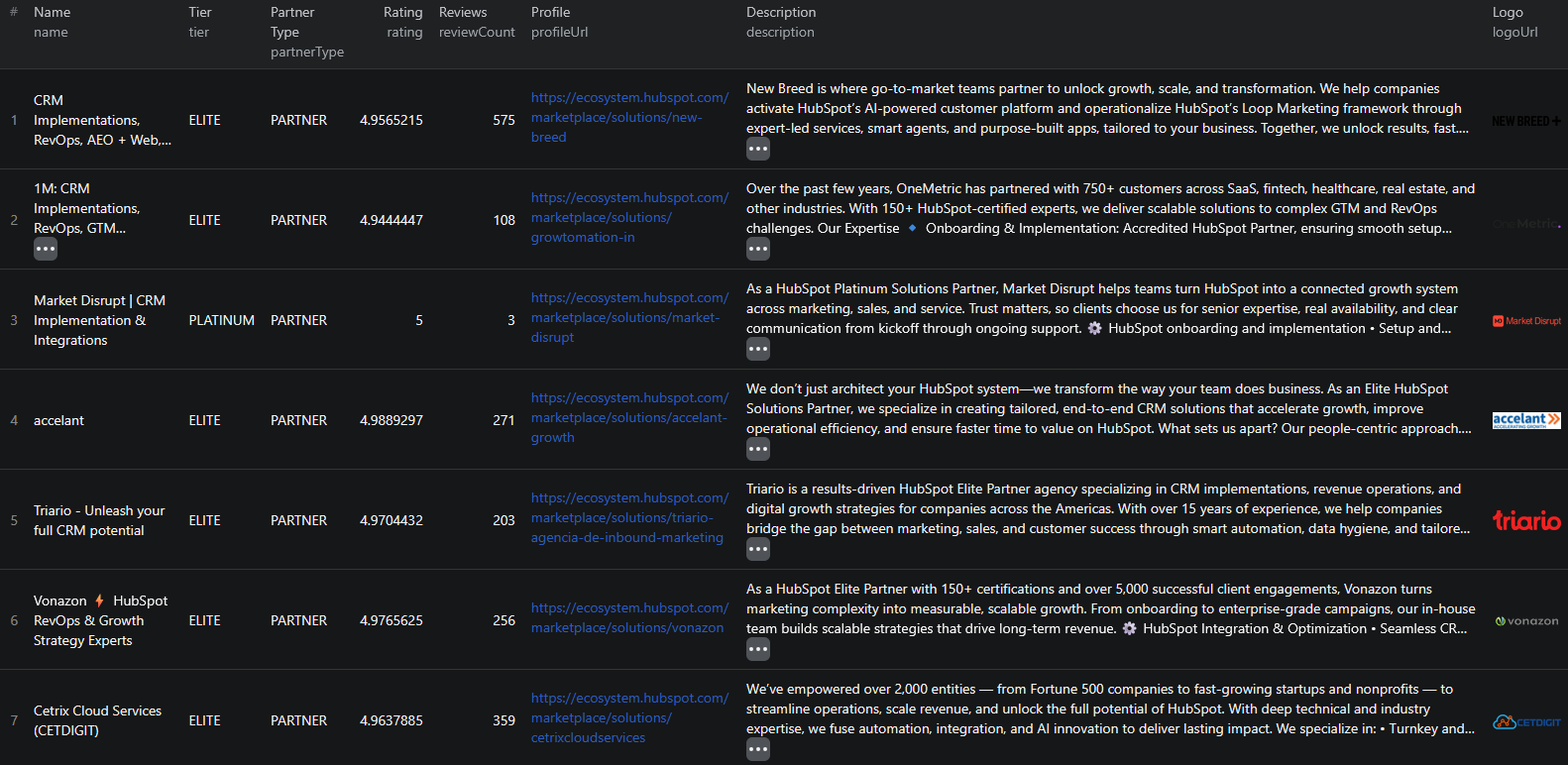
The HubSpot Solutions Marketplace Scraper extracts structured data from partner listings. Here are the key fields:
| Field | Description | Example |
|---|---|---|
| Agency name | The partner agency's display name | Example Agency |
| Partner tier | HubSpot certification level | DIAMOND |
| Rating | Average star rating from verified reviews | 4.8 |
| Review count | Number of verified client reviews | 42 |
| Description | Agency's self-described service focus | Full-service digital agency specializing in HubSpot CRM... |
| Profile URL | Direct link to the HubSpot marketplace listing | ecosystem.hubspot.com/marketplace/solutions/example-agency |
| Logo URL | Agency's logo image URL | https://example.com/logo.png |
| Score | HubSpot's internal partner score | 95.5 |
| Partner type | Classification of the partner | SOLUTIONS_PARTNER |
| Slug | URL-safe identifier for the agency | example-agency |
This data is exactly what you need to qualify HubSpot agency leads — tier status signals commitment level, ratings and reviews show track record, and descriptions tell you where the agency actually focuses.
Common Use Cases for HubSpot Partner Data
B2B Sales Prospecting
If you sell software, services, or tools to marketing agencies — especially those in the HubSpot ecosystem — the Solutions Marketplace is one of the most pre-qualified lead sources available. Every listed agency has already made a business commitment to HubSpot, which signals budget, technical maturity, and client focus.
Filter by tier to segment your outreach. An Elite or Diamond partner typically works with larger enterprise clients. Gold and untiered partners may be more accessible for mid-market offers.
Partner and Reseller Discovery
Looking to expand your distribution through certified HubSpot partners? Scraping the marketplace lets you identify and shortlist potential resellers or co-marketing partners by specialization (e.g., CRM implementation, web design) and geography — far faster than browsing manually.
Competitive Analysis for Agencies
If you run a HubSpot-certified agency, you can benchmark your marketplace position against competitors. Compare your tier, rating, review count, and score against agencies in the same country or industry vertical. Identify where you are strong and where top-rated agencies are pulling ahead.
Vendor Selection for Enterprise CRM Projects
Enterprise teams evaluating HubSpot implementation partners can use scraped data to build a shortlist automatically. Define criteria — minimum tier, minimum rating, review count threshold, industry focus — and filter the dataset to a qualified vendor list in seconds.
Market Research
Analyze the landscape of HubSpot partnerships by region or service type. How many Diamond partners operate in Germany? Which services attract the highest review counts? Which budget ranges are most represented? Scraped data lets you answer these questions with real numbers.
Why Manual Collection Falls Short
Before diving into the how-to, here is why manual data extraction is not a viable option:
- Scale — the HubSpot Solutions Marketplace lists thousands of certified partners across dozens of countries. Even a filtered search can return hundreds of results spread across many pages
- Pagination — results are paginated and require repeated navigation to collect completely
- Filter complexity — applying and combining filters (tier, country, industry, services, budget) manually across multiple searches creates duplication and gaps
- Structured detail — fields like partner score and adjusted rating are not surfaced prominently in the UI but are available in structured API responses
- Freshness — partner tiers and review counts change as agencies earn new certifications and reviews. Manual snapshots go stale fast
- Time cost — extracting 500 agencies manually with all their data fields would take the better part of a workday. At 2,000+ agencies, it is simply not feasible
A pre-built, maintained scraper eliminates every one of these problems.
Step-by-Step: How to Scrape HubSpot Solutions Marketplace
Here is how to scrape HubSpot partner listings using the HubSpot Solutions Marketplace Scraper on Apify.
Step 1 — Decide What Partners You Want
Start by defining your target set. The scraper supports several powerful filters:
- Partner tier — target Elite, Diamond, Platinum, Gold, or untiered partners
- Country — filter by ISO country codes like
US,GB,DE,FR - Services — narrow by service API slugs like
crm-implementation,web-design,email-marketing - Industries — filter by industry like
saas,ecommerce,healthcare - Languages — narrow by language like
english,spanish,french - Budget ranges — filter by budget slugs like
5000_to_10000,10000_to_25000 - Keyword search — free-text search for specific terms like "inbound marketing" or "HubSpot onboarding"
You can combine multiple filters in a single run. For example: Diamond or Elite partners in the US that offer CRM implementation services.
Step 2 — Configure the Scraper Input
Head to the HubSpot Solutions Marketplace Scraper on Apify and configure your run:
- Set your keyword search query (optional — leave blank to get all results)
- Select partner tiers from the dropdown (or leave empty for all tiers)
- Add country codes, service slugs, industry slugs, or language slugs as needed
- Set
maxItemsif you want to cap the number of results (leave at 0 for all matching results) - Choose your sort order —
RELEVANCE_DESCis the default - Click Start to begin the extraction
The scraper handles full pagination automatically — it will navigate through all pages of results matching your filters.
Step 3 — Run the Scraper
Once started, the scraper will:
- Call HubSpot's public search API with your configured filters
- Paginate through all matching results with built-in rate limiting
- Parse and structure each partner record
- Push results to a clean, queryable dataset
Most runs complete within a few minutes depending on result volume.
Step 4 — Export Your Results
When the run finishes, download your data in the format you need:
- JSON — ideal for developers integrating data into CRMs, databases, or automation workflows
- CSV — perfect for analysis in Excel or Google Sheets, or direct import into outreach tools
- API — retrieve results programmatically via the Apify API for scheduled or triggered workflows
Each record includes all extracted fields — name, tier, rating, reviews, score, profile URL, and description.
Ready to try it? Run the HubSpot Solutions Marketplace Scraper on Apify and get your first dataset in minutes.
Example Output

Here is what a typical output record looks like from the HubSpot Solutions Marketplace Scraper:
{
"id": 12345,
"slug": "example-agency",
"name": "Example Agency",
"profileUrl": "https://ecosystem.hubspot.com/marketplace/solutions/example-agency",
"tier": "DIAMOND",
"partnerType": "SOLUTIONS_PARTNER",
"description": "Full-service digital agency specializing in HubSpot CRM implementation and inbound marketing.",
"logoUrl": "https://example.com/logo.png",
"rating": 4.8,
"adjustedRating": 4.75,
"reviewCount": 42,
"score": 95.5,
"scrapedAt": "2026-04-11T12:00:00.000Z"
}
Key things to notice:
- Partner tier — immediately signals the agency's commitment level and HubSpot relationship
- Rating and review count — gives you a quick trust signal before deeper evaluation
- Adjusted rating — HubSpot's normalized score that accounts for review volume and recency
- Score — HubSpot's internal ranking metric, useful for sorting and filtering high-performers
- Profile URL — direct link to the marketplace listing for immediate follow-up
You can download the dataset in various formats such as JSON, HTML, CSV, or Excel.
Try the HubSpot Solutions Marketplace Scraper now — no coding required.
Automating HubSpot Partner Research
For ongoing sales prospecting or partner monitoring, you do not want to run the scraper manually each time. The Apify platform supports full automation:
Scheduled Runs
Set up recurring scrapes on any schedule — weekly, bi-weekly, or monthly. The scraper runs automatically and stores results in a dataset that accumulates over time. This is useful for tracking tier changes as agencies earn new certifications or lose existing ones.
API Integration
Use the Apify API to trigger scraper runs programmatically and retrieve results. This lets you integrate HubSpot partner data into your existing sales and marketing workflows:
- Feed new partner listings directly into your CRM as leads
- Trigger enrichment workflows when a new Diamond-tier partner appears in your target region
- Build partner dashboards that refresh with up-to-date tier and review data
CRM Enrichment
Combine HubSpot partner data with data from other B2B directories like Clutch to build richer agency profiles. Cross-referencing multiple sources gives you a more complete picture of each potential lead.
Node.js Example
For a complete working example showing how to call this scraper from Node.js, see the GitHub repository.
Webhooks
Configure webhooks to trigger downstream actions when a scraper run completes. This supports event-driven architectures where you want to process new partner data as soon as it is available, without polling.
Legal and Ethical Considerations
Web scraping publicly available data is well-established legally, but responsible practice matters:
- Public data only — the HubSpot Solutions Marketplace Scraper extracts listings visible to anyone who visits the site without logging in. No authentication or private data access is involved.
- Rate limiting built in — the scraper uses responsible request pacing to avoid placing excessive load on HubSpot's servers
- No personal data abuse — use collected business data for legitimate purposes like sales outreach and market research. Do not spam or misuse the information.
- Regulatory compliance — if you operate in the EU or California, ensure your data handling complies with GDPR or CCPA, particularly around how you store and process contact details
Partner listings in the HubSpot Solutions Marketplace are public business profiles designed to attract clients and partners. Scraping this data for business development aligns with the directory's intended purpose.
Does HubSpot Offer an Official Partner API?
HubSpot's Solutions Marketplace does not publish an official external API for querying partner listings. The internal search API used by the marketplace is public-facing, but it is not documented for developer consumption.
That leaves three options for bulk partner data extraction:
- Manual browsing — works for a handful of agencies but does not scale
- Custom scraper — requires development time, infrastructure, and ongoing maintenance as HubSpot updates its marketplace
- Pre-built scraper — a maintained solution like the HubSpot Solutions Marketplace Scraper that handles all the technical complexity
For most teams, the pre-built scraper is the most practical path. You get reliable, structured output without any development or maintenance overhead.
Why Use a Pre-Built Scraper Instead of Building One
Custom scrapers sound appealing until you encounter the reality of production use:
- Development cost — a scraper that handles pagination, filter combinations, error recovery, and structured output takes meaningful engineering time
- Maintenance burden — any change to HubSpot's marketplace layout or API structure can break your scraper, requiring immediate fixes to keep your data pipeline running
- Infrastructure — handling rate limiting, retries, and data storage reliably requires its own setup
- Edge cases — pagination behavior, empty result handling, and filter interaction quirks are all problems a maintained scraper has already solved
Using a pre-built, actively maintained scraper means you focus on using the data — not on keeping the collection infrastructure running.
Try the HubSpot Solutions Marketplace Scraper
The HubSpot Solutions Marketplace Scraper extracts structured partner data from HubSpot's directory — agency names, tiers, ratings, reviews, descriptions, profile URLs, and internal scores.
What you get:
- Structured JSON or CSV output ready for CRM import or analysis
- Powerful filtering by tier, country, service, industry, language, and budget
- Full pagination — all matching results, not just the first page
- Scheduled runs for ongoing partner monitoring and lead generation
- API access for integration into your existing sales workflows
- No coding or scraper maintenance required
Start scraping HubSpot Solutions Marketplace now — your first run takes less than 5 minutes to set up.
If you are building a broader B2B agency lead generation pipeline, combine HubSpot partner data with Clutch listings or Fiverr seller data to build comprehensive prospect lists across multiple platforms.
Frequently Asked Questions
Is scraping HubSpot Solutions Marketplace legal?
Scraping publicly available data from the HubSpot Solutions Marketplace is generally legal. The partner listings are visible to anyone without logging in. Always use the data responsibly, comply with local privacy regulations like GDPR and CCPA, and avoid overloading HubSpot's servers with excessive requests.
Does HubSpot have an API for partner listings?
HubSpot's Solutions Marketplace uses a public search API internally, but there is no official public API documented for external use. The HubSpot Solutions Marketplace Scraper uses this API to extract partner data at scale in a structured format.
What data can I extract from HubSpot Solutions Marketplace?
You can extract agency names, partner tiers (Elite, Diamond, Platinum, Gold), ratings, review counts, descriptions, profile URLs, logo URLs, and internal scores. Filters by country, language, industry, services, and budget ranges are also supported.
Can I export HubSpot partner data to CSV?
Yes. The HubSpot Solutions Marketplace Scraper exports results as JSON, CSV, or via the Apify API. CSV exports can be opened directly in Excel or Google Sheets for analysis, outreach, or CRM import.
How often can I scrape HubSpot partner listings?
You can schedule scraper runs on any cadence — daily, weekly, or monthly. Weekly or bi-weekly runs work well for most B2B prospecting and partner research use cases, since the directory does not change as frequently as marketplace listings.
Can I filter by partner tier or country?
Yes. The scraper supports filtering by partner tier (Elite, Diamond, Platinum, Gold, or untiered), ISO country codes, languages, industries, specific services, and budget ranges — giving you precise control over which agencies are extracted.
About the Author
This guide was written by Piotr, a software engineer with hands-on experience building and maintaining web scrapers at scale. He develops and maintains a suite of data extraction tools on the Apify platform, helping businesses automate their data collection workflows.
Need help with your scraping project?
Book a free discovery call and let's scope your project together.
Book a Call